

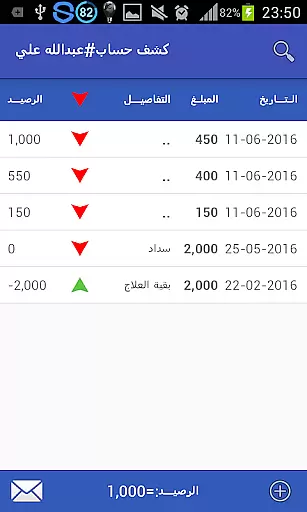


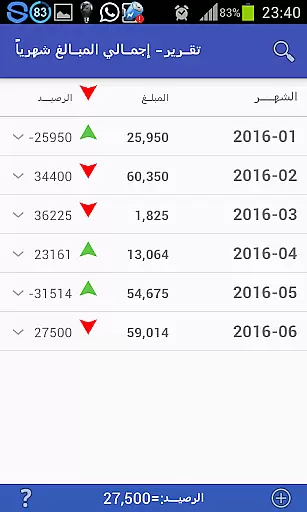

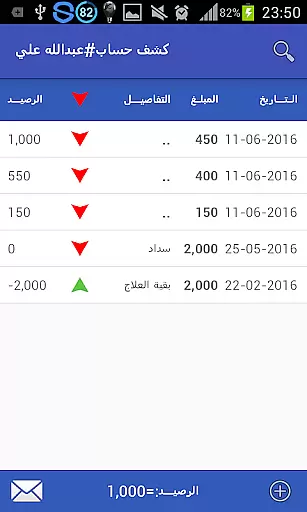

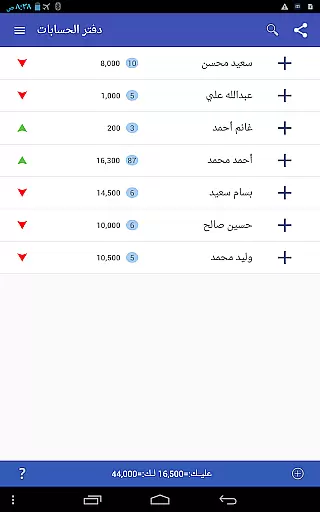
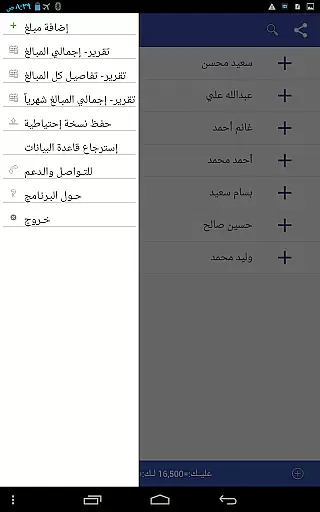

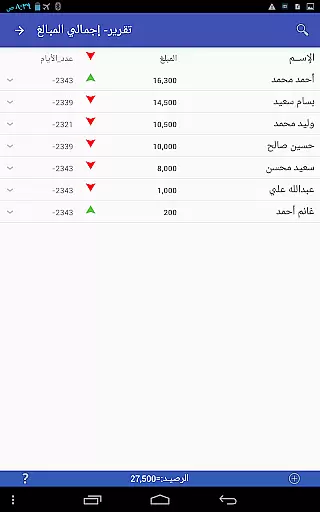
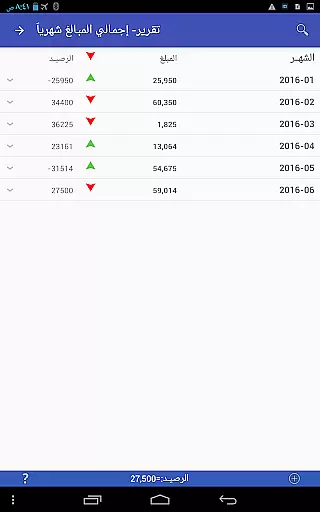


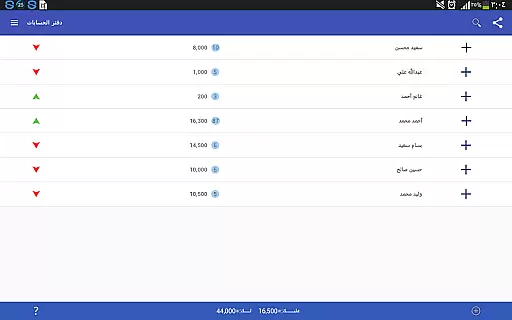
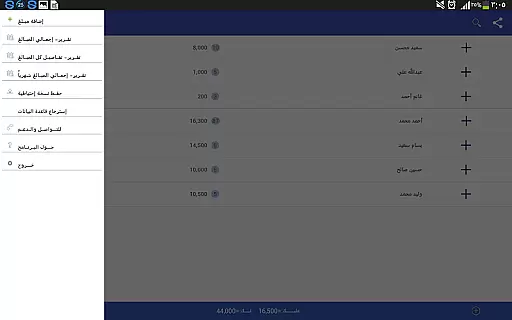
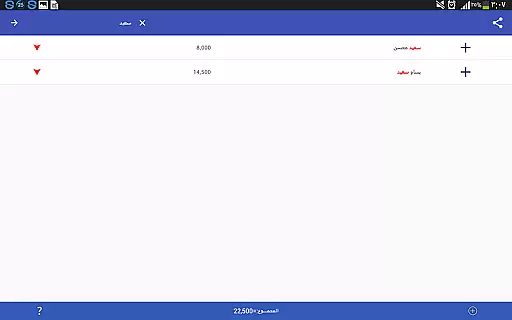
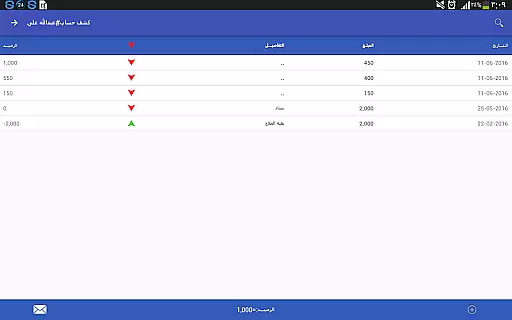
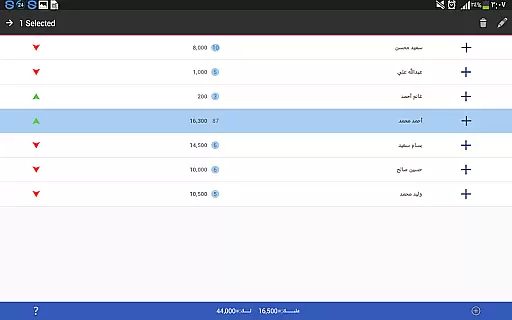
Pro Accounting Book is a comprehensive financial management application designed for individuals and small businesses. The app allows users to effortlessly record debts, track receivables, and manage automatic account aggregation. With its intuitive interface, it simplifies complex accounting tasks while offering advanced features such as exporting and importing databases, sharing accounts via Bluetooth or social media, and generating detailed analytical reports.
One of the standout features of Pro Accounting Book is its ability to close accounts by consolidating all transactions into a single entry with the final balance. This ensures clarity and precision in financial tracking. Additionally, the app provides robust search and sorting functionalities, enabling users to filter data by date, amount, or keywords. Whether you're managing personal finances or running a small business, this app offers the tools needed to maintain accurate records and save valuable time.
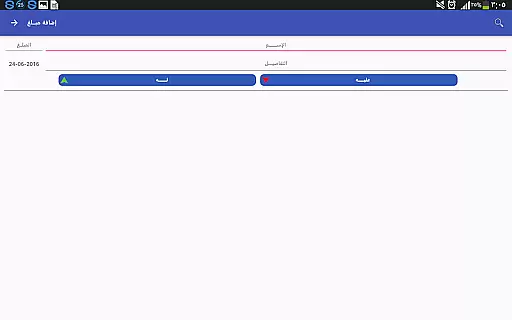
Pro Accounting Book stands out with its diverse range of practical features tailored for efficient financial management. The app includes an easy-to-use Add Amount function that lets users input transaction details quickly, with options to specify dates and save entries for future reference. Its Account Closing feature simplifies ledger maintenance by aggregating all transactions under one name into a single entry, streamlining the reconciliation process.
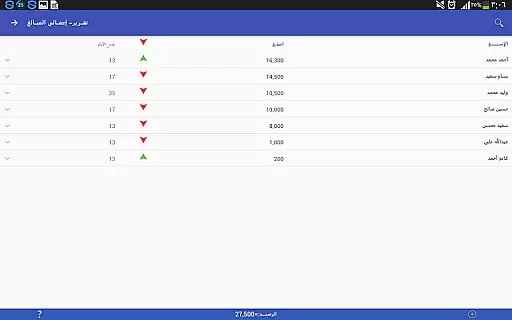
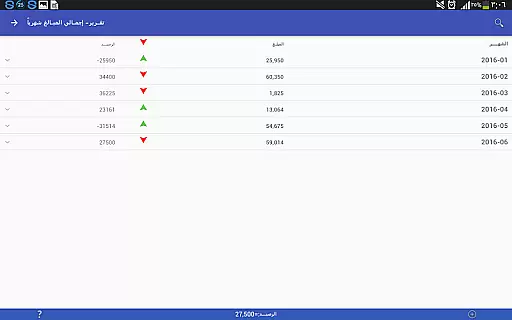
The app also excels in reporting capabilities, offering a variety of analytical reports that provide insights into financial trends and summaries. Users can customize their experience further through advanced search and ranking functions, which allow filtering and sorting data based on specific criteria. Moreover, the inclusion of database protection features like backup and restore ensures data security, even in cases of device loss or damage. These innovative tools collectively make Pro Accounting Book a reliable solution for modern accounting needs.
Account and fund security is a critical aspect of any financial application, ensuring that users' sensitive data is protected from unauthorized access. Pro Accounting Book takes this responsibility seriously by implementing robust security measures to safeguard your financial information. The app provides database protection features, allowing you to create backup copies of your data and restore them when necessary.
The application enables you to share accounts via secure methods such as Bluetooth or social networking sites, minimizing the risk of data interception. Additionally, the feature of exporting and importing the database ensures that you can maintain control over your data and store it safely outside the app environment.
By incorporating these security protocols, Pro Accounting Book not only protects your financial records but also gives you peace of mind knowing that your transactions and personal information are kept confidential and secure.
A seamless transaction experience is essential for maintaining an efficient ledger program. Pro Accounting Book offers a user-friendly interface with its Add Amount (+) button, streamlining the process of recording debts and credits. This intuitive design allows you to quickly enter or select names, specify transaction dates, and save entries with ease.
The app goes beyond simple data entry by completing aggregate accounts automatically, which saves time and reduces errors in calculations. With quick access functions like search and order, users can effortlessly find past transactions using keywords, dates, or amounts.
Moreover, detailed reports provide valuable insights into your financial status without requiring manual analysis. These features combine to offer a smooth and reliable transaction experience that enhances productivity while keeping accurate records.
User-friendly interface
Automatic account aggregation
Comprehensive reporting tools
Secure data backup options
Efficient search and filter
Limited free features
No multi-currency support
Occasional bugs reported
Ads in free version
Learning curve for beginners

Bank better with our new app
 3.80
3.80
Bill Manager is a simple app to help you keep track of your upcoming bills.
4.0
Early payday cash advance up to $150 a day with a max of $1,000 per pay period
4.70
Manage and cancel subscriptions, lower bills, track expenses, create budgets.
4.60
Put crypto to work & earn rewards. Stake crypto like Ethereum, Solana & Cardano
4.40
Save, spend & get paid faster²
4.50
Make your paycheck work harder for you with Perpay.
4.10
Our Chase Mobile App makes it easy for you to bank on the go 24/7.
4.60
Navigate your unique financial path confidently with help from Credit Karma.
4.70
Companies owe you money.
4.80
Payday cash advance & Instant cash advance: Borrow money instantly, Get cash now
4.60
Real-time tracking: Stocks, Indices, Futures, Commodities, ETF, & Funds prices.
4.60
Make Real Cash by Playing Games! Fetch Playful Rewards, Win & Triumph
4.50
Trade NFL, NBA, Crypto, Tech
4.50
Get up to 500, get paid early, earn interest and find work with no hidden fees.
4.40
Mine Bitcoin in the cloud! Earn BTC daily with high-speed mining power.
4.30
Read and extract public data on NFC Contactless banking card (VISA, MasterCard
4.30
Secure Amex Account Access: View Balance, Make Payments, Redeem Rewards & more
3.60
SuperQi, Your all-in-one Super App.
1.30


User Reviews