
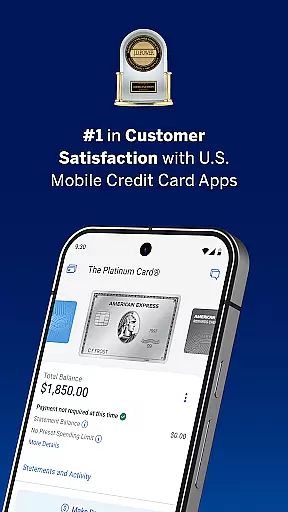
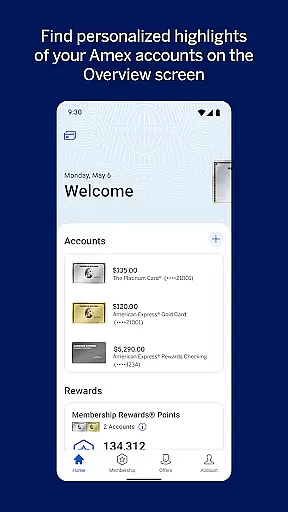

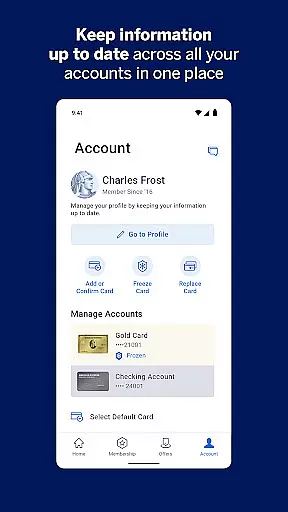
The American Express App for Android is a comprehensive financial management tool that allows users to securely access their account information from anywhere. With features like biometric login, real-time alerts, and spending tracking, the app provides both convenience and security.
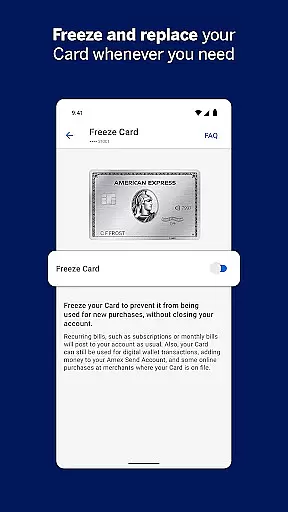
Users can activate new cards, manage payments, explore rewards, and even freeze their credit card instantly if needed. The app also supports integration with Google Pay and offers personalized recommendations for using Membership Rewards points.
This application is particularly useful for American Express cardholders who want to stay on top of their finances while enjoying the benefits of digital banking. The combination of secure account management and innovative features makes it an essential tool for modern finance management.
The American Express App offers a wide array of features designed to enhance user experience in managing their finances. One of its standout capabilities is the enhanced activation process for new cards, which simplifies account setup and card confirmation.
Security is prioritized with options like instant card freezing and unfreezing, as well as real-time purchase and fraud alerts. Users can also enable paperless statements and automatic bill payments, streamlining their financial management process.
Additionally, the app provides valuable tools for maximizing rewards, such as viewing reward balances, personalized point usage suggestions, and exclusive Amex Offers. These features collectively ensure users have a robust platform for both protecting and optimizing their financial activities.
In the realm of digital finance, security stands as a paramount concern for users. The Amex app addresses this by offering robust account protection features designed to safeguard your financial information. With biometric login available on supported devices, the app ensures quick, yet secure access to your account, significantly reducing the risk of unauthorized entry.
One of the standout security features is the ability to instantly freeze and unfreeze your credit card directly from the app interface. This functionality provides users with immediate control over their card's usability, effectively preventing fraudulent transactions. Additionally, the app employs advanced encryption protocols to protect your data during transmission, ensuring that your personal and financial details remain confidential.
The benefits of these security measures are manifold. Not only do they offer peace of mind by protecting against identity theft and fraud, but they also empower users with real-time control over their financial instruments. Whether you're at home or traveling abroad, the assurance that your account is shielded by cutting-edge security technology enables you to manage your finances with confidence.
Ultimately, the Amex app's approach to account and fund security reflects its commitment to providing a safe and reliable platform for managing your financial life. By integrating sophisticated security technologies with user-friendly features, it sets a high standard for mobile banking applications in the Finance category.
A seamless transaction experience is crucial for any financial application, and the Amex app excels in providing users with intuitive tools to manage their spending efficiently. The app allows you to check your account balance, review pending transactions, and sort charges by amount and date, all within a few taps. This level of accessibility ensures that you have a clear overview of your financial activities at any given moment.
To further enhance the transaction experience, the Amex app offers features such as paperless access to past PDF statements and AutoPay functionality. These options not only streamline your financial management process but also contribute to environmental sustainability by reducing paper usage. Moreover, the ability to check your spending power before making a purchase adds an extra layer of financial planning, helping you make informed decisions based on your current account status.
Real-time alerts constitute another significant aspect of the transaction experience provided by the Amex app. Users can enable notifications for various events, including purchases, potential fraud, and payment due reminders. This proactive approach keeps you informed about important account activities, allowing you to respond promptly to any suspicious transactions or upcoming deadlines.
By combining comprehensive transaction tracking with innovative features like real-time alerts and spending power checks, the Amex app delivers a superior transaction experience. It empowers users to maintain better control over their finances while enjoying the convenience and speed of mobile banking, setting a benchmark for excellence in the Finance category.
User-friendly interface
Secure account access
Comprehensive transaction tracking
Reward optimization tools
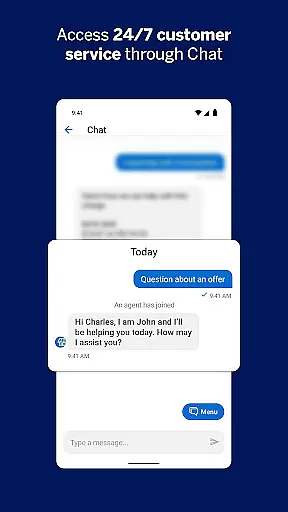
24/7 customer support
Limited to American Express customers
Device compatibility issues
Occasional syncing problems
No support for prepaid cards
Geographical limitations

 4.50
4.50
Manage your account, make a payment, and redeem your rewards on the go.
4.50
Money transfer made easy. Send money to friends and family with great rates.
4.70
Your insurance, anytime, anywhere
4.00
Invest, bank & save in one app. Trade stocks, earn high APY & budget smarter.
4.00
Save, spend & get paid faster²
4.50
Easy budgeting planning on a calendar!
4.80
Real-time tracking: Stocks, Indices, Futures, Commodities, ETF, & Funds prices.
4.60
Venmo is the fun and easy way to pay and get paid.
4.10
Keep track of your subscriptions with no limitations
4.80
Secure, simple money transfer app. Send money to Mexico and worldwide fast.
4.80
Currency Converter (200+ currencies) with live exchange rates and offline mode.
4.70
Payday cash advance & Instant cash advance: Borrow money instantly, Get cash now
4.60
Early payday & cash advances with no-fee mobile banking!
4.60
The simplest way to budget, bank, save and invest.
4.50
Put crypto to work & earn rewards. Stake crypto like Ethereum, Solana & Cardano
4.40
Mine Bitcoin in the cloud! Earn BTC daily with high-speed mining power.
4.30
Registration of your debts and Mdionatk and assembled, as well as a significant reports
4.30
SuperQi, Your all-in-one Super App.
1.30


User Reviews