
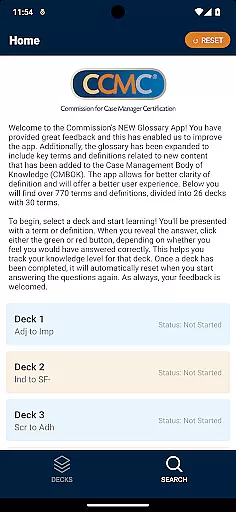

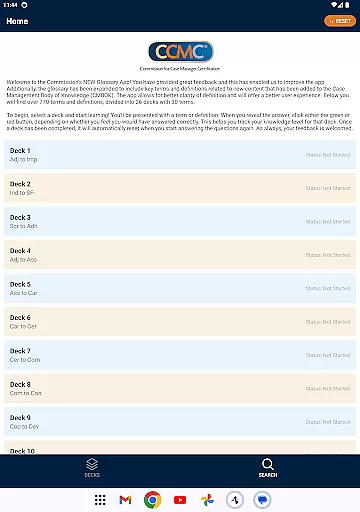


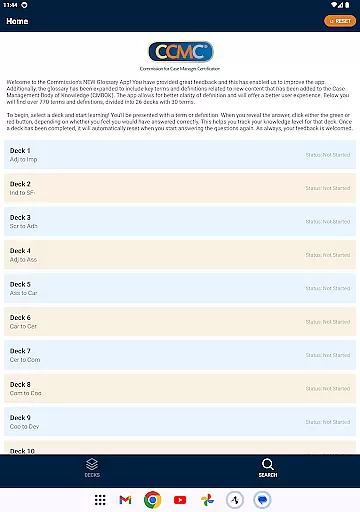


The CCM Glossary App is an educational tool designed to help users master key terms and definitions in case management. With over 770 terms divided into 26 decks, this app provides a structured learning experience for professionals and students alike.
Each deck contains 30 terms, allowing users to focus on specific areas of the Case Management Body of Knowledge (CMBOK). The app tracks user progress through a simple feedback mechanism, helping learners identify areas that need improvement.
This app is particularly useful for those preparing for certification exams or seeking to deepen their understanding of case management terminology. By offering expanded content and improved usability, the CCM Glossary App delivers a valuable educational resource.
The CCM Glossary App offers several notable features that enhance the learning experience. First, it includes over 770 terms and definitions, covering essential case management concepts and new content added to the CMBOK.
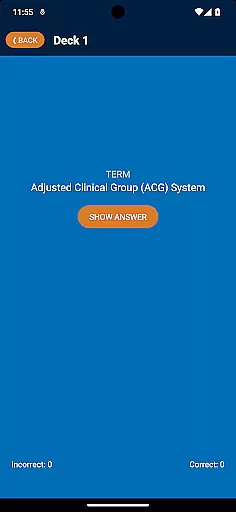
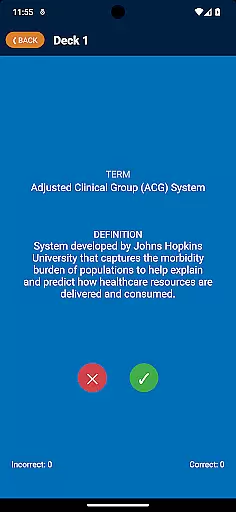
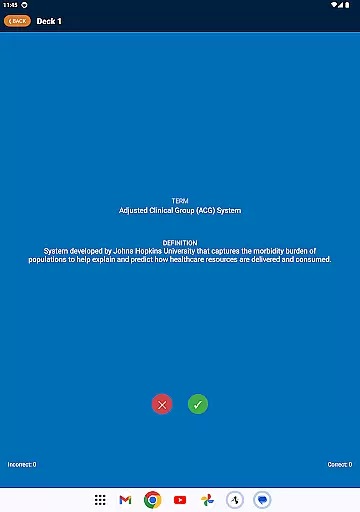
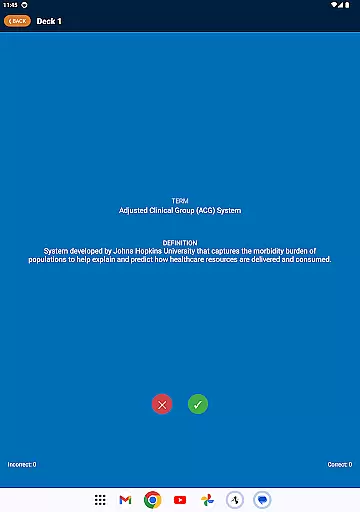
Users can track their knowledge level through an interactive feedback system. After revealing each term's definition, learners can indicate whether they answered correctly using green or red buttons. This feature helps monitor progress and identify areas needing further study.
Additional features include automatic deck reset functionality and organized learning paths. These elements ensure a seamless and effective study experience, making the app suitable for both beginners and advanced learners in case management.
In the realm of educational applications, content accuracy is paramount. The CCM Glossary App offers over 770 terms and definitions, ensuring comprehensive coverage of the subject matter. These definitions are not only extensive but have also been reviewed and expanded based on user feedback and expert input.
The app derives its content from the Case Management Body of Knowledge (CMBOK), which adds credibility to the information provided. This ensures that learners are accessing materials that are both relevant and authoritative. With updates to include new key terms, users can be confident in the precision of their learning material.
Furthermore, the structured approach of dividing terms into 26 decks enhances clarity and aids retention. Users can systematically work through each deck, reinforcing their understanding with accurate and verified definitions. This methodical presentation underlines the app's commitment to delivering trustworthy educational content.
Personalization in learning is crucial for effective education, and the CCM Glossary App excels in this area by offering a tailored experience. As users engage with each deck of 30 terms, they actively participate in a personalized learning journey. By indicating their level of understanding with green or red buttons, they create a customized knowledge profile.
This interactive feature allows users to track their progress and identify areas needing improvement. The app's ability to reset completed decks ensures continuous learning and adaptation to the user's growing knowledge base. Such an adaptive system fosters an engaging and responsive educational environment.
Moreover, the app's design encourages self-paced learning, accommodating various learning styles and speeds. This flexibility makes it an invaluable tool for those seeking to expand their expertise in case management at a pace that suits them best. Personalized learning paths thus enhance both motivation and mastery.
User-friendly interface
Comprehensive glossary
Progress tracking
Structured learning
Regular updates
Limited to case management
No offline mode
Basic design
Few interactive features
Requires constant internet

Build math skills in: addition, subtraction, multiplication and division.
 4.10
4.10
Test prep for Indiana students
4.0
Turns you phone or tablet into TI graphing calculator (ROM required).
4.20
Nighty Night Circus - Bedtime story for kids
4.10
Quiz App to help case managers studying for CCMC Certification, 200+ Questions
3.40
Hasbro's Classic Board Game - Make Cavity Sam better or get the buzzer!
3.50
Our most popular app series returns, better than ever!
3.90
A fast and fun way to learn guitar - works with any guitar.
4.60
Reading for kids has never been easier. Learn phonics, letter tracing & more!
4.70
Discover Your Place in the Universe
4.70
SkyView®, an augmented reality space app, brings stargazing to everyone!
4.40
Ignite curiosity, spark learning: All babybus videos &games
4.30
Learn math, step-by-step
4.30
Skelly is a fully poseable, anatomically correct reference skeleton for artists.
4.10
An aviator’s preparation, study and test tool for FAA Knowledge Exams.
4.10
Master note reading with StaffWars….
4.00
FAR/AIM, FAR for Flight Crew and FAR for Aviation Maintenance Technicians
3.80
Grazing Risk Monitoring Service
4.2
Animals pop up and make sounds—learn names and noises in Peekaboo Barn!
4.5


User Reviews