
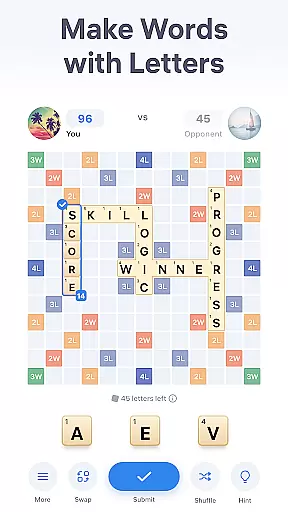
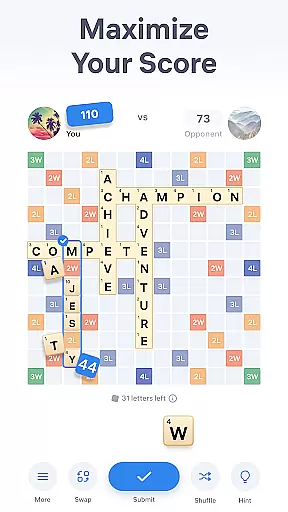

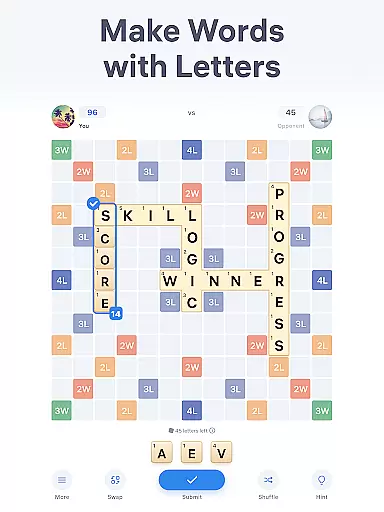
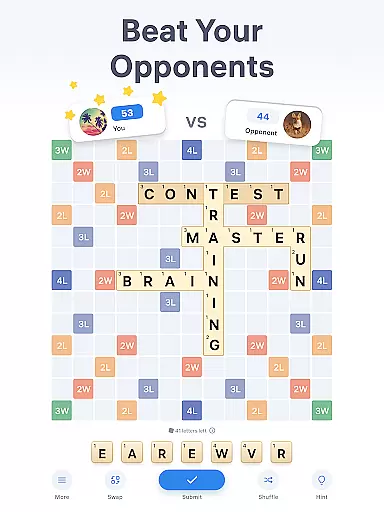
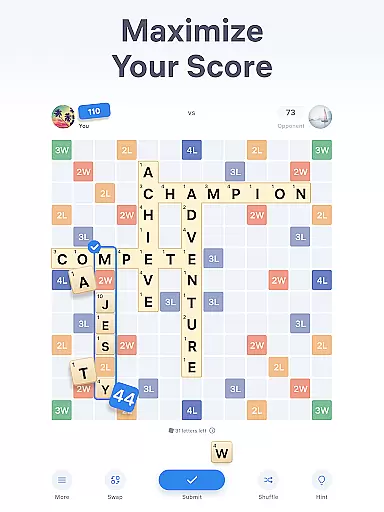

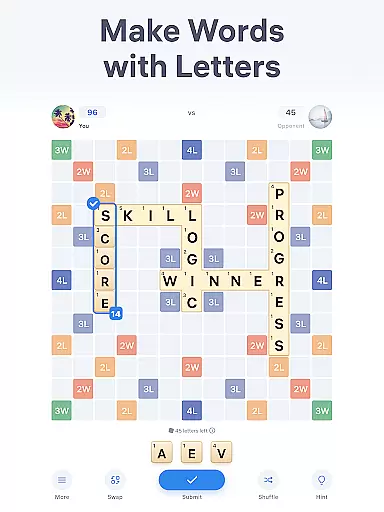
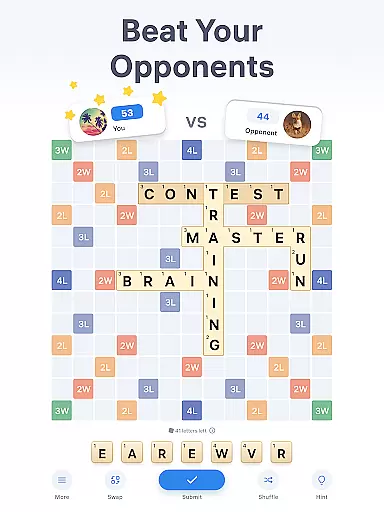
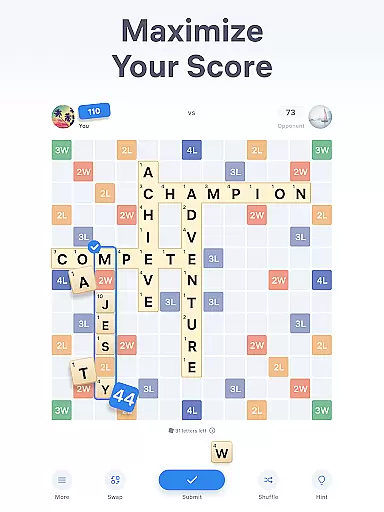

Easy Words is an engaging word puzzle game designed to train your brain while providing entertainment. The core gameplay involves creating words on a 13x13 board using letter tiles, each with its own points value. Players aim to achieve the highest score by strategically placing words either horizontally or vertically.
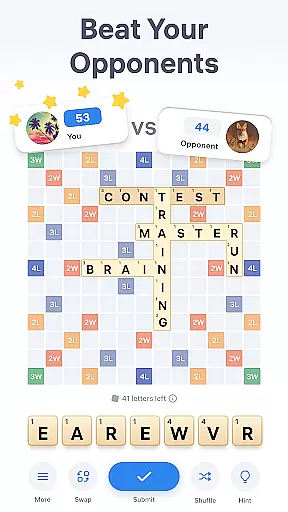
A key feature of Easy Words is its competitive nature, allowing players to challenge opponents and showcase their logic skills. With built-in bonuses such as special cells that multiply points, the game adds strategic depth. Additionally, features like hints, tile swapping, and shuffling ensure players remain engaged and can continually improve their vocabulary and word-forming abilities.
This app is perfect for anyone looking to sharpen their mind during breaks or while commuting. Its simple rules yet addictive gameplay make it suitable for both casual and serious word-game enthusiasts, offering an immersive experience that combines learning with fun.
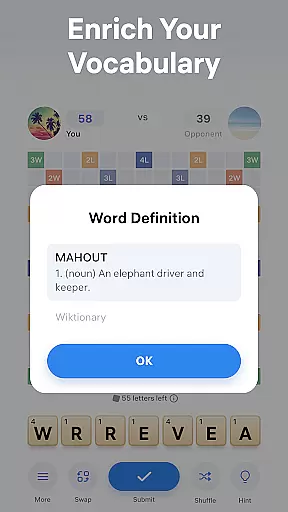
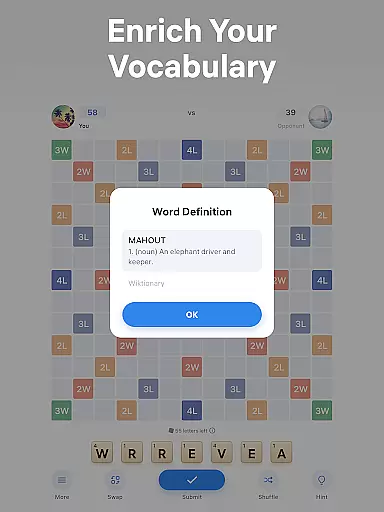
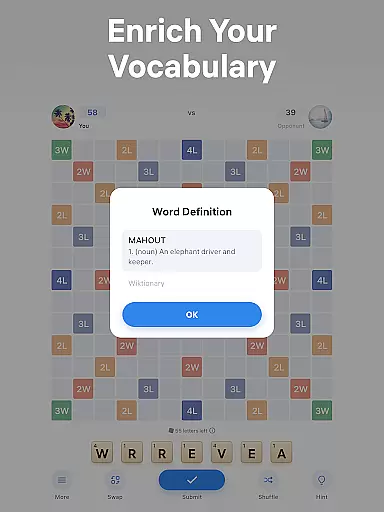
Easy Words offers a rich set of features that enhance the classic word puzzle experience. One standout feature is the built-in dictionary, which provides definitions for all words placed on the board. This not only aids in gameplay but also helps users expand their vocabulary, making it educational as well as entertaining.
The game includes several tools to assist players, such as hints that suggest optimal word formations based on available letters and bonus cells. For those struggling with creativity, the swap function allows exchanging tiles for new ones, while the shuffle option rearranges current tiles to inspire new ideas. These features ensure that players are never stuck and can continuously evolve their strategies.
With additional elements like joker tiles that substitute any letter, Easy Words introduces an extra layer of strategy and excitement. Whether you're solving puzzles alone or competing against others, these features collectively create a dynamic and rewarding gaming experience that keeps players coming back for more.
Clue quality and clarity are essential in word puzzle games like Easy Words. The game provides clear guidance through its built-in dictionary, which defines all words added to the board. This feature not only enriches players' vocabulary but also ensures that each clue or word formed is accurate and meaningful.
The hints system in Easy Words further enhances clue quality. When players are stuck, they can use a hint to compose the best possible word with their current letters. This takes into account bonus cells on the board, maximizing the potential score for that turn. Such assistance maintains the flow of the game without causing frustration due to overly complex puzzles.
Moreover, the rules of Easy Words contribute to the overall clarity of gameplay. With straightforward instructions about forming words horizontally or vertically and utilizing special tiles like jokers, players can focus on strategy rather than deciphering how to play. This simplicity makes it accessible even for beginners while still offering depth for experienced players.
Ultimately, by providing well-defined clues and supporting features such as swaps and shuffles, Easy Words ensures an engaging yet stress-free experience. Players can enjoy solving puzzles at their own pace, knowing that every move is guided by clear information and helpful tools designed to keep them entertained and challenged.
Puzzle variety is a standout feature in Easy Words, ensuring that players remain engaged and challenged throughout their gaming experience. The game offers a diverse range of puzzles, from simple word formations to more intricate crosswords, keeping the gameplay fresh and exciting.
One aspect contributing to this variety is the dynamic nature of the 13x13 board. With different configurations of bonus cells and varying letter combinations drawn from the tile bag, no two rounds feel the same. This unpredictability encourages strategic thinking as players adapt their tactics based on available resources and board layout.
Additionally, features like swaps and shuffles add another layer of complexity. Swapping allows players to exchange unwanted tiles for new ones, introducing unexpected possibilities in word creation. Shuffling rearranges existing tiles, offering a fresh perspective and potentially revealing overlooked solutions. These options ensure that players always have multiple paths to success.
Overall, Easy Words excels in delivering puzzle variety through thoughtful design elements. By combining classic word game mechanics with innovative twists, it caters to both casual gamers looking for quick entertainment and dedicated puzzlers seeking deeper challenges. This balance keeps users coming back for more, eager to explore what each new round has to offer.
User-friendly interface
Addictive gameplay
Educational value
Competitive multiplayer
Variety of helpful tools
Limited offline play
In-app purchases
Occasional ads
Complex for beginners
Requires internet connection

Can you handle the heat of the Word Kitchen?
 4.60
4.60
Find words from the same topic, group them by association, win the word puzzle!
4.50
Enhance your mind and unwind with word puzzles and solitaire. Play now!
4.80
Solve crossword puzzles challenge your brain and expand your vocabulary
4.90
750 professional casual crosswords to keep you busy during coffee break.
4.10
The classic word game with advanced AI and built-in definitions
4.60
3000+ levels of word puzzles fun. Connect words, improve vocabulary, boost IQ!
4.60
Relax, train your brain and improve your vocabulary with Word Search Journey
4.80
Group words by category and solve relaxing association puzzles in a word game!
4.60
Visit the wonders of the world while you connect letters to create great words!
4.90
Guess who is the Impostor and Mr White. Party game to play with friends. Fake it
4.80
Explore the world playing word puzzle games. Relax your brain by finding words
4.80
Crossword puzzles for all ages- easy to hard games. All offline!
4.80
Unleash your vocabulary in the world’s #1 word cross puzzle game!
4.70
The highly addictive fun word game.
4.70
101 offline games: words, puzzles, quizzes! Play, learn and compete!
4.70
Play this fun word connect game to calm and train your brain.
4.60
Play word games with friends! Smart puzzles, custom tiles & multiplayer fun!
4.40
260 professional cryptic crosswords to keep you pondering.
4.40


User Reviews