
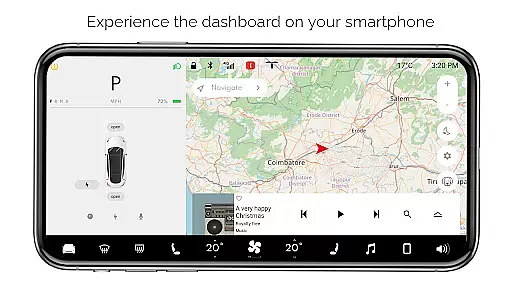
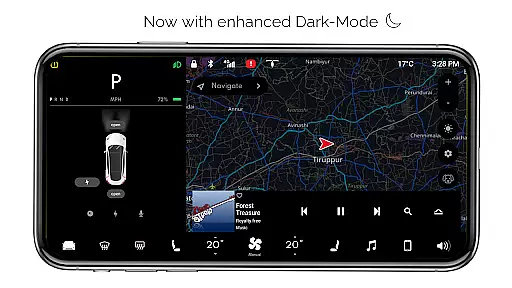
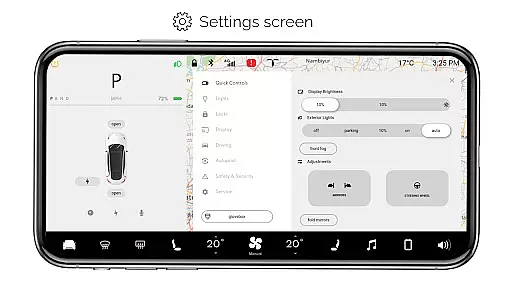
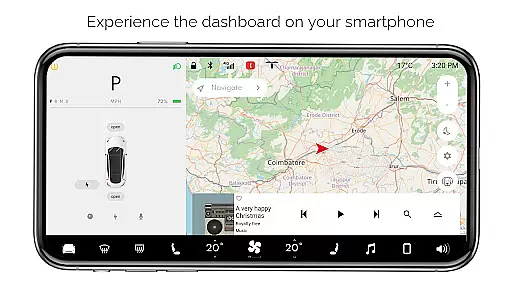
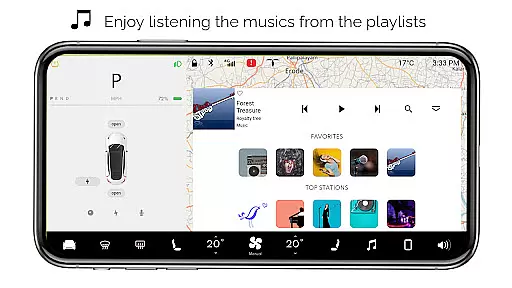
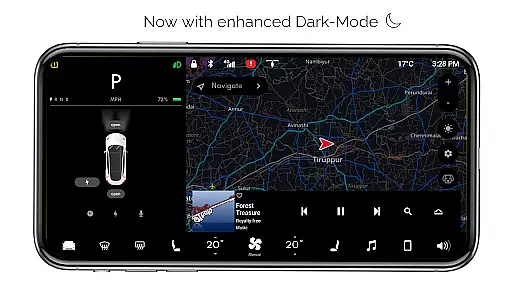
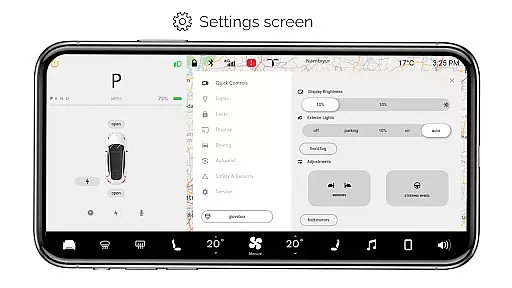
For Tesla is an innovative entertainment app that brings the Tesla dashboard experience to your smartphone. Designed exclusively for Tesla enthusiasts, this simulator app allows users to explore nearly all native features of a Tesla vehicle's touchscreen interface without needing an actual car. The app provides an interactive environment where users can engage with various dashboard controls and settings.
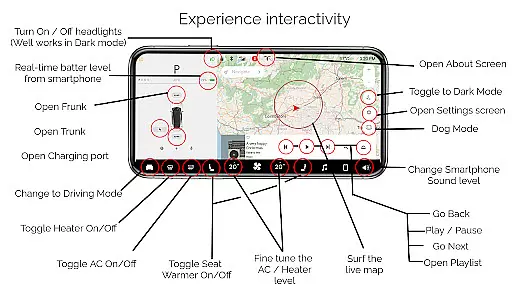
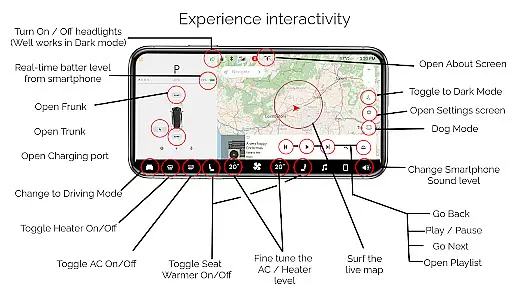
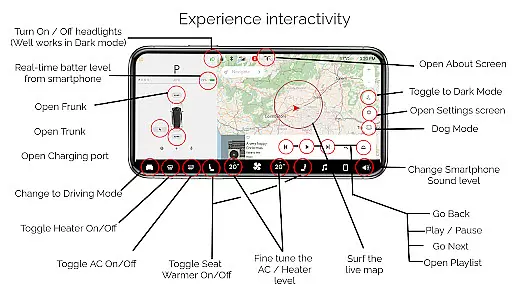
Key functionalities include interactive maps for live location tracking, headlight controls that work seamlessly in dark mode, temperature adjustments, real-time battery monitoring, and access to driving modes. Additionally, users can simulate opening or closing the trunk, frunk, and charging port. With dedicated screens for settings, music playback, and informational displays, For Tesla offers a comprehensive glimpse into the Tesla driving experience.
This app serves as an excellent tool for Tesla fans who want to familiarize themselves with the vehicle's interface or simply enjoy a simulated Tesla experience on their mobile devices. Despite being a fan-made creation, it captures the essence of Tesla's user experience, making it both educational and entertaining.
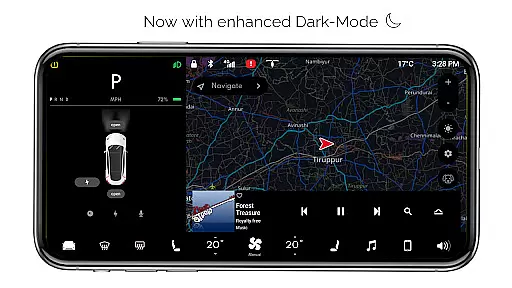
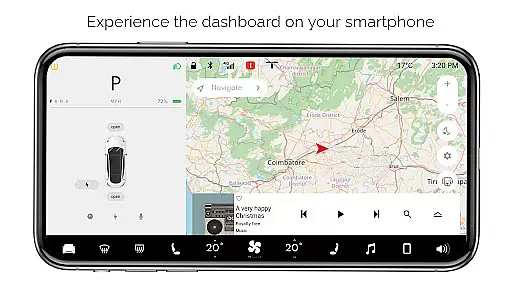
For Tesla boasts a wide array of features designed to simulate the authentic Tesla dashboard experience. One of its standout capabilities is the interactive map feature, which lets users track their live location and navigate seamlessly within the app. Another highlight is the ability to control virtual headlights, including turning them ON or OFF, particularly effective in dark mode settings.
The app also includes fine-tuned climate controls, allowing users to adjust temperatures as they would in a real Tesla. Real-time battery level monitoring mirrors the actual energy consumption metrics found in Tesla vehicles. Users can interact with various car functions such as opening or closing the trunk, frunk, and charging ports through intuitive touch controls.
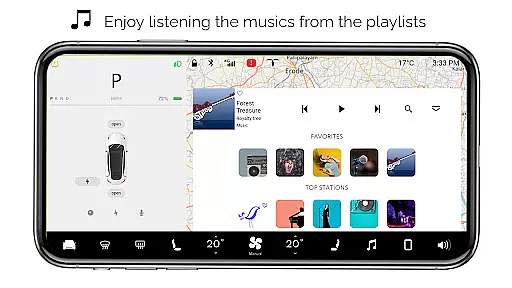
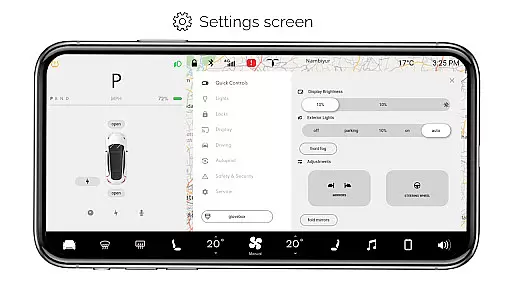
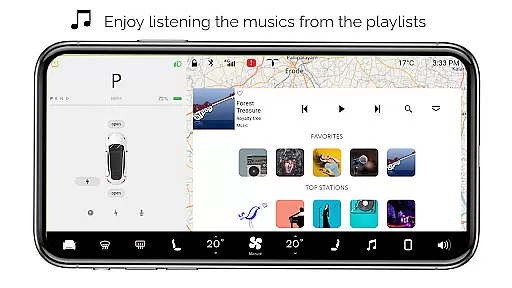
Additional features include different driving modes that provide snapshots of what driving a Tesla might feel like, along with detailed settings screens offering extensive customization options. The inclusion of an interactive music player with playlists adds another layer of realism. Dark mode enhances visibility, while specialized modes like Dog Mode showcase the app's attention to detail and commitment to replicating the Tesla experience faithfully.
In the realm of digital entertainment, content variety and freshness are paramount to maintaining user engagement. For Tesla app offers an extensive range of simulated features inspired by the Tesla vehicle's dashboard, ensuring users have access to a broad spectrum of interactive experiences right from their smartphones.
From interactive maps that track your live location to a music player complete with playlists, the app provides numerous ways to engage with content that mimics the native user experience of a Tesla car. This includes turning headlights on or off, fine-tuning temperature settings, and even activating Dog Mode, all contributing to a dynamic user interface that keeps the experience fresh and intriguing.
The regular updates and new feature additions reflect the app's commitment to keeping its content current. Although these features are simulations and not compatible with actual Tesla systems, they offer Tesla enthusiasts a way to explore and interact with the car's potential functionalities in a virtual environment.
By continuously refining and expanding upon the available features, For Tesla app ensures that users always have something new to discover, thus enhancing user retention through constant innovation and creativity.
User engagement duration and retention are critical metrics for apps in the Entertainment category, as they directly correlate with the app's success and popularity. The For Tesla app captivates its audience by offering a realistic simulation of a Tesla vehicle's dashboard, encouraging prolonged interaction through its diverse array of features.
Users can immerse themselves in activities such as adjusting the caru2019s temperature, opening or closing the trunk, frunk, and charging port, or exploring different driving modes. These simulated actions provide a compelling and educational experience that motivates users to spend more time within the app, learning about the capabilities of Tesla vehicles.
Moreover, the app's dedication to quality and attention to detail, like the accurate replication of the Tesla dashboard and the inclusion of dark mode, enhances the overall user experience. Such meticulous design fosters a deeper connection between the user and the app, promoting longer sessions and repeat usage.
While it is important to note that this fan-made application does not connect to real Tesla systems, its ability to consistently draw users back for more highlights its effectiveness in boosting engagement duration and retention rates among Tesla aficionados.
User-friendly interface
Interactive simulations
Comprehensive feature set
Realistic Tesla experience
Regular updates
Limited real-world functionality
Some features inactive
No physical car integration
Fan-made limitations
Premium version costs

EVP Recorder / Voice Recorder for ghost hunting, to communicate with ghosts.
 4.5
4.5
Direct access to the most complete Guitar Tab Archive in Spanish: LaCuerda.net
4.60
Watch everything you want.
2.90
The JBL Portable app works with JBL portable Bluetooth speakers.
4.60
Himnario LLDM - Fast and Easy to read , updated Hymnal 2019 Edition Official
4.20
Premium version to enjoy your favorite anime
4.60
Hand-drawn, cartoon OC creator - original character creator
4.70
Earn big rewards like PayPal & Amazon gift cards by playing games you love!
4.30
World's largest dedicated anime collection
4.70
Open-source, fast, simple and powerful IPTV app
4.90
Official KennysGifs Stickers
4.20
A companion app for the game Elite Dangerous
4.10
Experience the video editing experience brought by our intuitive interface
4.10
Alice Box is an Instrumental Trans Communication app.
3.80
Your choice of 350+ networks plus movies and full TV series on-demand.
3.70
Connect. Discover. Control.
3.60
Explore the unknown!
3.00
With the credits you earn play more games
2.90
The classic game of rock, paper, scissors
4.5


User Reviews