
Videous lite is a streamlined video management and editing application tailored for both casual users and professional creators. Its user-friendly interface allows effortless organization, editing, and customization of videos, making it ideal for personal entertainment or professional projects.
Key features include an intuitive video library layout, easy tagging for efficient categorization, and quick upload options for expanding your collection. Whether you're trimming clips or managing large video libraries, Videous lite provides the tools to keep your content organized and accessible.
This app is particularly useful for content creators who need to process multiple videos efficiently while maintaining creative control. With its practical functions and straightforward design, Videous lite transforms how users interact with their video files.
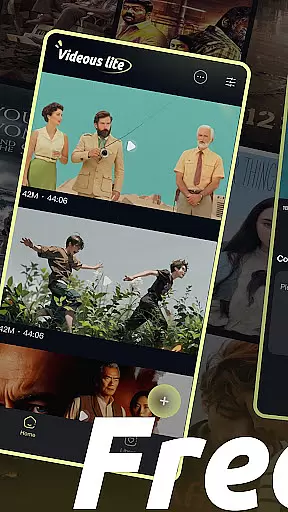
Videous lite stands out with its practical and innovative features designed to simplify video management. The app offers an easy-to-navigate video library that displays videos chronologically, complete with metadata such as length and size for quick identification.
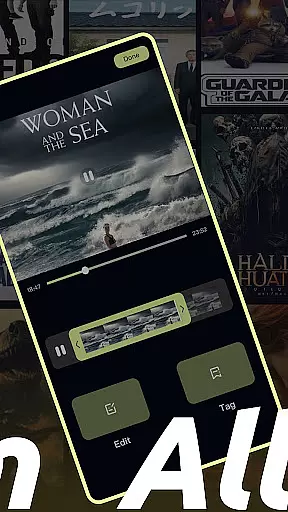
One notable feature is the drag-and-drop editing tool, which allows users to trim and customize videos effortlessly. Additionally, the tag customization system helps organize videos into categories, streamlining retrieval and management. These features ensure that users can focus on creativity without being bogged down by complex processes.
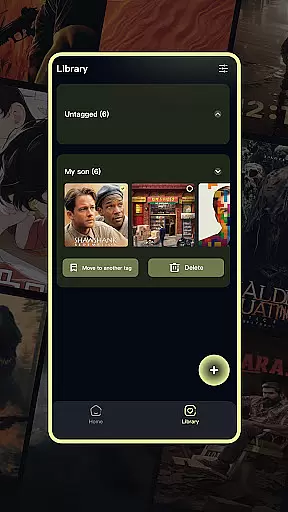
The app also includes administrative tools like batch selection, moving, and deleting videos, enhancing workflow efficiency. By combining these capabilities, Videous lite delivers a seamless experience for anyone looking to manage and edit videos effectively.
In the realm of digital content, having a diverse and frequently updated library is crucial for user engagement. Videous lite-Made Easy offers an extensive array of video management and editing features that cater to both personal entertainment and professional creation needs. The application's intuitive interface allows users to effortlessly upload, edit, and manage their video libraries.
One of the standout aspects of Videous lite is its ability to keep content fresh and engaging. Users can quickly upload local videos through the prominent + button on the homepage, instantly expanding their video collection. This ease of adding new content ensures that users always have something new to explore and work with, maintaining high levels of interest and interaction.
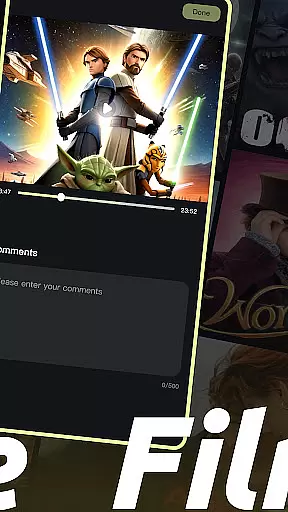
The app also supports creativity by offering robust video editing tools. With the ability to drag the progress bar for precise edits and customize tags for efficient categorization, users can continuously refine and diversify their video content. These features not only enhance the variety but also ensure that each piece remains relevant and engaging over time.
User engagement duration and retention are key metrics in evaluating the success of any entertainment application. Videous lite-Made Easy excels in these areas by providing practical and engaging features that encourage prolonged use. Its clear layout and chronological arrangement of videos make it easy for users to navigate and manage their collections, fostering a seamless user experience.
The app's comprehensive video management system further enhances user retention. By displaying all video tags on the Library Page and allowing users to select, move, and delete videos, Videous lite ensures that users can maintain an organized and clutter-free video library. This systematic approach helps sustain user interest and encourages regular revisits to the app.
Additionally, Videous lite's customization options play a significant role in retaining users. The ability to tweak settings according to personal preferences and efficiently categorize videos using tag customization means users can tailor the app to fit their unique workflows. Such personalized experiences lead to higher satisfaction and longer engagement durations, making Videous lite a go-to choice for video enthusiasts.
User-friendly interface
Efficient video tagging
Intuitive editing tools
Quick upload functionality
Clean organizational structure
Limited advanced editing
Few customization options
No cloud integration
Basic audio tools
Occasional lag

Unofficial Game Companion App” “Guides • Builds • Tips • Progression
 4.3
4.3
Triple A is a highly complex, kinetic, and interactive visualizer.
4.50
Atomus is a 10-finger multi-touch interactive visualizer.
4.30
Create melty bead designs by numbers, photos or your imagination
4.40
Best of icon for christmas
4.30
Underrated short-drama gems that hit hard and keep your heart hooked.
4.50
The Xbox app keeps you connected to your gaming community.
4.50
Alice Box is an Instrumental Trans Communication app.
3.80
Earn big rewards like PayPal & Amazon gift cards by playing games you love!
4.30
Fun brain twisting challenge with trending Whirlpool Filter.
4.70
Hand-drawn, cartoon OC creator - original character creator
4.70
* Multiple Matches * Intuitive UI * Scoring Made Easy!
4.40
Rain and lightning effects for your Philips Hue lights
4.30
Binge-worthy short dramas on DramaRush—engaging stories that fit your day.
3.90
Exclusive Short Drama Video! All in HD. Bringe trending reels & enjoy drama time
3.80
Real ghost box scanner with echo, reverb, EMF, & multi-stream channels.
3.80
Stream over 80 hours of exclusive mashups and remixes by DJ Rehab.
4.3
See the frequencies! Watch the magic!
4.4
Neon Christmas Tree Animated: Festive Wear OS watch face with fitness info
4.5


User Reviews