
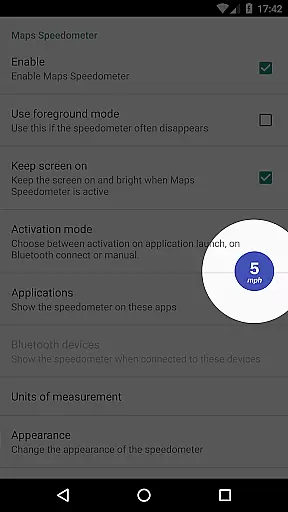
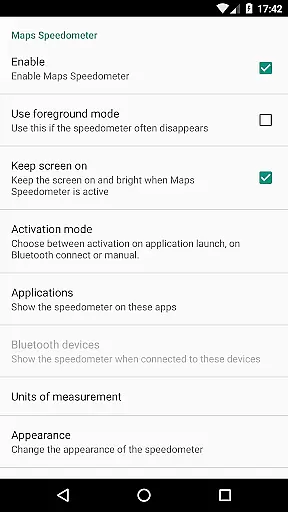
Maps Speedometer is a versatile travel companion that displays your current speed in real-time as an elegant overlay on your device. This innovative app automatically activates when your selected apps are in use or when connected to a Bluetooth device, ensuring you always have access to your speed information without interruptions. Designed for drivers and travelers who need quick access to their speed data, it enhances safety by keeping your focus on the road while providing essential travel information.
The app offers customization options including adjustable transparency, size, position, and color schemes, allowing users to tailor the display to their preferences. Whether navigating with Google Maps or using music apps via Bluetooth, Maps Speedometer seamlessly integrates into your digital environment. Its commitment to privacy and security is evident as it operates without advertisements, internet access requirements, or data-sharing backdoors, making it a reliable choice for those conscious about their digital footprint.
Maps Speedometer stands out with its array of practical features designed to enhance user experience. The app's core functionality lies in its ability to show and hide automatically based on the activity of chosen apps or Bluetooth connections, ensuring minimal intrusion while maximizing utility. Users can choose their preferred speed units from miles per hour (mph), kilometers per hour (km/h), or knots (kn), catering to various regional and personal preferences.
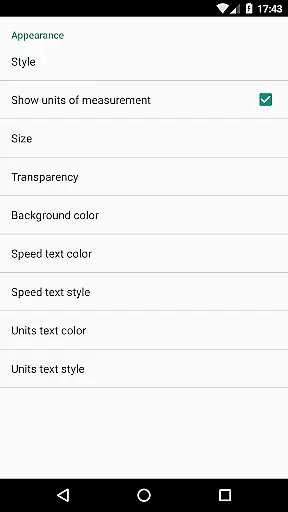
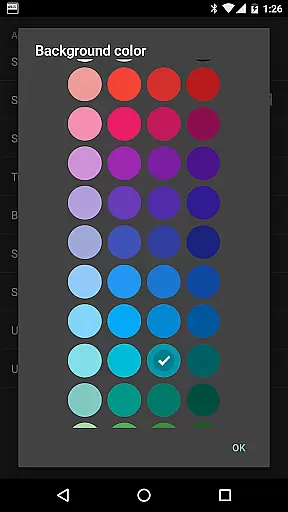
Customization is at the heart of Maps Speedometer's appeal. With options to adjust transparency, size, position, and even colors and styles, users can create a personalized overlay that suits their aesthetic and functional needs. The overlay can be temporarily hidden for 10 seconds with a simple touch, offering flexibility during critical moments. Additionally, the app supports usage with any installed app, extending its versatility across different scenarios and devices. Although Android Auto support is currently limited, the developers remain hopeful for future integration, reflecting their dedication to expanding the app's capabilities.
Booking authenticity is a crucial feature for travel applications, ensuring that all reservations and bookings made through the app are legitimate and trustworthy. Maps Speedometer, while not a booking app per se, enhances your travel experience by providing accurate speed information as you navigate.
This application automatically detects when your chosen navigation app is active and displays an elegant overlay with a speedometer. This ensures that the speed data you see is authentic and in real-time, giving you peace of mind as you travel. The app's ability to show and hide based on app activity or Bluetooth connection adds another layer of reliability.
Users benefit from the assurance that their speed data is both accurate and timely, allowing them to make informed decisions during their journeys. With adjustable settings for transparency, size, position, and colors, users can customize the overlay to suit their preferences without compromising on authenticity.
Price transparency is essential for travelers who want to understand all costs associated with their trips clearly. Although Maps Speedometer does not deal with monetary transactions, it offers transparency in its functionality by providing clear and precise speed data, which is critical for safe and efficient travel.
The app operates without advertisements or the need for internet access, ensuring there are no hidden fees or data-sharing backdoors. Users can choose their preferred speed unitsu2014miles per hour, kilometers per hour, or knotsu2014and enjoy an unobtrusive overlay that appears only when needed.
By offering adjustable features such as transparency, size, position, and style, Maps Speedometer empowers users with full control over how they view their speed data. This level of customization ensures that users have a transparent and personalized experience, enhancing their overall travel safety and convenience.
User-friendly interface
Highly customizable display
No ads or unnecessary permissions
Automatic activation based on app usage
Supports multiple speed units
Limited Android Auto functionality
Requires Accessibility permissions
Bluetooth detection may vary
No built-in speed limit alerts
Overlay might interfere with other apps

INDOT Trafficwise is a traffic and traveler information mobile app.
 4.00
4.00
Plan where to stand and shave minutes off your trip!
4.80
Learn about one of the most famous Victorian cemeteries in the world
2.80
A tool for outdoor activities.
4.30
Listen live to pilots and air traffic controllers around the world
3.80
Real-time flight tracking with live maps and flight status updates.
3.70
Easily rent a car at over 9,500 locations with the Enterprise car rental app.
4.60
Amplify Your Experience
3.00
Maximize your cruise vacation with the Royal Caribbean app
4.70
One app, 300,000+ travel experiences, tours, and tickets you’ll remember.
4.90
The travel app that makes booking cheap flights, hotels, and car rentals easy.
4.80
Vacationing on CARNIVAL? Maximize your fun on board with the ultimate cruise app
4.60
The best way to book travel
4.60
Get the app that knows where you’re going - view your flight, check in & more
4.50
Explore our parks like never before with the completely reimagined Six Flags app
4.30
Navigate your world faster and easier with voice navigation & street view map
4.20
View US public land boundary maps on your device.
3.70
Apply for an electronic travel authorisation (ETA) to come to the UK.
3.20
A packing list app that helps you remember what to pack for a trip.
3.10


User Reviews