
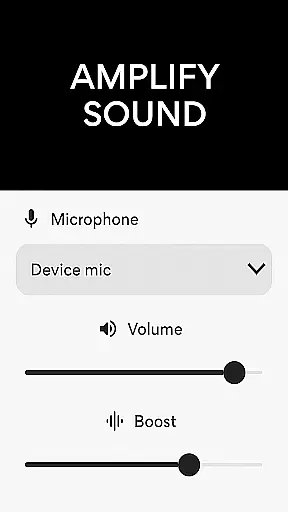
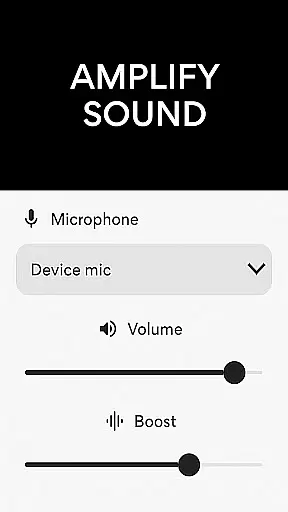
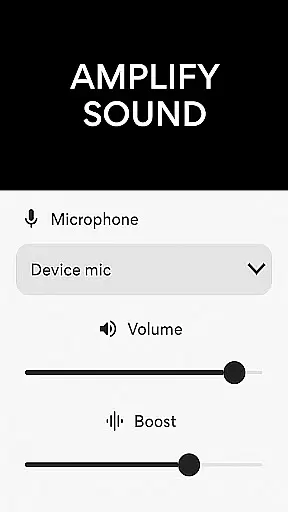
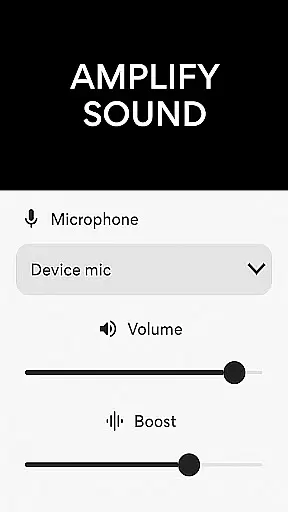
Microphone Amplifier is a specialized audio enhancement application designed for the Medical category, particularly beneficial for users requiring sound amplification as a hearing aid solution. This app transforms an Android device into a powerful megaphone voice amplifier, providing clear and enhanced audio projection in various scenarios such as presentations, assemblies, or personal use.
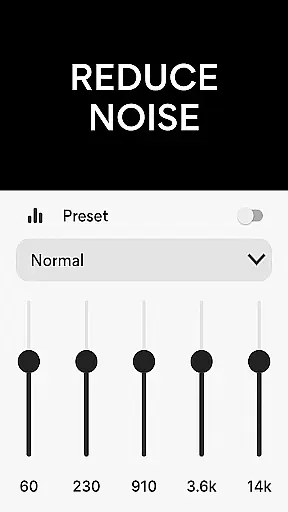
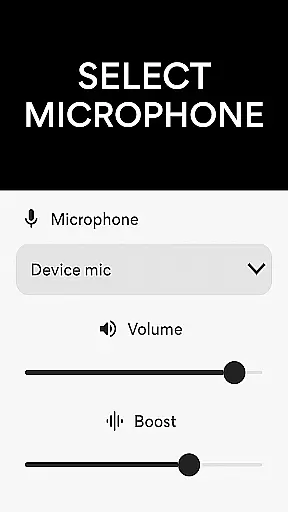
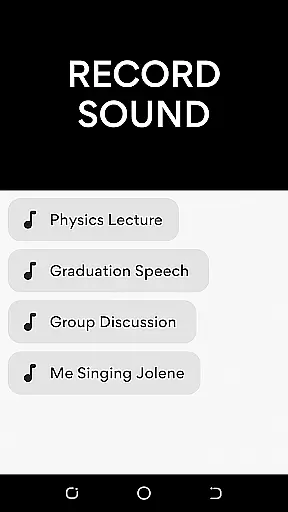
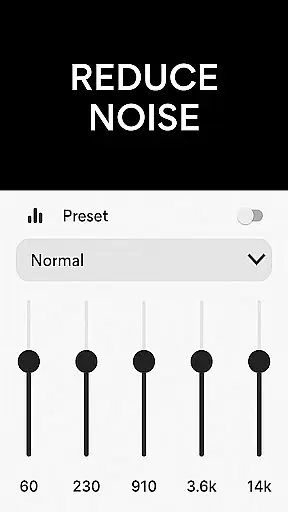
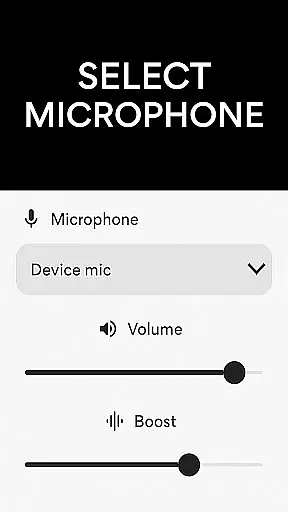
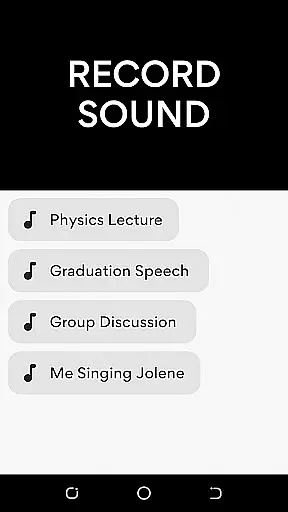
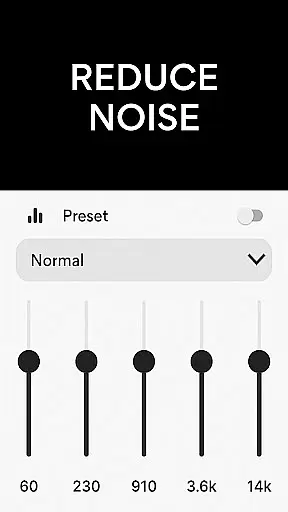
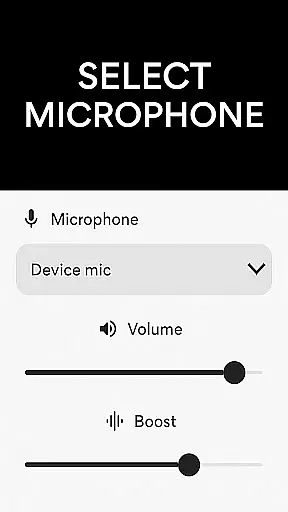
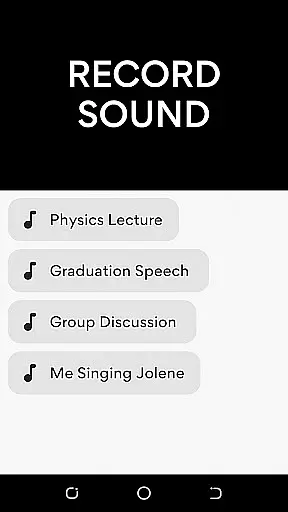
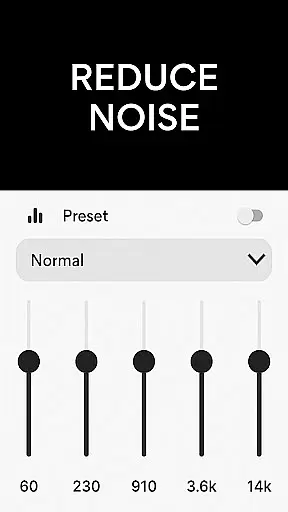
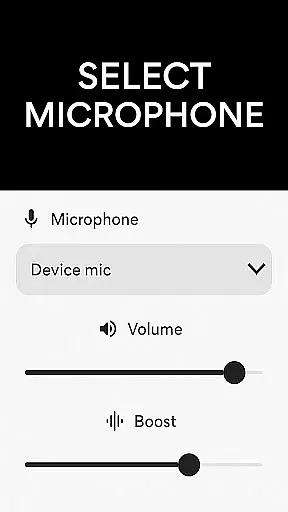
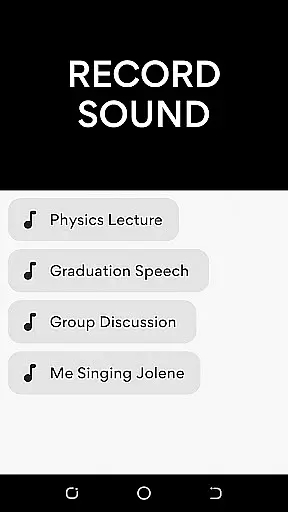
The core functionality of Microphone Amplifier includes multiple microphone options (phone mic, headset mic, or Bluetooth mic), noise reduction features, echo cancellation, and customizable sound frequencies. These features ensure crystal-clear audio quality while reducing unwanted background noise. The app also serves as an MP3 recorder, allowing users to capture important audio effortlessly with amplified volume.
This application is especially useful in medical settings where clear communication is crucial. For instance, healthcare professionals can utilize this app during patient consultations or training sessions to ensure every word is heard clearly by all participants, regardless of environmental noise levels.
Microphone Amplifier offers a comprehensive suite of features that cater to both general and specific audio enhancement needs. One of its standout capabilities is the ability to choose between different microphone inputs - phone mic, headset mic, or Bluetooth mic - providing flexibility based on user preference and scenario requirements.
The app excels in sound quality improvement through advanced noise reduction and echo cancellation technologies. These features work together to eliminate background disturbances and minimize echo effects, resulting in a refined listening experience. Additionally, the customizable sound frequency settings allow users to adjust audio parameters according to their specific hearing needs or environmental conditions.
Another notable feature is the integrated MP3 recording functionality, which enables users to capture and store audio with enhanced quality. The combination of live audio boosting and recording capabilities makes this app particularly valuable in medical environments where accurate documentation of consultations or procedures is essential.
In the realm of medical applications, content credibility is paramount for user trust and safety. The Microphone Amplifier app positions itself as more than just a tool for amplifying sound; it offers features akin to a medical device designed to aid those with hearing impairments. This positions the app in a category where expert review and validation are crucial.
The application boasts functionalities such as noise reduction and echo cancellation, which are essential for creating a clear and understandable audio output. These features have been developed with an understanding of acoustic science and auditory needs, suggesting that the app's performance could be aligned with professional standards used in the medical field.
For users seeking an audio amplifier for health-related purposes, the assurance that such features have been vetted by experts can significantly enhance confidence in the product. The app does not explicitly mention third-party expert reviews or certifications within its description, but the sophisticated feature set implies a level of expertise in its design.
Ultimately, the credibility of the Microphone Amplifier app's medical claims would benefit from documented collaboration with audiologists or relevant health professionals. This would provide users with peace of mind, knowing that they are using a medically-endorsed tool for their auditory enhancement needs.
While primarily an audio amplification tool, apps like Microphone Amplifier may also serve as adjuncts during teleconsultations, providing clearer communication between patients and healthcare providers. The quality of these interactions can be critical for accurate diagnosis and treatment.
This app enhances sound through various means including volume control, noise reduction, and echo cancellation. Such features ensure that both parties involved in a teleconsultation can hear each other without distortion or interference, which is vital when discussing medical conditions or treatments.
Moreover, the ability to record consultations via the integrated MP3 recorder adds another layer of utility to this app within telemedicine contexts. Patients can revisit medical advice at their convenience, ensuring they fully understand their healthcare provider's instructions.
Although not marketed specifically as a telemedicine solution, the robustness of Microphone Amplifieru2019s features suggests it could support high-quality teleconsultations if used appropriately. Its effectiveness in real-world telemedicine scenarios would further affirm its value beyond personal use into professional healthcare settings.
User-friendly interface
Multiple mic options
Effective noise reduction
Customizable settings
Integrated recorder
Bluetooth connectivity issues
Battery consumption high
Occasional audio lag
Limited free features
Interface not intuitive

Health Care at Your Fingertips
 4.60
4.60
A fantastic 3d reference that includes over 300 structures and a quiz function.
3.00
Donating blood and platelets is easier than ever with The American Red Cross.
4.80
Be more confident prescribing homeopathy at home for your family.
4.80
Control your hearing aids discreetly with the touch of a finger
4.30
PPP provides quick offline access to over 350 field treatment protocols.
4.60
Donating plasma just got easier with the BioLife Plasma Services mobile app.
3.90
Access health information and communicate with your care team anytime, anywhere.
4.80
MyChart for Android
4.50
Amplify surrounding sounds, conversations, TV or lectures for louder hearing.
4.70
Your donation experience just got smoother; Donor Hub is your go-to place.
4.70
Take your aphasia therapy to the next level with 4 evidence-based advanced apps
4.70
Log your symptoms in the MyZio app — the perfect companion to the Zio monitor!
4.60
The OptumRx app empowers you to become an advocate of your pharmacy benefits.
4.40
Molina Members: My Molina. Manage your health anytime, anywhere!
4.30
Voice pitch monitor for speech therapy, LSVT, Parkinson's, singing & trans
4.30
A rapid reference for healthcare professionals caring for pediatric patients.
4.30
Patient Health Portal
4.20
The Client Portal app empowers you to manage care from one secure place
4.10


User Reviews