
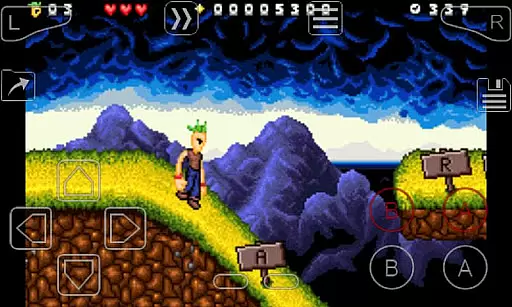
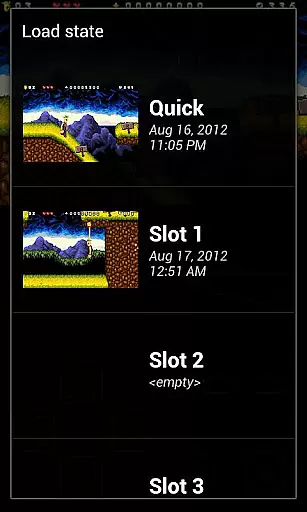
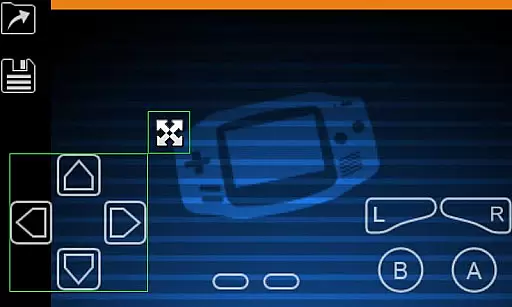
My Boy! is a high-performance GameBoy Advance emulator designed for Android devices, enabling users to play classic GBA games on modern smartphones and tablets. The app features advanced emulation capabilities that ensure near-perfect compatibility with most GBA titles while maintaining exceptional speed and stability.
One of the standout features is its support for multiplayer gaming through link cable emulation, which can be done either locally on the same device or across multiple devices via Bluetooth or Wi-Fi. Additionally, My Boy! offers unique hardware integrations such as gyroscope, tilt, and solar sensor emulation, making it one of the most versatile emulators available. Whether you're reliving nostalgic gaming experiences or exploring new ones, this app provides an immersive platform tailored to both casual gamers and enthusiasts.
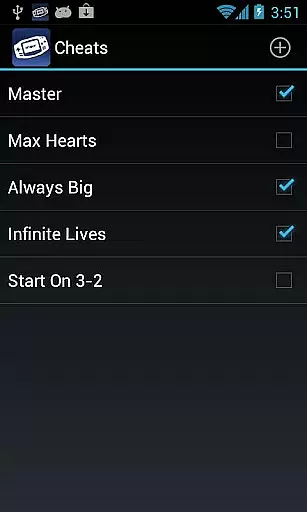
My Boy! stands out with its robust feature set tailored for an optimal emulation experience. The app utilizes a Just-In-Time (JIT) recompiler to deliver super-fast performance, ensuring smooth gameplay even on lower-end devices. It supports advanced functionalities like real-time cheat code entry, allowing users to enhance their gaming sessions with ActionReplay or GameShark codes.
Another key highlight is its comprehensive hardware sensor integration. Users can enjoy games that originally required physical sensors, thanks to the app's ability to emulate these features using the device’s built-in gyroscope, tilt, and solar sensors. Furthermore, My Boy! includes customizable screen layouts, OpenGL rendering for improved graphics, and cloud save functionality via Google Drive. These features collectively create a seamless and personalized user experience, making it easy to dive into your favorite games anytime, anywhere.
Arcade authenticity and nostalgia are essential elements for any emulator aiming to recreate the classic gaming experience. My Boy! - GBA Emulator excels in this area by offering high-level BIOS emulation without the need for a BIOS file, ensuring that original GameBoy Advance games run as they were intended.
The emulator supports linking devices for multiplayer games, either on the same device or across devices over Bluetooth or Wi-Fi, which is a feature that was iconic in arcade gaming. This allows users to relive the social aspect of gaming that was prevalent during the arcade era.
Additionally, My Boy! provides access to features like gyroscope/tilt/solar sensor and rumble emulation through Android's hardware sensors and vibrator, enhancing the nostalgic experience with authentic feedback that echoes the arcade sensations of yesteryears.
Control responsiveness is crucial for an optimal gaming experience, especially when emulating classic arcade games where precision and timing are key. My Boy! - GBA Emulator ensures that every action taken by the player is accurately reflected in the game with minimal latency.
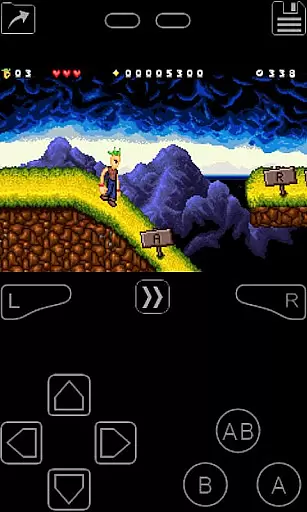
With its super fast emulation thanks to the JIT recompiler, My Boy! delivers seamless gameplay that keeps up with even the most demanding gamer's reflexes. The emulator also offers customizable on-screen keypads and shortcut buttons, allowing players to tailor their controls for maximum efficiency and comfort.
Furthermore, the screen layout editor enables gamers to define the position and size of each on-screen control, as well as the game video itself, ensuring that all actions can be performed swiftly and accurately, just like in the original arcade environment.
Fast emulation speed
High game compatibility
Multiplayer support
Hardware sensor integration
Customizable controls
No BIOS file included
Legal gray area
Ads in free version
Complex setup
Device limitations

Spaceship racing on a rocky planet — pure action and challenge.
 4.3
4.3
Nostalgia.GBC is a high quality GBC emulator.
4.50
Playing venom RPG alien games? Set spider alien isolation base, with no survivor
4.30
Local offline 2 3 4 player multiplayer minigames - race, tanks, football
4.60
M64Pro FZX Classic Emulator for Android
4.5
PC Engine/TurboGrafx-16 Emulator
4.50
Bounce through platforms. Avoid obstacles. Get the bouncing ball to the finish.
4.00
Join the breathtaking chase!
4.80
Original Space Adventure Experience
4.60
Full featured version of Pizza Boy A (GBA emulator)
4.80
Punch your way through the Streets of Rage once again!
4.80
Create your restaurant story & make food on a crazy kitchen in this cooking game
4.70
Hit as hard as you can and make the penguin learn to fly! Arcade jumping game
4.50
GBA Emulator
4.40
Collect layers in running game & build the biggest slinky toy to beat the giant!
4.30
Get into your tractor to cut grass and harvest the crops in our mowing simulator
4.10
NEOGEO's masterpiece game is now available in the app!
4.10
You are a Black Hole, escaping the darkness trying to swallow you!
3.60
A fluid, action-packed arcade space shootout!
4.2


User Reviews