
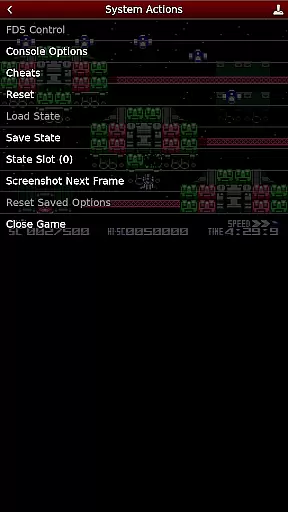
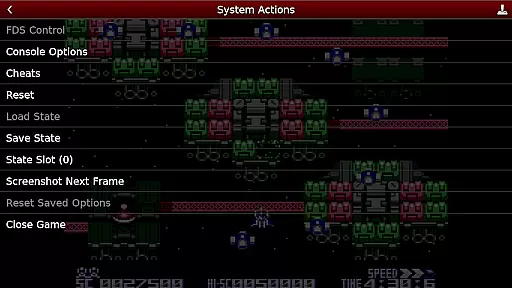
NES.emu is an advanced open-source NES emulator that brings the classic gaming experience to modern devices. Known as Famicom in Japan, this emulator focuses on delivering low audio and video latency while maintaining a minimalist user interface. It supports a wide range of devices from older models like the Xperia Play to contemporary ones such as the Nvidia Shield and Pixel phones.
One of its standout features is the compatibility with various file formats including .nes and .unf, which can be optionally compressed with ZIP, RAR, or 7Z. Additionally, it offers Famicom Disk System emulation using .fds files and VS UniSystem support. The app also includes Zapper/Gun support, configurable on-screen controls, and compatibility with Bluetooth/USB gamepads and keyboards, making it versatile for different gaming preferences.
For enthusiasts looking to relive the nostalgia of NES games or explore the vast library of titles, NES.emu provides a seamless and customizable experience. By supporting Android's storage access framework, users can easily access their game files stored on both internal and external storage, ensuring convenience and flexibility.
NES.emu stands out with its comprehensive feature set tailored for NES gaming enthusiasts. The app supports multiple file formats such as .nes, .unf, and .fds, catering to diverse gaming archives. Users can enjoy their games with minimal latency, thanks to the emulator's optimized performance designed for a wide variety of devices.
Among its notable features are Famicom Disk System emulation, VS UniSystem support, and Zapper/Gun functionality. These capabilities allow users to experience authentic gameplay mechanics as they were originally intended. Furthermore, the inclusion of configurable on-screen controls and support for Bluetooth/USB gamepads and keyboards ensures that players can customize their setup according to their preferences.
The app's commitment to compatibility extends to its support for Android's storage access framework, enabling users to access their game files from any storage location. This flexibility, combined with active development and community support through platforms like GitHub, ensures that NES.emu remains a reliable choice for retro gaming aficionados.
Arcade authenticity and nostalgia are crucial elements for any emulator aiming to recreate the classic gaming experience. NES.emu, as an advanced open-source NES emulator, excels in delivering this by accurately emulating a wide range of devices from the original Xperia Play to modern devices like the Nvidia Shield and Pixel phones.
The app supports .nes and .unf file formats, optionally compressed with ZIP, RAR, or 7Z, ensuring that users can enjoy their favorite games just as they remember them. Additionally, it offers Famicom Disk System emulation using .fds files, enhancing its nostalgic value for enthusiasts who appreciate the history of gaming.
With features such as VS UniSystem support and Zapper/Gun functionality, NES.emu not only brings back memories but also enhances gameplay through innovative controls. Users can touch the screen to fire or touch & hold outside of the display area to simulate firing away from the TV, adding layers of interaction that were not possible in the original arcade setups.
Control responsiveness is a key factor in delivering an immersive and enjoyable gaming experience. NES.emu focuses on low audio/video latency, ensuring that user inputs are registered instantly without delay. This attention to detail makes every gaming session smooth and responsive, closely mimicking the real-time reactions one would expect from an actual arcade machine.
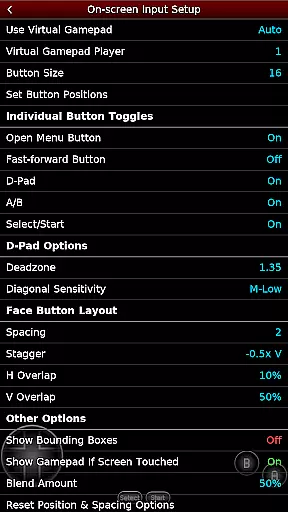
The emulator supports configurable on-screen controls, allowing players to customize their interface according to personal preferences. Whether you prefer using virtual buttons or gesture-based commands, NES.emu provides flexibility that caters to different play styles.
In addition to on-screen options, NES.emu also supports Bluetooth/USB gamepads & keyboards compatible with any HID device recognized by the OS, including popular controllers like Xbox and PS4. This compatibility ensures that gamers can use their preferred hardware for an authentic and tactile experience, further enhancing control responsiveness during intense gameplay sessions.
Wide device compatibility
Low audio/video latency
Versatile file format support
Active community support
Customizable controls
No ROMs included
Complex setup for beginners
Limited customer support
Occasional crashes
Requires technical knowledge

R-TYPE game
 4.60
4.60
Get into your tractor to cut grass and harvest the crops in our mowing simulator
4.10
A Ball Bouncer With Depth
4.00
Nostalgia.GBA Pro is a high quality GBA emulator.
4.40
Slice up a juicy storm!
4.20
Restore peace and order in the city
3.20
Play all your favorite Playstation games in your android device!!
4.50
Draw your legs to win the race!
4.20
Save the galaxy from alien shooter in classic galaxy shooter-classic arcade game
4.80
Cool car builder & racing simulator: make a car to win the obstacle course race!
4.60
Shoot the web, jump and teleport! Be a stickman hero and destroy your enemies!
4.50
The precise emulator of 8 bit handheld... Now even better!
4.50
Running game: dance in a twerk battle and become the twerk hero in our fun race!
4.30
Antistress & relaxing games,stress relief; Antistress toys, calming games.
4.20
Dad doesn’t let you go out, can you outwit your parents and escape?
4.00
A fast, full-featured GB/GBC emulator with link cable emulation.
3.80
Neogeo MVS/AES Emulator
3.30
John GBA is GBA emulator. This emulator is easy to use.
3.10
Reach high, and shine in the neon world in 3D!
4.4


User Reviews