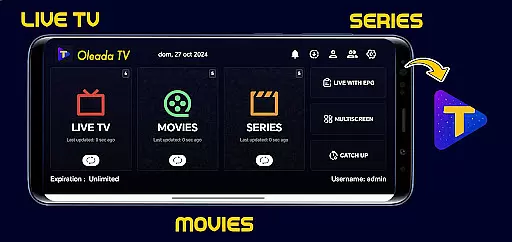
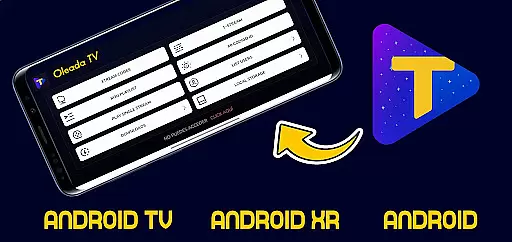
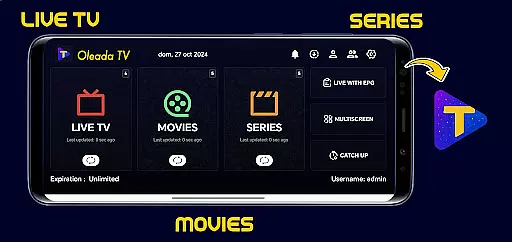
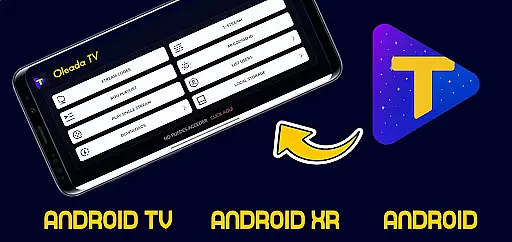
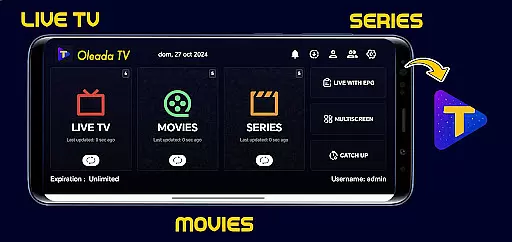
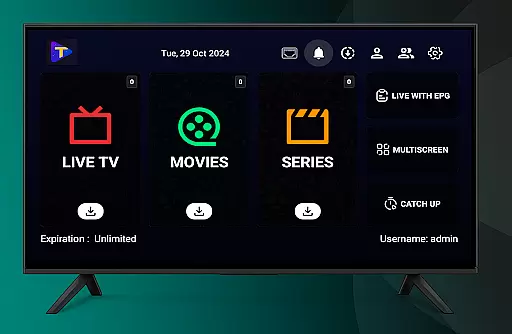
Oleada TV is an innovative IPTV player designed to provide users with a neutral multimedia playback platform. The application does not come preloaded with any movies, series, or audiovisual content. Instead, it serves as a blank canvas where users can independently upload and play their own content files or links.
The app strictly limits itself to playing user-loaded media, ensuring complete neutrality in content hosting, storage, or distribution. This makes Oleada TV a versatile tool for personal entertainment while placing full responsibility on users for the legality of the content they choose to play.
Oleada TV stands out with its unique approach to multimedia playback. As a neutral player, it offers users the ability to load and play their own playlists, links, or files without hosting any content itself. This ensures that users have complete control over what they watch.
The app provides a simple interface for seamless playback of various file formats. It emphasizes user responsibility by requiring them to only load legal and authorized content. Additionally, Oleada TV operates independently from third-party services, making it a purely technical tool for playback purposes.
In the realm of digital entertainment, content variety and freshness are paramount for user engagement. Oleada TV positions itself as a versatile IPTV player that allows users to upload their unique content, ensuring that the material remains fresh and personalized. This approach not only diversifies the type of content available but also keeps the platform dynamic and ever-changing.
Unlike traditional media platforms, Oleada TV does not preload movies or series, leaving the curation entirely in the hands of its users. This strategy empowers users to dictate the trends and popular content within their community, fostering an environment where new and exciting material can emerge continuously.
The application's role as a neutral multimedia player means it provides the tools necessary for content playback without interfering with the selection process. By doing so, Oleada TV ensures that each user's feed is unique, driven by individual preferences, and regularly updated with new contributions from the community.
User engagement duration and retention are critical metrics for evaluating the success of any entertainment platform. Oleada TV focuses on creating a highly engaging experience by allowing users to take full control over the content they choose to load and watch. This level of personal involvement typically results in longer viewing sessions and increased retention rates.
Since Oleada TV operates as a blank canvas for users to populate with their desired content, it inherently encourages prolonged interaction. Users are more likely to return to a platform that reflects their tastes and interests, which in turn boosts overall retention.
Moreover, the responsibility placed on users to add and manage their content fosters a sense of ownership and investment in the platform. This commitment often translates into sustained usage, as individuals are motivated to continue exploring and adding new content to their personalized IPTV player.
User-controlled content
No preloaded media
Neutral multimedia player
Simple interface
Legal compliance focus
No built-in content
Limited functionality
User responsibility heavy
No third-party integration
Basic feature set

Air Horn - Siren Sounds Prank, Fun way to wake up your Friends and Family
 4.4
4.4
Simulation of Dashboard / Touch Screen for Tesla. (Works without actual Tesla).
4.2
Stream Online TV - Watch Live IPTV Playlist & Channel with Built-In Player
4.50
With the credits you earn play more games
2.90
Best of icon for christmas
4.30
Unleash Your AI Imagination
4.60
Official KennysGifs Stickers
4.20
Explore the unknown!
3.00
Bold original series & hit movies that don't hold back.
4.40
Classic dynamic pixel art from Mark Ferrari.
4.70
Create, chat & bond with AI souls who truly listen.
4.50
Series,Películas y Telenovelas
4.50
Geooh GO is the most feature rich geocaching app available today.
4.50
Build and Share AI
4.20
Binge-worthy short dramas on DramaRush—engaging stories that fit your day.
3.90
Music visualizer and party effects for Hue
3.90
Necrophone is spirit box ghost hunting app made for spirit communication.
3.70
NFL, NBA, NHL, MLB, local sports coverage, shows, movies & news!
3.20
Neon Christmas Tree Animated: Festive Wear OS watch face with fitness info
4.2


User Reviews