
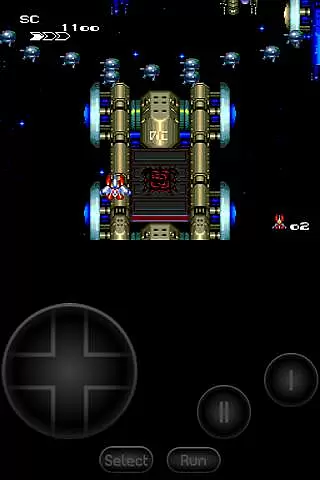
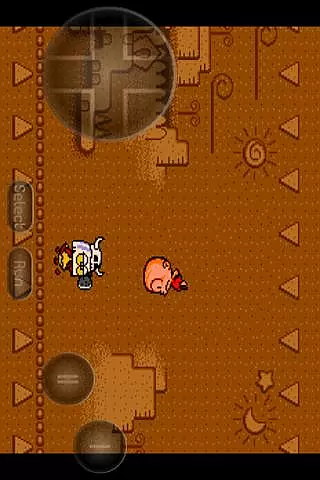
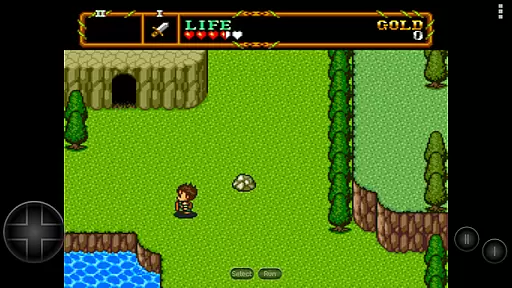
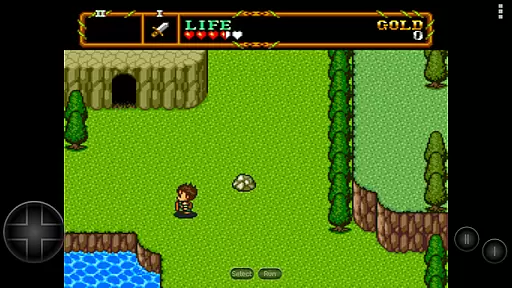
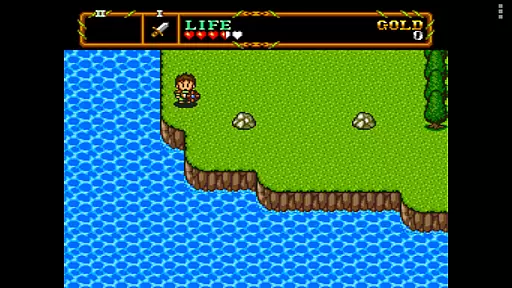
PCE.emu is an advanced open-source emulator for PC Engine and TurboGrafx-16 systems, designed with a minimalist UI to ensure low audio and video latency. It caters to retro gaming enthusiasts who wish to relive classic games on modern devices like the Nvidia Shield and Pixel phones. The app supports a wide range of file formats including .pce, .sgx, and CD image files through .cue loading.
One of its standout features is the extensive device compatibility, ranging from older models like the Xperia Play to current Android devices. With support for physical controllers via Bluetooth or USB, users can enjoy an authentic console-like experience. PCE.emu emphasizes performance and accessibility, making it an ideal choice for both casual gamers and hardcore retro collectors.
PCE.emu offers a comprehensive set of features that enhance the emulation experience. The app supports multiple file formats such as .pce, .sgx, and optionally compressed files using ZIP, RAR, or 7Z. For CD-based games, users can load .cue files provided they have the required Super CD-ROM System card. Audio track formats like FLAC, Ogg Vorbis, and Wav are also supported, ensuring high-quality sound during gameplay.
The emulator provides configurable on-screen controls, allowing users to customize their interface for optimal comfort and usability. Additionally, it supports external input devices including Bluetooth and USB gamepads, as well as keyboards, which are compatible with any HID device recognized by the operating system. This flexibility ensures that users can choose their preferred control method, whether it's a modern Xbox or PS4 controller.
Arcade authenticity and nostalgia are crucial elements for any emulator aiming to recreate the classic gaming experience. PCE.emu, as an advanced PC Engine/TurboGrafx-16 emulator, excels in this area by offering precise emulation of original hardware.
The app supports both .pce and .sgx file formats, which are native to the PC Engine and TurboGrafx systems. This ensures that users can enjoy games exactly as they were meant to be played on original arcade machines. The inclusion of CD emulation via .cue files further enhances this authentic experience.
For enthusiasts seeking that nostalgic feel, PCE.emu provides configurable on-screen controls and extensive support for external gamepads, including Xbox and PS4 controllers. These features allow gamers to relive their favorite arcade moments with the added convenience of modern technology.
Ultimately, the meticulous attention to detail in supporting various file formats and control schemes makes PCE.emu a top choice for those who value genuine arcade experiences. Users benefit from not just playing games but truly stepping back into the golden age of arcades.
Control responsiveness is a key factor in delivering an immersive and enjoyable gaming experience. For PCE.emu, ensuring low audio/video latency has been a focal point, making it stand out among other emulators.
The emulator's minimalist UI contributes significantly to its responsive controls. By stripping down unnecessary graphical elements, the app minimizes processing overhead, resulting in quicker response times. Gamers will appreciate how swiftly their inputs translate into actions within the game.
Additionally, PCE.emu offers robust support for Bluetooth and USB gamepads, compatible with any HID device recognized by the OS. This compatibility extends to popular controllers like those from Xbox and PS4, providing a seamless and lag-free interaction between the user and the game.
In summary, PCE.emuu2019s dedication to reducing latency and enhancing control responsiveness ensures that players experience tight and accurate gameplay. Such precision is vital for maintaining immersion and achieving high performance in retro gaming sessions.
Low audio/video latency
Wide device compatibility
Supports multiple file formats
Configurable on-screen controls
External controller support
No ROMs included
Requires technical knowledge
Limited user interface
Occasional crashes reported
Dependent on third-party storage

Three awesome new levels for The Impossible Game.
 4.30
4.30
Sharpen your mind and reflexes while playing 4Way Dash
4.0
Flip the bottle! Do tricks and don't let the bottle fall!
4.50
Motorcycle racing games! Prove your paperboy can win in the bike race 3D!
4.50
Infinite Arcade
4.5
Relax and catch fish for your aquarium while earning rewards in these tank games
4.40
Jump and fly your way through danger in this rythm-based action platformer!
4.50
Running game: dance in a twerk battle and become the twerk hero in our fun race!
4.30
Premium version. Save the galaxy from alien shooter in this classic game
4.50
Full featured version of Pizza Boy A (GBA emulator)
4.80
This is an emulator for a certain 64 bit console with online cloud backup.
4.80
Bomb the communists back to 1916!
4.70
Meet Snake Run Race! Slither through an obstacle course in our fun running game!
4.70
Jump and fly your way through danger in this rythm-based action platformer!
4.70
Eat & evolve your shark in the ultimate shark survival game!
4.50
The precise emulator of 8 bit handheld... Now even better!
4.50
A Ball Bouncer With Depth
4.00
John GBC is GB/GBC emulator. This emulator is easy to use.
3.80
John GBA is GBA emulator. This emulator is easy to use.
3.10


User Reviews