
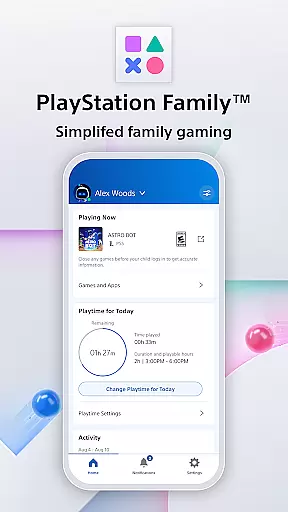
PlayStation Family is a comprehensive parenting tool designed to simplify family gaming management. This app provides parents with essential features to monitor and control their child's gaming activities effectively. With intuitive parental controls, real-time notifications, and customizable playtime settings, PlayStation Family ensures a safe and balanced gaming environment for children.
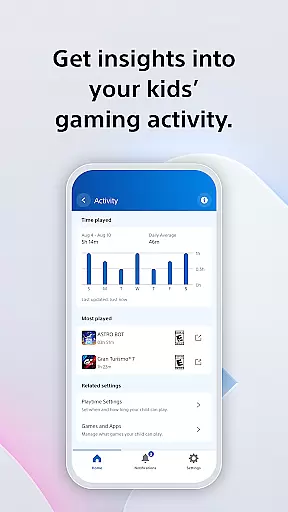
The app offers detailed activity reports that give insights into the child's gaming habits, including playtime hours and current game status. Parents can also manage social interactions, set spending limits, and approve extra playtime requests directly from their mobile devices. Whether ensuring age-appropriate content or fostering healthy gaming habits, PlayStation Family empowers parents to make informed decisions.
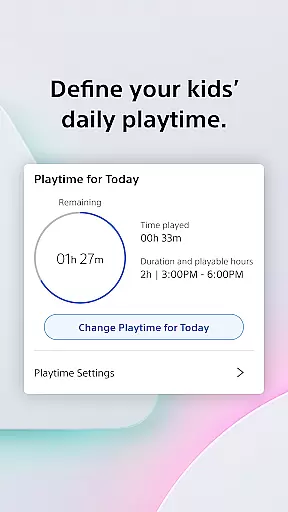
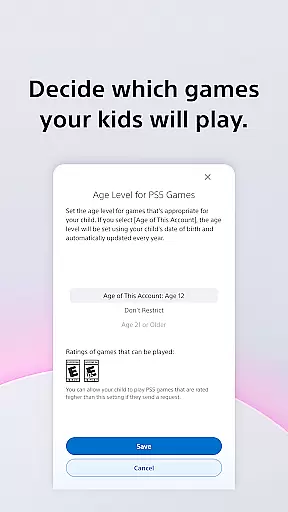
PlayStation Family stands out with its robust set of features tailored for modern parenting needs. The app allows parents to create accounts for their children with age-based parental control recommendations, ensuring they only access suitable content. Customizable playtime settings enable parents to define when gaming fits into the family's routine, promoting a balanced lifestyle.
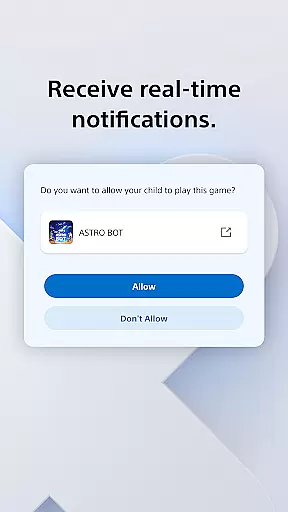
Real-time notifications keep parents informed about their child's gaming activities. When a child requests additional playtime, parents receive instant alerts and can approve or decline these requests directly from their phones. The app also includes privacy settings for managing social interactions, allowing parents to customize how their child connects with others online. These features collectively ensure a secure and controlled gaming experience.
PlayStation Family offers comprehensive lifestyle management specifically tailored for gaming families. The app covers essential aspects such as playtime scheduling, spending controls, and social interaction settings.
Parents can define daily routines by setting specific gaming hours that align with family activities like homework or meal times. This ensures a balanced approach to entertainment and responsibilities.
The application also provides tools for monitoring children's gaming activity through detailed reports. These include playtime statistics, current online status, and information about the games being played.
Additionally, real-time notifications allow parents to make immediate decisions regarding extra playtime requests, creating a responsive and engaged parenting experience directly from their mobile device.
The PlayStation Family app delivers authentic content directly from Sony Interactive Entertainment, ensuring users receive official and reliable information about their child's gaming activities.
All features are designed in compliance with PlayStation's terms of service, which maintains high standards of security and privacy for young gamers. Parents can trust the accuracy of activity reports and notifications they receive.
Expertise is demonstrated through sophisticated parental control recommendations based on age ratings. These help guardians make informed decisions about appropriate game content for their children.
Furthermore, the app's integration with official PlayStation services guarantees that all spending controls and social settings are implemented effectively across supported devices, providing peace of mind for responsible digital parenting.
User-friendly interface
Real-time notifications
Customizable playtime
Comprehensive activity reports
Age-based parental controls
Limited to PS4 and PS5
Requires constant internet
No desktop version
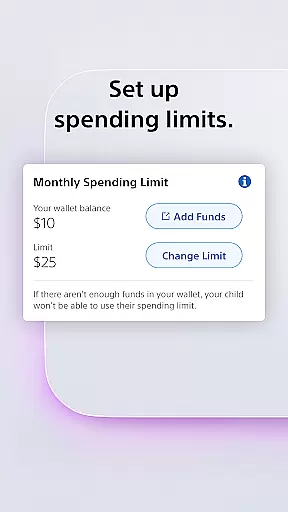
Monthly spending limits
Privacy concerns

Digital watch face design. Modern looking, hi-res & battery friendly.
 4.00
4.00
A daily quote for success
4.1
Tap to the beat with interactive videos — warm up your reflexes & have fun
4.70
Spiritus Ghost Box is an Audio and Visual ITC tool for paranormal research.
4.00
Big bold hybrid watch face with 30 colors, 5 fonts & 5 complications.
4.4
This app is intended to support professional EMDR therapy.
4.50
Smart home security protection
3.20
SmartHQ: Your Connected Home Command Center
4.10
Decorate your home screen with custom icons, color widgets, themes & wallpapers
4.70
Get the news, events and savings that matter to you with AARP Now.
4.80
Cute Adorable Animals now on your wrist with our Wear OS watch face!
4.40
Share opinions, get paid cash
4.30
Paranormal EVP, Ghost Box, Spirit box, ITC, Haunted, Spirit communication device
3.70
Connect to your Shark ROBOT™ from anywhere using the SharkClean™ App.
3.60
Take Hobby Lobby with you wherever you go!
3.40
Unique Dual Colors with 6 Custom Complications for Wear OS watches!
3.40
View over 160,000 line dance stepsheets from the CopperKnob website.
3.30
Turn your watch into a key fob for your Tesla
2.90
Bring the warm colors of fall directly to your wrist with Autumn Leaves!
4.4


User Reviews