
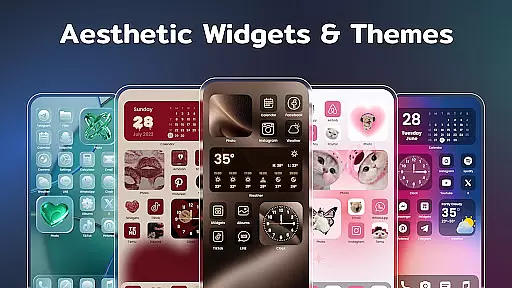
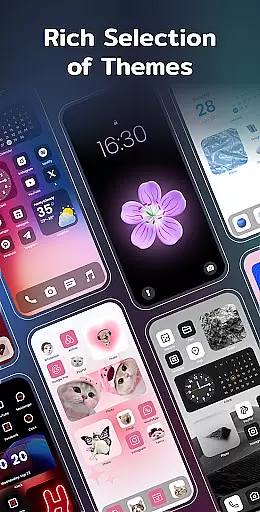
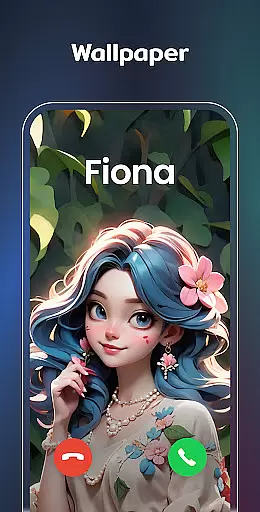
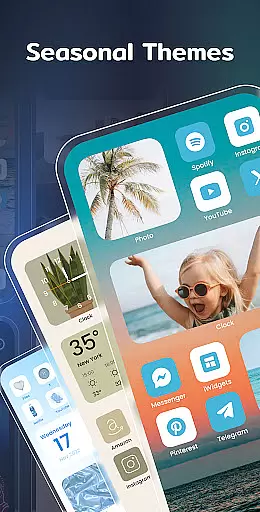
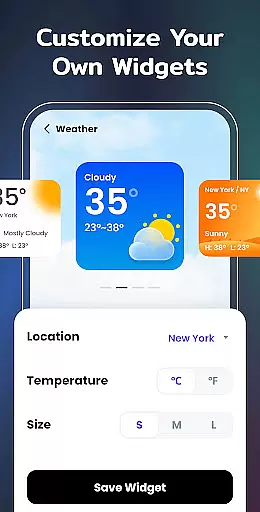
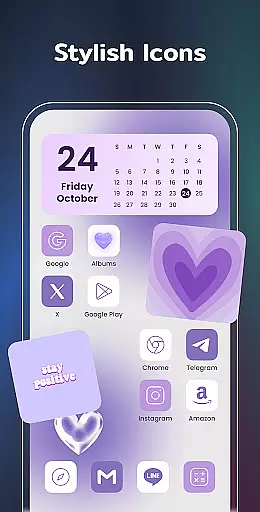
Color Widgets, Theme is a comprehensive lifestyle app designed to enhance your Android device's home screen with customizable widgets and themes. The app offers a wide range of aesthetic themes, practical widgets, and custom icons that allow users to personalize their phone screens effortlessly.
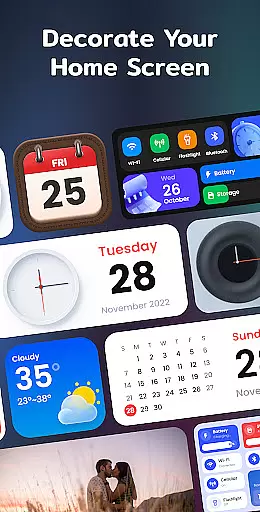
With support for all Android devices, the app provides various widget types including clock, photo, X-panel, calendar, weather, battery level, Bluetooth status, and event timers. These widgets come in multiple sizes and styles, ensuring there's something for every user's unique taste and functional needs. Whether you want to check the weather at a glance or create a countdown for an important event, Color Widgets, Theme has got you covered.
The true value of this app lies in its ability to make your device truly yours. From changing app icons to setting up event timers, it empowers users to design a home screen that reflects their personal style while keeping their life organized.
One of the standout features of Color Widgets, Theme is its extensive collection of widgets and themes. The X-Panel Widget consolidates essential information like date, time, network connection, Bluetooth status, and battery level onto your home screen, allowing quick access and control over your device's settings.
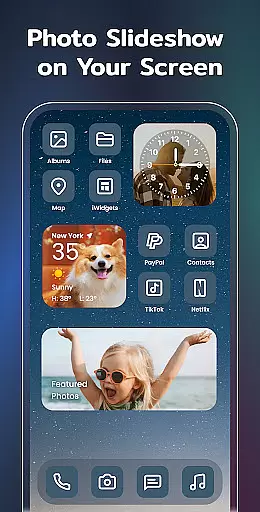
In addition to utility widgets, the app also excels in personalization. The Photo Widget lets you decorate your home screen with cherished photos, even supporting slideshows to keep your memories alive. Meanwhile, the Clock Widget offers both analog and digital styles in various designs, making sure there's a perfect match for any theme you choose.
Practicality meets aesthetics with features like the Weather Widget providing real-time local weather information, and the Calendar Widget offering creative display options. Users can further customize their experience by redesigning app icons and matching widget styles to preset themes ranging from anime to neon aesthetics. This versatility ensures that no two home screens will ever look the same.
Color Widgets, Theme offers an extensive range of widgets and themes that cater to various lifestyle needs, ensuring users can find the perfect match for their daily activities.
The app provides a plethora of widget types including clock, photo, X-panel, calendar, weather, battery level, Bluetooth status, and event timer, each designed to enhance different aspects of your digital life.
With multiple sizes and styles available, users have the flexibility to customize their home screens in a way that truly reflects their personal lifestyle preferences and requirements.
This comprehensive coverage of lifestyle categories makes it an all-in-one solution for users looking to personalize and organize their Android devices efficiently.
The content within Color Widgets, Theme is crafted with authenticity in mind, offering genuine utility through its diverse set of widgets tailored for real-life scenarios.
Each widget type, from weather forecasts to event timers, is developed based on accurate data sources and practical functionalities, ensuring reliability and precision in everyday use.
While the app doesn't claim endorsements from specific experts, its features are aligned with industry standards, providing credible tools that assist users in managing their digital environments effectively.
By focusing on delivering trustworthy and valuable content, Color Widgets, Theme establishes itself as a dependable choice for users seeking to enrich their mobile experience with authentic and functional enhancements.
Wide variety of widgets
Customizable themes
User-friendly interface
Regular updates
Highly personalized options
Requires multiple permissions
Some features may drain battery
Premium themes cost extra
Occasional bugs reported
Design inconsistencies

Bring the warm colors of fall directly to your wrist with Autumn Leaves!
 4.0
4.0
This minimalist yet classic board design brings a futuristic twist to your wrist
4.20
This is a simple and highly functional alarm clock "Smart Alarm" paid version.
4.20
Your home in your hand
3.80
Communicate with your vehicles and Powerwalls anytime, anywhere
3.60
Wear your favorite memories, loved ones, pets or travel photos on your watch
4.5
Going above and beyond known spirit communication
3.60
LineLearner, the quick way to learn lines.
2.90
The App can control Roborock vacuum cleaners from anywhere with rich features.
4.60
A unique and customizable watch face which rotates its layout every minute.
4.80
PARAVOX 4 is a professional ITC paranormal research application.
4.50
Redecor your home with Home AI interior design, room planner and home designer.
4.50
Spirit Communicator is a real paranormal ghost hunting app with many fun modes.
3.90
Do you want to communicate with spirits?
3.80
Design and brew great homebrewing beer, mead, cider and wine recipes on the go!
3.60
Smart home security protection
3.20
Falling Fruit is a massive collaborative map of food in our cities.
3.20
Turn your watch into a key fob for your Tesla
2.90
Designed to delight, impress and energize your festive spirit every single day
4.0


User Reviews