
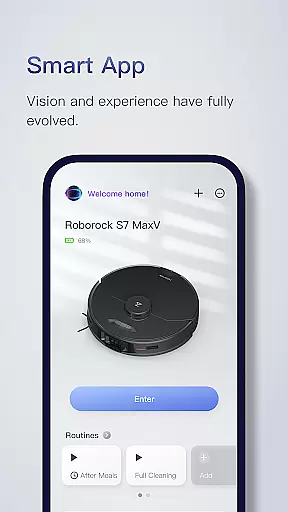
Roborock is a smart home cleaning solution that combines advanced hardware with intelligent software. The app provides complete control over your Roborock robot, allowing you to manage everything from cleaning schedules to suction power. With features like PreciSense LIDAR navigation and ReactiveAI object recognition, it ensures efficient and safe cleaning.
The application's strength lies in its customizable cleaning options and smart mapping capabilities. You can create detailed cleaning plans for different rooms, set up no-go zones, and even manage multi-level homes. Whether you need to clean the kitchen after meals or perform a deep clean of specific areas, Roborock adapts to your needs while offering real-time tracking of the cleaning process.
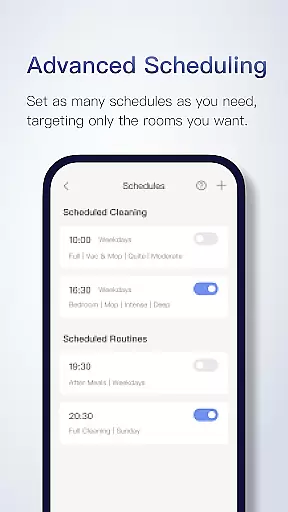
Roborock stands out with its array of intelligent features designed for optimal home cleaning. The Seriously Smart Mapping technology creates detailed floorplans after the first use, enabling room-specific customization. Advanced Scheduling allows setting multiple cleaning routines, while Customizable Cleaning lets you adjust suction power and water flow based on room requirements.
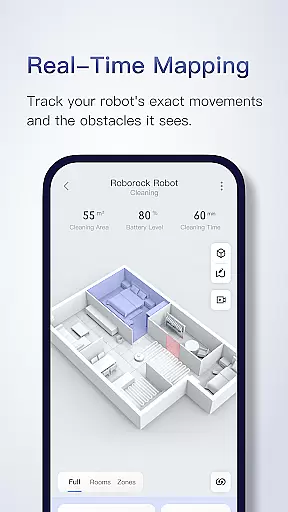
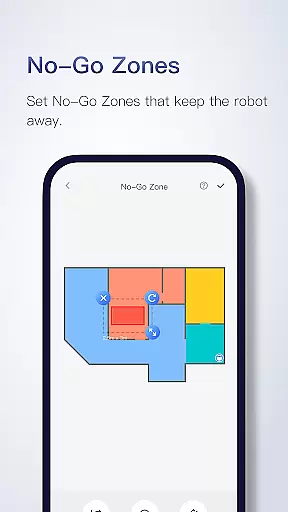
Additional features include Zone Cleaning for targeted dirt removal, No-Go Zones to protect delicate areas, and Multi-Level Mapping for homes with multiple floors. Real-Time Viewing provides live tracking of the robot's movement and obstacle avoidance. These innovations, powered by technologies like VibraRise mopping and OpticEye navigation, ensure a comprehensive cleaning experience tailored to modern homes.
The Roborock app offers extensive lifestyle category coverage by integrating advanced cleaning technologies with user-friendly features. The app supports various products, each designed to cater to different aspects of home maintenance and personal convenience.
With functionalities ranging from Precision LIDAR navigation for efficient cleaning to customizable cleaning schedules, the app ensures that users can manage their household chores effectively. The inclusion of features like Sensient and OpticEye enhances the safety and accuracy of the robot's movements within the home environment.
Users benefit from seriously smart mapping capabilities, which allow for detailed floor plans and room-specific customizations. This means you can tailor cleaning intensity and frequency according to the unique needs of each room, ensuring a thorough and efficient clean every time.
Roborock app prides itself on content authenticity and expert credibility, offering verified and reliable information about its cutting-edge software and hardware features. Each functionality is meticulously described, providing transparency about feature support across different products.
The app details how technologies like ReactiveAI and VibraRise work, showcasing artificial intelligence that recognizes common home objects and avoids them, as well as advanced mopping systems that use sonic vibration for more effective cleaning.
By including contact information for customer service and specifying feature compatibility, Roborock reinforces its commitment to credible communication. Users can reach out via phone or email for support in multiple regions, ensuring they receive expert assistance when needed.
User-friendly interface
Advanced scheduling options
Customizable cleaning settings
Real-time robot tracking
Multi-level home support
Limited hardware compatibility
Some features are model-specific
Occasional mapping errors
Higher price point
Chinese customer support only

Digital watch face design. Modern looking, hi-res & battery friendly.
 4.00
4.00
Daily lessons from A Course in Miracles with scheduled reminders
4.80
Stay connected with your loved ones & vehicles | Share live GPS location updates
4.60
A daily quote for success
4.5
This minimalist yet classic board design brings a futuristic twist to your wrist
4.20
Paranormal Spirit Bell Trigger Device
4.30
Smart home security protection
3.20
Communicate with your vehicles and Powerwalls anytime, anywhere
3.60
Futuristic watchface inspired by Back to the Future: sleek, retro, timeless
4.3
Countdown to Christmas 2025 with festive games & activities in a virtual village
4.80
A smart Siddur with halachic times
4.60
The go to app for taking unlimited notes!
4.50
PARAVOX 4 is a professional ITC paranormal research application.
4.50
Material You inspired colors with BIG and Bold looks for Wear OS watches.
4.20
What is my face shape? Find out your face shape from picture, see fitting frames
3.90
Your home in your hand
3.80
Going above and beyond known spirit communication
3.60
LineLearner, the quick way to learn lines.
2.90
Wear your favorite memories, loved ones, pets or travel photos on your watch
4.5


User Reviews