
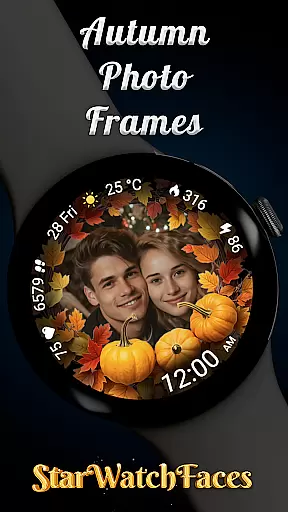
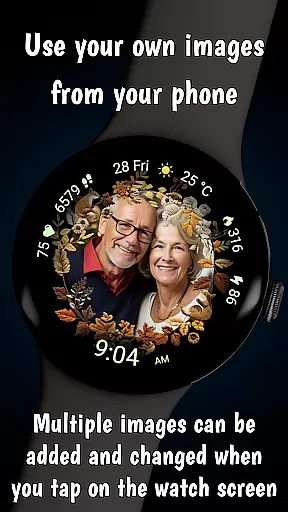


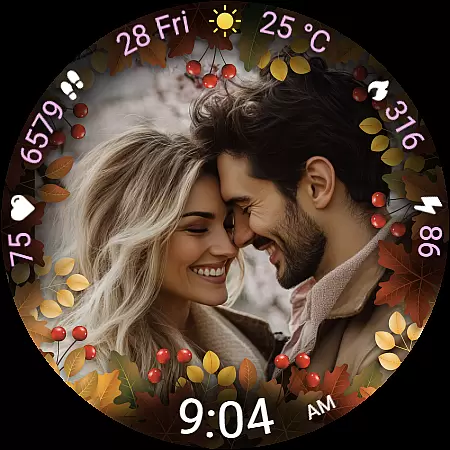
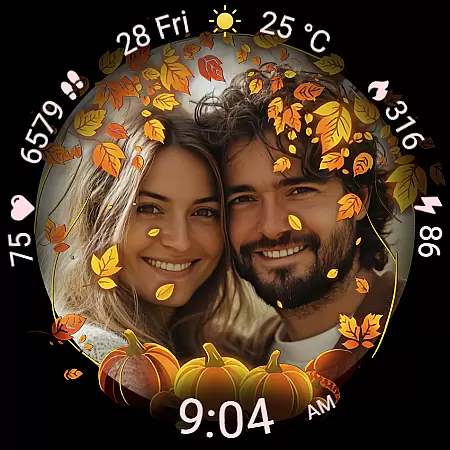
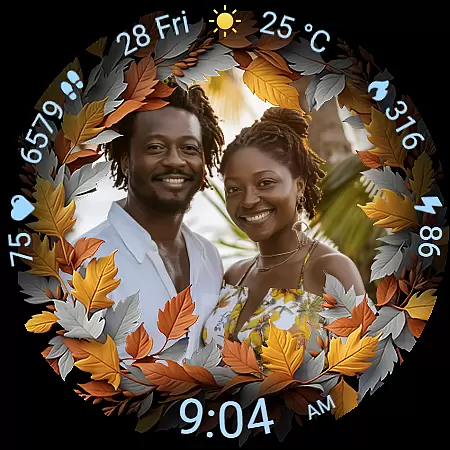
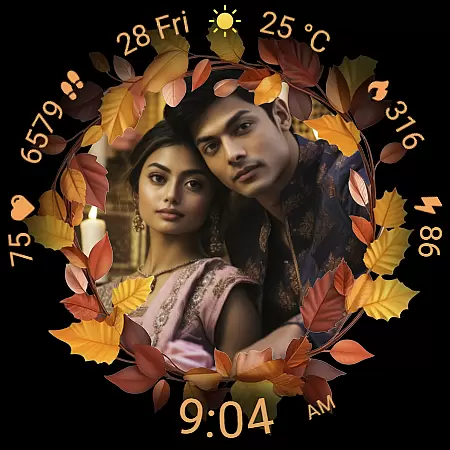
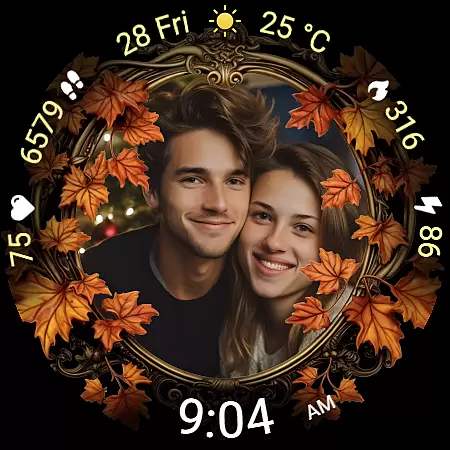
Autumn Photo Frames for WearOS is a premium lifestyle watchface that combines seasonal aesthetics with personalization. This app allows users to display cherished photos within elegant autumn-themed frames directly on their smartwatch, creating an emotional connection with their device. With support for Wear OS 6 and above, the watchface offers both style and functionality.
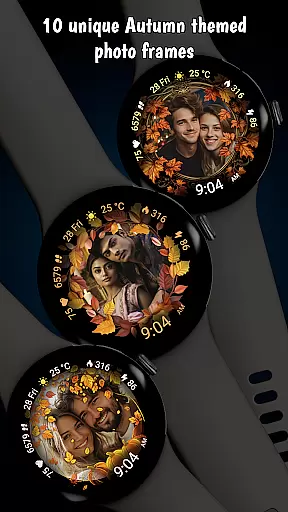
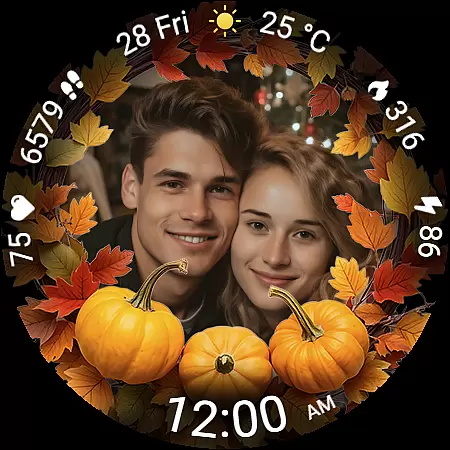
The watchface features 10 unique autumn-themed frames, each designed with rich colors and decorative elements. Beyond its core photo customization feature, it includes practical functionalities such as heart rate monitoring, step counting, calorie tracking, and weather updates. These features make it not only visually appealing but also highly functional for daily use.
Whether you're looking to celebrate family moments or simply enjoy the beauty of autumn on your wrist, this app provides a perfect blend of personalization and utility. Its customizable shortcuts and color themes ensure that users can tailor the experience to match their preferences while enjoying essential smartwatch capabilities.
Autumn Photo Frames stands out with its robust customization options and thoughtful design elements. The ability to set personal photos inside beautifully crafted autumn-themed frames is the centerpiece of this app. Users can choose from 10 unique frames, each reflecting seasonal beauty, and manage their images via companion apps like Wearable for Samsung devices or Pixel Watch for Pixel watches.
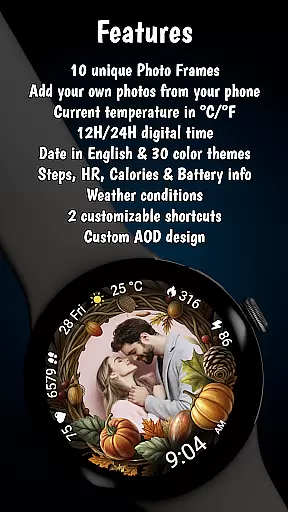
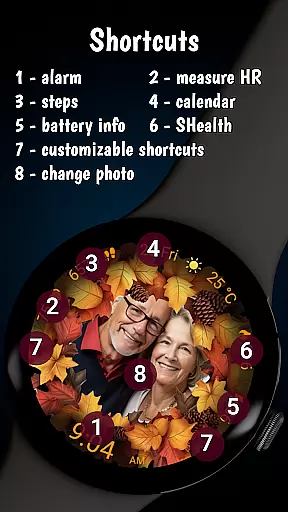
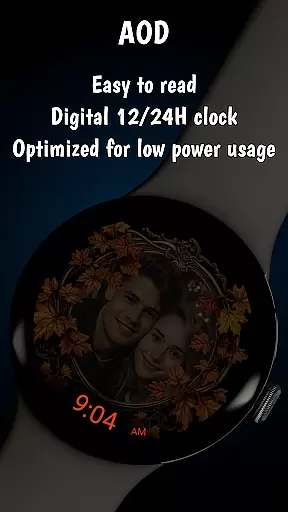
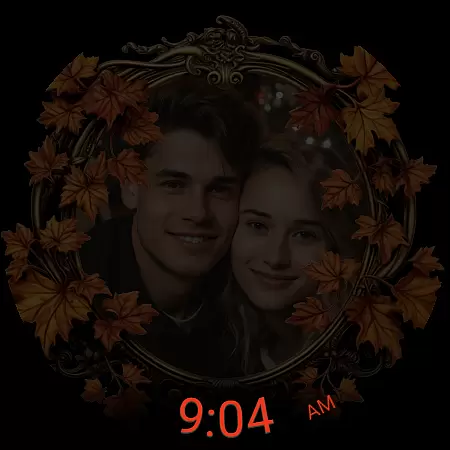
Beyond photo integration, the app offers 30 color themes to complement any chosen image, ensuring visual harmony. A digital clock in 12h/24h format, English date display, battery status indicator, real-time heart rate monitor, step counter, calorie tracker, and weather information provide comprehensive utility. The inclusion of Always-On Display (AOD) ensures visibility without excessive battery drain.
Additional highlights include two customizable shortcuts for quick access to favorite functions and low-battery optimization for extended performance. These features collectively create a versatile yet stylish watchface that caters to both aesthetic sensibilities and practical needs, making it ideal for users seeking a personalized smartwatch experience.
The Autumn Photo Frames watchface for Wear OS offers extensive lifestyle category coverage by integrating personal memories with practical smartwatch functionalities. This application goes beyond simple timekeeping to embrace various aspects of a user's daily life.
With features like heart rate monitoring, step counting, calorie tracking, and weather updates, the watchface ensures that users have essential health and environmental information at their fingertips. These elements are seamlessly incorporated into the design, maintaining both functionality and aesthetic appeal.
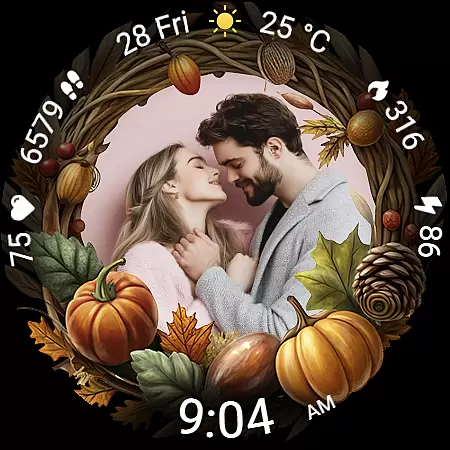
The ability to customize photo frames with personal images adds an emotional dimension to the wearable experience. Users can choose from ten unique autumn-themed frames, each designed to reflect seasonal beauty while showcasing cherished memories. This customization transforms the smartwatch into a personalized accessory that evolves with the user's preferences.
Furthermore, the inclusion of thirty color themes and multiple display options demonstrates a comprehensive understanding of individual style and practical needs. Whether users prefer a minimalist look or vibrant designs, this watchface caters to diverse tastes, making it a versatile choice for enhancing one's lifestyle through technology.
When evaluating the Autumn Photo Frames watchface, content authenticity is demonstrated through its genuine integration of personal photos within professionally designed autumn-themed frames. Each frame is crafted to ensure visual harmony between the image and seasonal aesthetics, providing users with an authentic representation of autumnal beauty.
The application's promotional materials clearly state that all featured couples in screenshots are AI-generated, ensuring transparency regarding the source of visual content. This disclosure reinforces the developer's commitment to honesty and builds trust with potential users who value genuine product representations.
Expert credibility is evident in the thoughtful combination of aesthetic features with practical smartwatch functions. The inclusion of health metrics such as heart rate monitoring and activity tracking, alongside essential information like weather updates and battery status, reflects a deep understanding of what modern smartwatch users need.
Additionally, the availability of thirty carefully curated color themes and support for both 12-hour and 24-hour time formats shows attention to detail and professional consideration of global user preferences. These features collectively establish the Autumn Photo Frames watchface as a credible and valuable addition to any Wear OS device owner's collection.
Highly customizable
Beautiful autumn designs
Practical health metrics
Weather integration
User-friendly interface
Limited to Wear OS
Requires companion app
Some features need purchase
No multilingual support
Battery usage may vary

Chat, meet genuine singles in your area. Real connections start with being real.
 4.30
4.30
BILT interactive 3D instructions help you get the job done right
3.50
A watch face with transparency and fluid visuals inspired by liquid glass design
4.4
Unique "Isometric" style digital watch face for Wear OS
4.50
Discover the "To Be a Christian" App: Your Guide to Deepening Faith!
5.00
Good magnifier app to see tiny things bigger and more clearly!
4.80
Kasa Smart is your portal to your TP-LINK Smart Home.
4.70
Decorate your home screen with custom icons, color widgets, themes & wallpapers
4.70
Just play, earn rewards, fetch gift cards, and turn gaming into real payouts!
4.80
Colorful minimal digital watch face for Wear OS
4.60
Retro animated weather with hourly forecast Watch Face for Wear OS
4.60
The go to app for taking unlimited notes!
4.50
Paranormal Spirit Bell Trigger Device
4.30
Paranormal EVP, Ghost Box, Spirit box, ITC, Haunted, Spirit communication device
3.70
Communicate with your vehicles and Powerwalls anytime, anywhere
3.60
The Miracle Box includes methods used by Steve Huff of Huff Paranormal.
3.20
Immerse yourself in the serenity of lavender fields and white butterflies
4.1
Cute animated Thanksgiving watchface for your WearOS smartwatch
4.3
The cutest Autumn watchface featuring the adorable Mr. Squirrel
4.5


User Reviews