
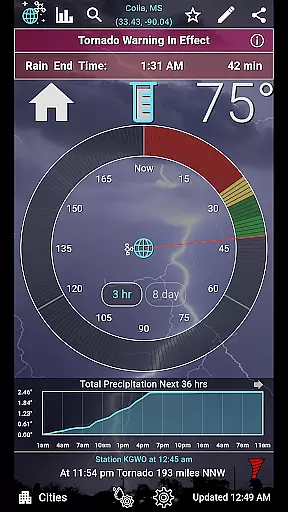
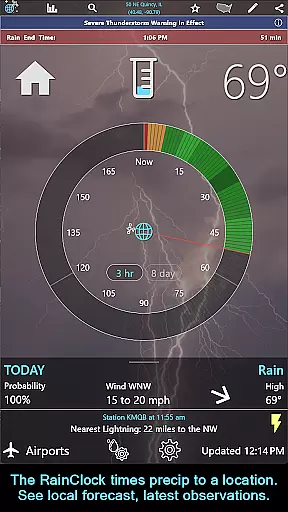
RainAware is a comprehensive weather application designed to provide users with detailed and localized weather information. The app's core functionality revolves around accurate precipitation tracking and forecasting, giving users precise rain start and end times up to three hours in advance. This feature is complemented by interactive graphs that display temperature, wind speed, cloud cover, and precipitation data for the next 36 hours.
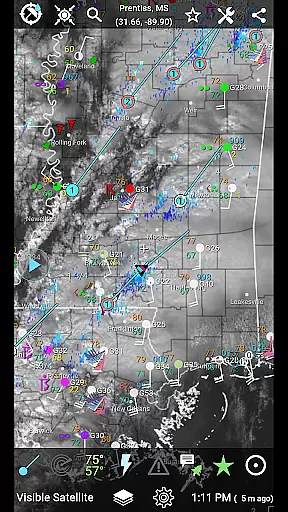
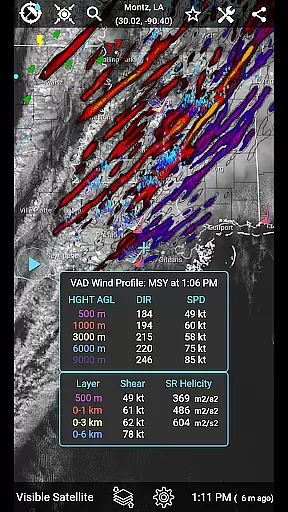
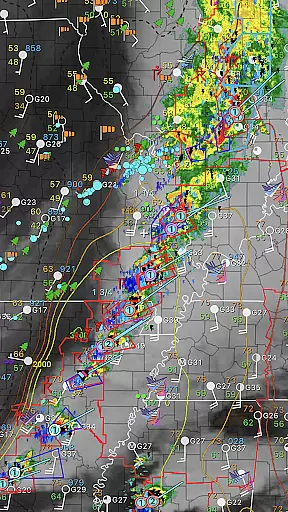
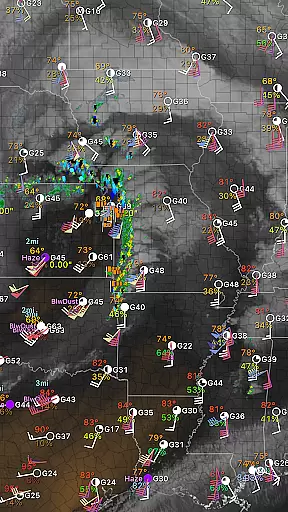
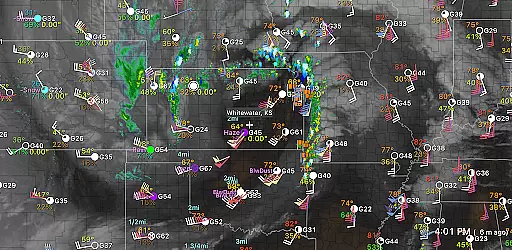
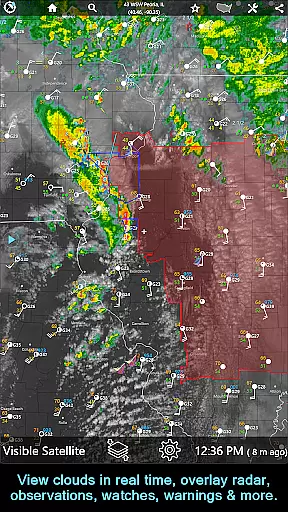
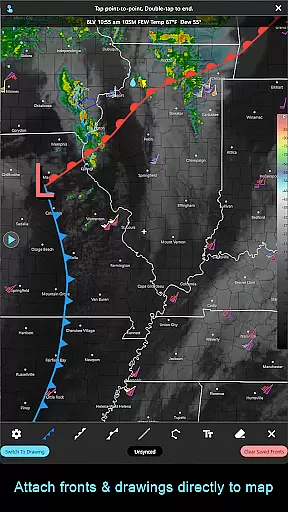
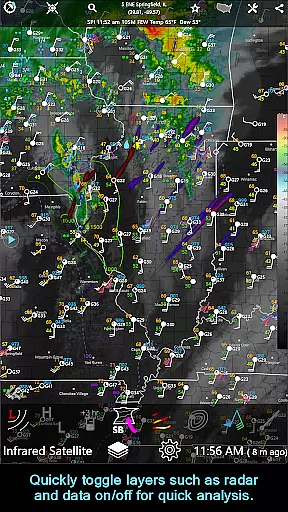
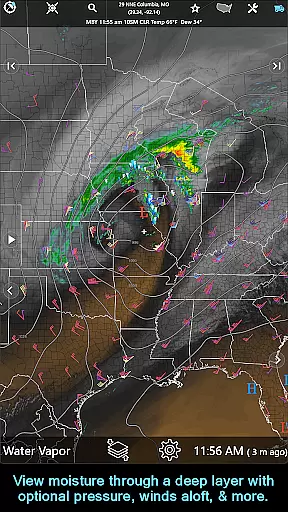
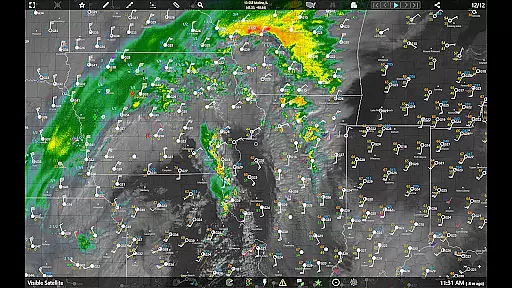
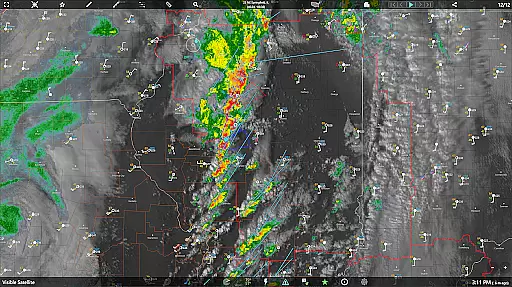
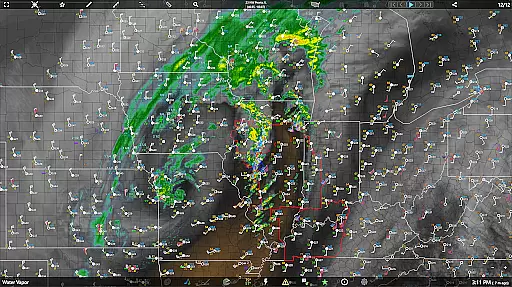
One of the standout features is the intelligent notification system that alerts users about incoming rain or severe weather based on customizable proximity boundaries and duration thresholds. The app also offers advanced mapping tools including radar, satellite imagery, and various weather overlays. Users can benefit from the landscape mode with enhanced controls and hyperloop animations for better trend visualization.
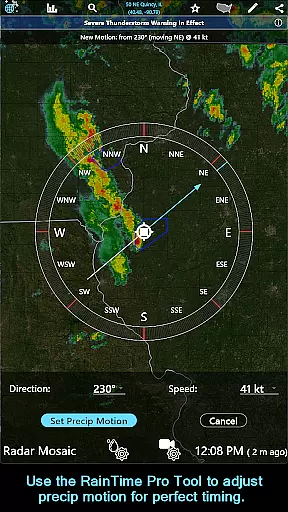
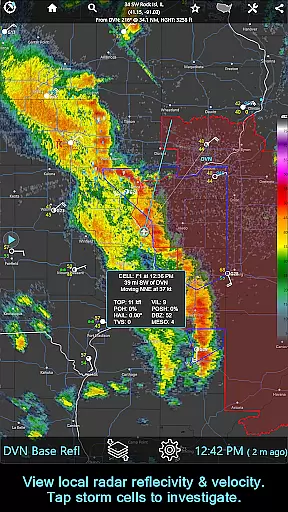
The application is particularly useful for outdoor event planning, travel, and daily commutes where knowing exact weather conditions is crucial. With its subscription version, RainAware extends its capabilities to include professional-grade tools like the RainPro feature for refined precipitation timing, national radar products, storm cell tracking, and aviation-specific displays. These features make it an invaluable tool for both casual users and weather professionals.
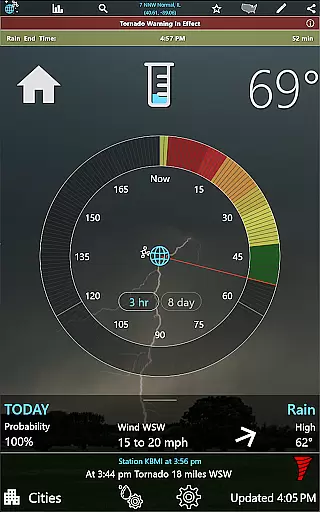
RainAware stands out with its rich set of features tailored for weather enthusiasts and professionals alike. One of the primary highlights is the Rain Clock, which provides users with precise precipitation timing relative to their location. This feature is supported by visually intuitive background images that reflect current weather conditions, enhancing user experience through clear visual cues.
The app includes sophisticated interactive graphs that allow users to explore detailed weather parameters such as temperature, wind speed, and cloud cover over the next 36 hours. Another innovative aspect is the Weather Badges system, which notifies users of significant changes in weather patterns. Additionally, the Current Conditions Ticker cycles through real-time weather observations, lightning reports, and storm updates, providing a dynamic overview of nearby weather events.
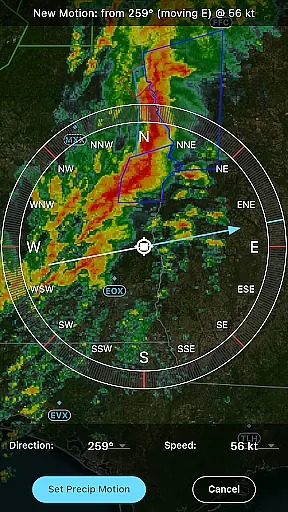
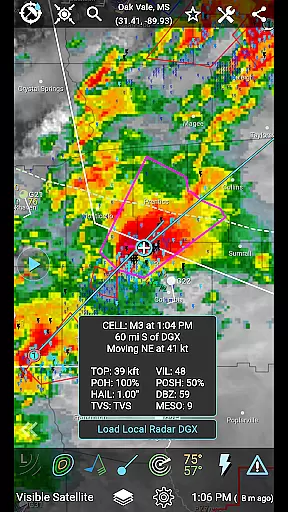
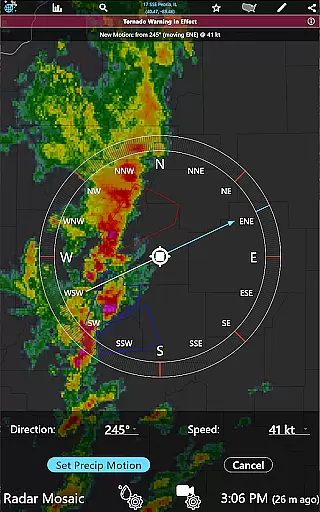
For those needing more advanced functionalities, the subscription version unlocks features like the RainPro Tool for refining precipitation motion analysis, National Radar Products, and Storm Cell tracking with multiple filtering options. These tools are complemented by drawing utilities for annotating maps and longer animation loops for extended forecasts. Such comprehensive features ensure that RainAware remains a top choice for detailed and actionable weather insights.
Forecast accuracy and data credibility are essential for any weather application, and RainAware excels in these areas. The app provides precise rain timing to your location up to three hours in advance, ensuring users can plan their activities accordingly. By utilizing advanced forecasting models, the app delivers reliable predictions on precipitation start and end times.
The app's interactive graphs offer detailed readouts for temperature, wind speed, cloud cover, and precipitation type over the next 36 hours. This level of detail empowers users with comprehensive weather insights, allowing them to make informed decisions based on trustworthy data. Additionally, the Forecast Clock feature concisely presents an eight-day forecast, including critical information like sunrise, sunset, and moon phases.
RainAware also includes weather badges that appear when significant or rapid changes in precipitation, temperature, or wind are expected. These visual cues enhance situational awareness by highlighting important weather events. With its robust notification system, users receive alerts tailored to their preferences, further reinforcing the credibility of the provided data.
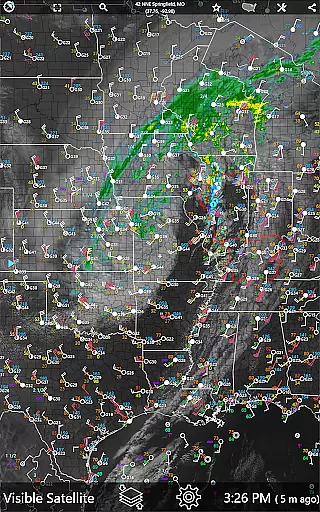
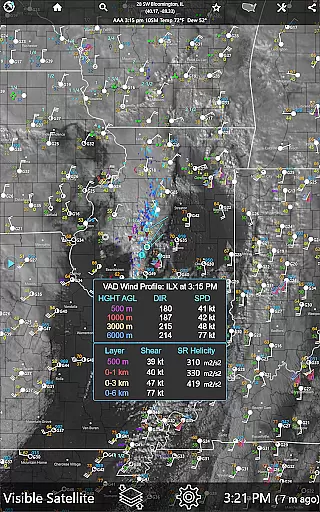
The temporal and spatial forecast range is a crucial aspect of RainAware, providing extensive coverage and detailed forecasts. Users can access satellite, radar, and one-hour precipitation views over a regional domain much larger than typical weather apps. This expanded view allows users to move the domain and check weather conditions in new locations seamlessly.
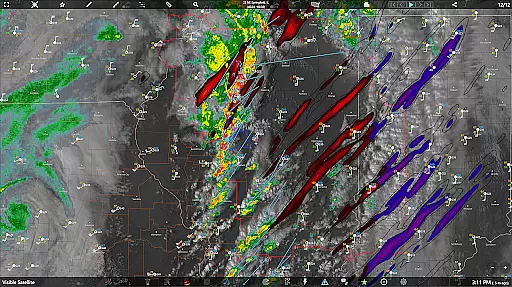
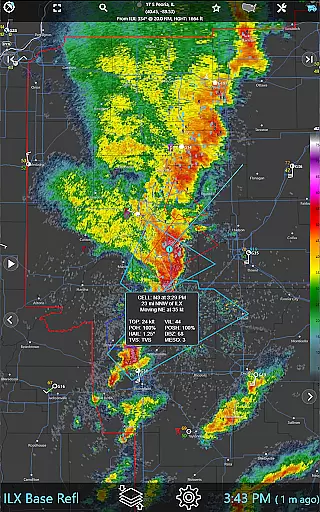
In the subscription version, RainAware offers even broader capabilities, such as viewing the entire weather map without regional constraints. This feature is particularly beneficial for users who need comprehensive weather data across different geographical areas. The National Radar Products include Echo Tops, Hail Swaths, and Rotation Tracks, delivering high-resolution imagery that enhances understanding of storm dynamics.
Furthermore, the Single-Site Radar feature provides basic reflectivity and velocity products, while the option to merge Hawaii, Alaska, and Puerto Rico radars onto the national view ensures complete spatial coverage. Longer loops enable animations of up to 36 frames and 12 hours out on capable devices, offering a dynamic perspective on weather patterns. Such extensive temporal and spatial forecasting empowers users with unparalleled weather insight.
Accurate Precip Timing
Custom Notifications
Interactive Graphs
Advanced Mapping Tools
Subscription Flexibility
Complex Interface
Subscription Cost
Limited Free Features
Regional Constraints
High Data Usage

Weather for Indiana, Kentucky and Ohio
 4.90
4.90
Local weather forecast, reliable daily weather report
4.30
NOAA radar, weather forecasts, hurricane tracking & customizable alerts.
4.50
Live weather radar, widgets & forecasts. Track rain, storms & temperature.
4.20
My Aurora Forecast is the app for Northern Lights and Aurora Borealis alerts.
4.60
Get accurate rainfall and snowfall totals for pinpoint locations on a map.
4.60
View weather widget and map. Wind direction and speed. Tides times and waves
4.70
Stay ahead of the weather with Daily Weather
4.10
Download now and give your smartwatch a fresh, premium look!
4.20
A professional, comprehensive and accurate weather forecast app
4.90
Aviation weather made simple. Visual decoder for METAR & TAF
4.90
Weather - Local weather forecast, weather daily & hourly, weather radar
4.80
Live local weather updates: various widgets & radar maps & hourly forecast.
4.70
The weather channel, tiempo weather forecast, weather radar & weather map
4.70
Powerful US and worldwide earthquake feed with earthquake alerts and maps.
4.60
Room Temperature Thermometer meter shows indoor, outdoor temperature, humidity.
4.40
14-day & 24-hour Forecast | Real-time Alert | Accurate & Fast
4.40
Advanced weather toolkit, providing detailed weather information for any season!
3.50
Digital Weather Watch Face for Wear OS 5+
4.4


User Reviews