
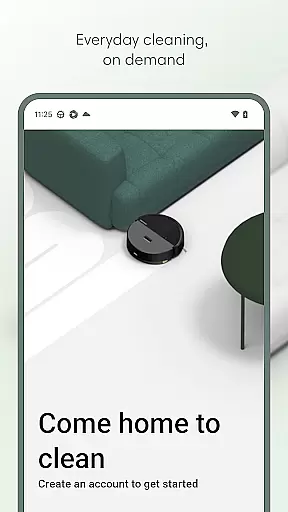
Roomba Home is a comprehensive lifestyle app designed to elevate your cleaning experience with smart robotic solutions. Compatible with Roomba 100, 200, 400, 500, and 700 series robots sold after March 2025, this app offers intuitive controls for managing your cleaning routines effortlessly.
The app allows users to start, stop, or schedule their robot, customize detailed maps of their home, and create personalized cleaning routines. With real-time insights into where and how the robot is cleaning, proactive product maintenance, and seamless smart home integrations, it ensures an efficient and user-friendly cleaning process.
Whether you need to adjust cleaning settings, manage schedules, or control the robot via voice commands, Roomba Home provides intelligent recommendations and a seamless setup experience, making it easier than ever to maintain a spotless home with minimal effort.
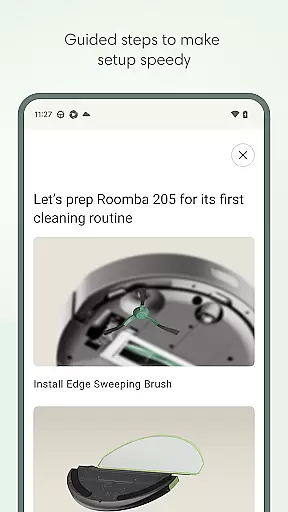
Roomba Home stands out with its rich feature set tailored for optimal cleaning management. The app includes easy, seamless setup guides that take you from unboxing to your first cleaning run with helpful tips along the way.
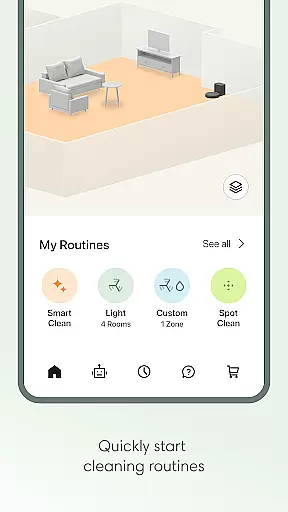
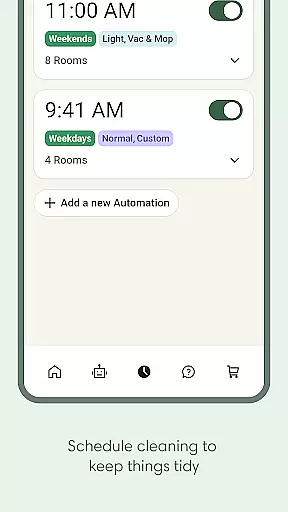
One of the key features is the Routine Builder, which allows users to effortlessly create cleaning routines by selecting rooms, adjusting settings, and enabling advanced scrubbing options. Additionally, the app supports scheduling, enabling users to set convenient cleaning times and days.
Other notable features include customizable cleaning settings such as vacuuming, mopping, suction levels, and mopping liquid levels. Users can also save up to five maps, label rooms, add zones, and control cleaning areas with precision. Real-time insights and voice control compatibility further enhance the user experience, ensuring convenience and efficiency in daily cleaning tasks.
The Roomba Home app offers extensive lifestyle category coverage by integrating multiple essential home management features into one intuitive platform. This includes advanced cleaning routines, scheduling options, and personalized cleaning settings that cater to various household needs.
Users can create detailed cleaning plans through the Routine Builder, selecting specific rooms and adjusting vacuuming or mopping preferences. The app also supports up to five saved maps, allowing for targeted cleaning zones and furniture-specific adjustments, which enhances its versatility in different home environments.
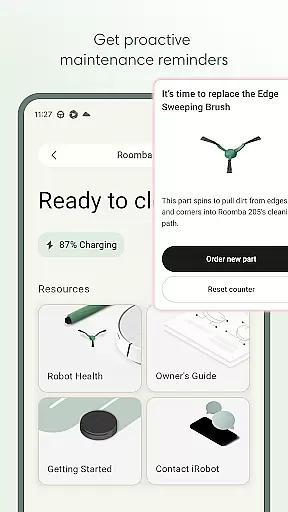
In addition to cleaning functionalities, the app provides proactive maintenance alerts and health monitoring for the robot, ensuring optimal performance. With voice control compatibility through Alexa, Siri, or Google Assistant, users can seamlessly integrate the app into their smart home ecosystems.
The Roomba Home app ensures content authenticity and expert credibility by offering verified features developed by iRobot, a leader in robotic home cleaning solutions. Each function within the app is designed based on proven cleaning technologies and user feedback, guaranteeing reliable performance.
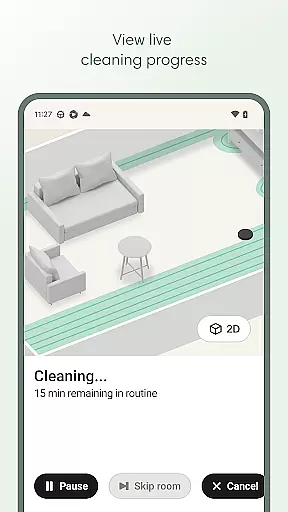
Real-time insights and controls allow users to monitor their robot's cleaning activities as they happen, providing transparency and assurance of the cleaning process. The app also includes a Health Dashboard that tracks the status of both the robot and its accessories, backed by expert recommendations for maintenance.
Furthermore, the app's compatibility with specific Roomba models sold after March 2025 demonstrates a commitment to delivering accurate and relevant information tailored to those devices. This dedication to precision reinforces the trustworthiness of the content provided through the Roomba Home app.
User-friendly interface
Customizable cleaning routines
Real-time cleaning insights
Voice control compatibility
Proactive maintenance alerts
Limited to specific Roomba models
Requires 2.4 GHz Wi-Fi network
No 5GHz Wi-Fi support
Premium features may require additional costs
Dependent on stable internet connection

Chat, meet genuine singles in your area. Real connections start with being real.
 4.30
4.30
Earn points with every purchase with Moe Rewards.
4.20
A daily quote for success
4.2
A uniquely designed isometric digital watch face made for Wear OS
4.2
Earn money & gift cards when you take surveys, play games, scan receipts & more.
4.50
Play fun games, complete quick surveys, and earn money. It's fun and easy!
4.40
Make money, get paid cash rewards & gift cards for every survey. Earn today!
4.60
Communicate with your vehicles and Powerwalls anytime, anywhere
3.60
Wear your favorite memories, loved ones, pets or travel photos on your watch
4.5
Good magnifier app to see tiny things bigger and more clearly!
4.80
See wait times and check into a hair salon ahead of time with Online Check-In.
4.80
Get the news, events and savings that matter to you with AARP Now.
4.80
Made To Order Faves
4.70
Vehicle ownership simplified. Get the myChevrolet® app today.
4.60
Share opinions, get paid cash
4.30
Material You inspired colors with BIG and Bold looks for Wear OS watches.
4.20
Take Hobby Lobby with you wherever you go!
3.40
View over 160,000 line dance stepsheets from the CopperKnob website.
3.30
Smart home security protection
3.20


User Reviews