
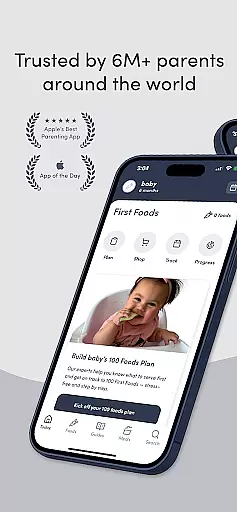
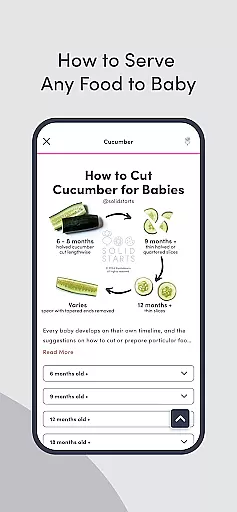
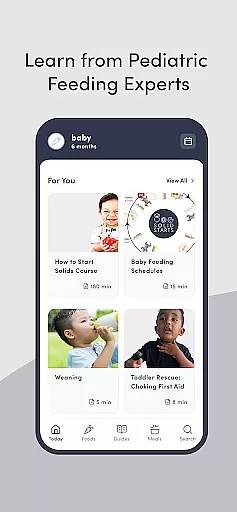

Solid Starts is the ultimate parenting app designed to guide parents through the critical stage of introducing solid foods to babies. This comprehensive tool provides detailed information on safely introducing over 400 foods, complete with nutrition facts, choking and allergen guidance, and age-appropriate serving suggestions. The app also features a vast library of articles and guides covering essential topics like infant CPR, recognizing signs of readiness for eating, and introducing allergens.
Developed by a team of board-certified pediatricians, feeding therapists, and dietitians, Solid Starts offers personalized meal plans and expert advice tailored to each baby's unique journey. Parents can track their baby's food progress with a digital log, manage favorite foods, and monitor any reactions or sensitivities. With over 300 baby-led weaning (BLW) ideas and recipes, this app ensures joyful and confident mealtimes for both parent and child.
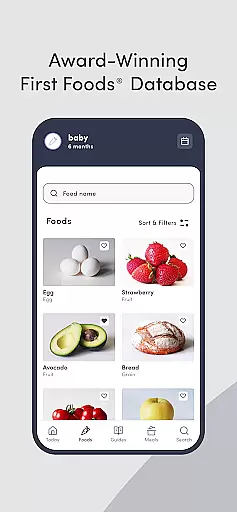
Solid Starts stands out with its robust set of features designed to support parents in their baby's food journey. The First Foods® Database includes detailed entries for more than 400 foods, offering insights into nutrition, potential allergens, and safe serving methods based on the baby's age. Each entry is regularly updated by pediatric professionals, ensuring parents have access to the latest evidence-backed information.
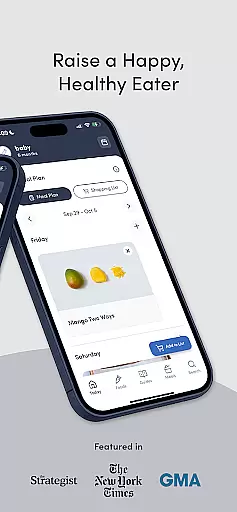
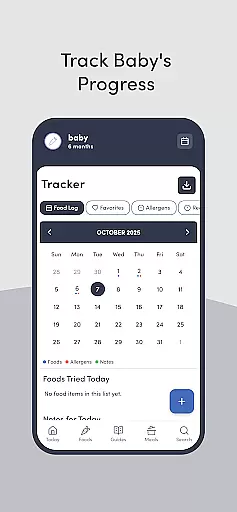
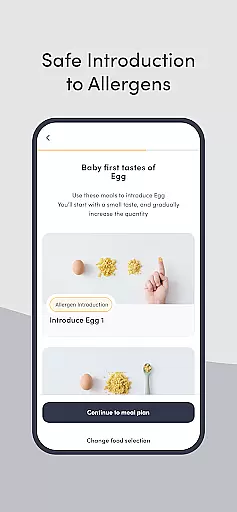
The app provides personalized meal plans that introduce 100 first foods with tailored recipes from pediatric experts. It gradually builds the baby’s ability to handle various textures and introduces common allergens with step-by-step guidance. Additionally, Solid Starts includes a digital Baby Food Tracker, allowing parents to log tried foods, track favorites, and note any reactions, which can be shared with healthcare providers.
With an extensive collection of BLW ideas and easy recipes for babies, toddlers, and families, Solid Starts covers categories such as iron-rich meals and quick breakfast ideas. The app is trusted by over 6 million users worldwide and has been recognized by Apple as one of the Best Apps for Parents, making it an indispensable tool for modern parenting.
When it comes to parenting apps, the credibility of content and expert validation are paramount. Solid Starts stands out by offering a comprehensive solution developed by a team of board-certified pediatricians, infant feeding therapists, swallowing specialists, allergists, and dietitians. This multidisciplinary approach ensures that every piece of advice or information is not only accurate but also aligned with the latest medical understanding and guidelines.
The app's First Foodsu00ae Database covers over 400 foods, providing detailed nutrition information, choking and allergen guidance, and age-appropriate serving suggestions. Each entry is meticulously updated by pediatric professionals, ensuring parents have access to evidence-backed information. This level of detail and expertise reassures parents that they are making informed decisions about their child's diet.
Solid Starts goes beyond just listing foods; it offers tailored meal plans and recipes designed by experts to gradually build a babyu2019s ability to bite and chew various textures. The inclusion of common food allergens with step-by-step guidance further enhances parental confidence. By having such validated resources at their fingertips, parents can navigate their baby's unique food journey with assurance.
Growth tracking in parenting apps provides essential insights into a child's developmental progress. Solid Starts incorporates a digital food log feature that allows parents to record their baby's progress systematically. This includes logging foods tried, tracking favorite foods, and noting any reactions or sensitivities. Such meticulous tracking enables parents to identify patterns and preferences, contributing to more accurate growth monitoring.
The app's functionality extends to creating lists of foods parents wish to try later, which helps in planning and maintaining a balanced diet for the child. Additionally, the ability to download and share this data with doctors and caregivers ensures that healthcare providers have a comprehensive view of the child's nutritional intake and any related health concerns. This collaborative approach enhances the accuracy of growth assessments.
By integrating evidence-based practices with user-friendly features, Solid Starts empowers parents to take an active role in their child's development. The combination of expert-validated content and precise tracking tools makes it an indispensable resource for modern parenting, ensuring both peace of mind and informed decision-making.
User-friendly interface
Expert-developed content
Comprehensive food database
Personalized meal plans
Trusted by millions
Premium subscription required
Limited free features
Occasional updates needed
Advanced medical jargon
High information density

All-In-One Pregnancy Tracker, Your Baby's Milestones, Growth Stages & Parenting
 4.70
4.70
Daily Routine & Timer for kids, ADHD, & Autism
4.80
Family GPS locator app — child location tracker. GPS kids tracker, family safety
4.70
Affirmations | Stories | Bible
4.10
It is a screen time management tool for games and mobile applications
4.50
Lullabies, Night Light & Age-based Routines to help your baby fall asleep
4.5
GeoLog - Real-Time Location Tracker
4.40
Screen Time, App and Web Block & Monitoring, Location Tracker
3.60
FamilyAlbum helps you share, save, and remember your child's special moments.
4.80
3D Baby size, Fruit comparisons, Smart Checklist, Trending Names & Training.
4.90
Track baby’s development & growth week by week with BabyCenter’s pregnancy app!
4.90
Advanced baby tracking, expert sleep help & parenting support for every stage.
4.80
Sleep better with white noise app! Discover rain sounds, fan noise and more.
4.70
Kids story books for children. Baby reading books with audio for pre-k toddlers
4.70
Babysitting video camera - Turn your two phones or tablets into a single nanny.
4.40
Speech Therapy Exercises For All!
4.40
Keep Your Family Safe with Pollog Family Assistants
4.10
A Coloring for the Whole Family! Discover the Joy of Family Love Through Colors!
3.60
SemLog aims to raise awareness among families and their children
3.40


User Reviews