
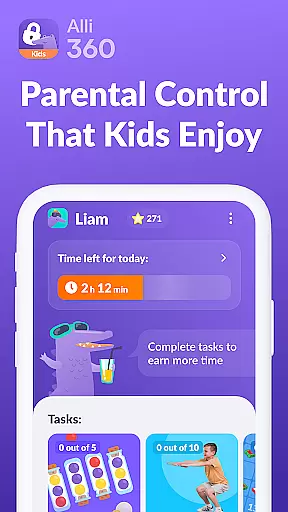



Alli360 by Kids360 is a parental control app designed to help parents manage their children's screen time effectively. The service allows setting specific time limits on entertainment apps and games, ensuring a healthy balance between digital engagement and other activities.
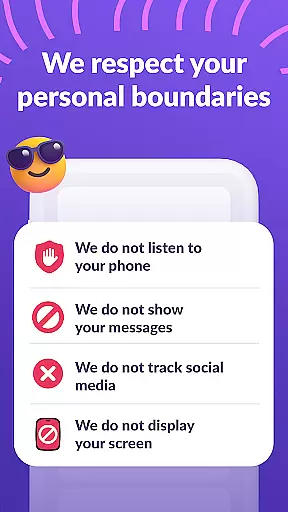
Key features include scheduling capabilities for school hours and bedtime, selecting which apps to limit or block completely, and providing detailed usage statistics. Parents can always stay connected through essential communication apps. The app operates transparently and requires explicit consent from the child, adhering strictly to GDPR policies.
This app is ideal for families looking to instill responsible digital habits while maintaining open lines of communication and trust.
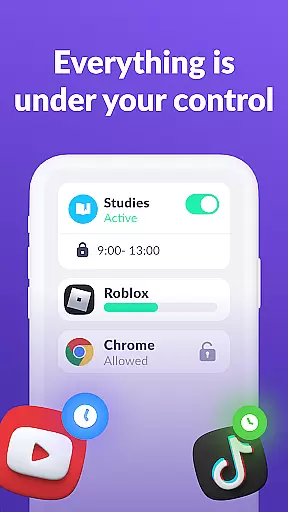
Alli360 offers robust functionalities tailored for parental control. One standout feature is the ability to set precise time limits on specific applications and games, allowing parents to regulate how much time their children spend on entertainment apps.
The scheduling function enables parents to block access during crucial times like school hours and bedtime, promoting a disciplined routine. Additionally, the app provides comprehensive insights into app usage patterns, helping identify which apps are most used by the child.
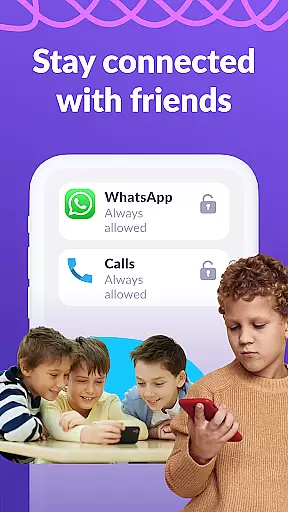
Furthermore, Alli360 ensures that vital communication channels such as calling and messaging apps remain accessible at all times, balancing control with safety. These features collectively empower parents to guide their children's digital consumption responsibly.
When it comes to parenting applications, the credibility of content and expert validation are paramount. Alli360 by Kids360 stands out in this aspect by providing a service that is designed with family safety and parental control in mind. The app offers features such as setting time limits on entertainment applications and games, which are developed based on expert recommendations for healthy digital habits.
The application tracker within Alli360 allows parents to monitor how much time their children spend on smartphones. This feature is supported by expert validation, ensuring that the data provided is not only accurate but also beneficial for establishing balanced screen time routines. Furthermore, the app cannot be installed without the child's knowledge, promoting transparency and trust between parents and children.
Alli360 complies with legislation and GDPR policies, safeguarding personal data. This adherence to privacy standards provides an additional layer of credibility, assuring parents that their family's information is handled responsibly. With these measures in place, Alli360 establishes itself as a reliable tool for modern parenting.
Growth tracking accuracy is essential for understanding a child's development in the digital age. Alli360 offers precise monitoring tools that allow parents to see exactly how much time their teens spend on their smartphones. By identifying the most used applications, parents can gain insights into their children's interests and digital behavior patterns.
The app provides detailed statistics about application usage through its accessibility services and usage access permissions. These features ensure that the time spent on each app is accurately recorded, offering a clear picture of a teenu2019s digital footprint. Such precision supports informed decision-making regarding screen time management.
Moreover, Alli360 includes scheduling capabilities that help establish structured routines for schoolwork and rest periods. Parents can set specific times when certain apps or games are unavailable, promoting healthier habits. This structured approach aids in tracking growth trends over time, making Alli360 an invaluable resource for fostering balanced lifestyles among teenagers.
Effective time management
Transparent operation
Comprehensive app control
Detailed usage reports
GDPR compliant data handling
Requires explicit consent
Limited without subscription
Complex setup process
Dependent on multiple permissions
Potential resistance from teens

AI Motion Video Maker & Ideas
 4.0
4.0
Block apps, set screen time limits, and customize usage schedules
4.50
Parental Control including Screen time control, GPS tracking, App/Game blocker.
3.90
Little loved one's monitoring, Sleep tracking and Parenting content.
3.80
Play activities, milestones, expert-led classes, baby tracker, and more!
3.00
FamilyMode helps you manage your family’s digital lives—at home or on the go.
4.30
Limit screen time, Block Apps & Games, Monitor with Parental control app
4.20
Keep track of your stored breastmilk
4.40
Parental control App for Location, Remote Camera, Screen Mirroring, Block Apps.
4.60
Introduce real food to baby with First Foods® Database, baby led weaning BLW
4.80
Advanced baby tracking, expert sleep help & parenting support for every stage.
4.80
Sleep better with white noise app! Discover rain sounds, fan noise and more.
4.70
GPS tracker app: Simple GPS phone tracker for fast family location tracking
4.60
Real-time family location with consent, check-ins & SOS—private by default.
4.40
GeoLog - Real-Time Location Tracker
4.40
Find unique + popular baby names for your little peanut.
4.30
Magic chalkboard coloring and drawing!
4.20
Affirmations | Stories | Bible
4.10
The Baby’s Bounty App is your hub to register for our diaper banks in Nevada
3.70


User Reviews