
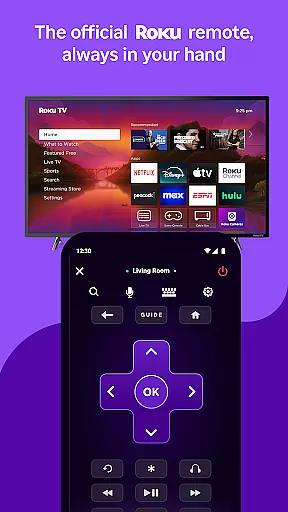
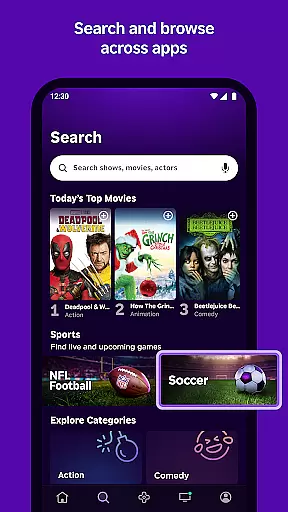
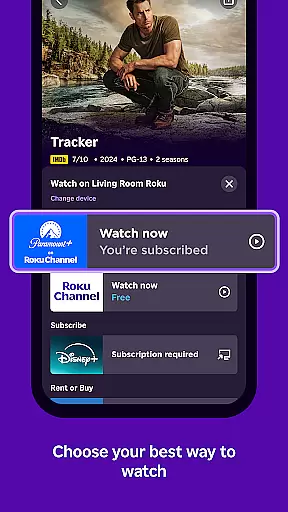
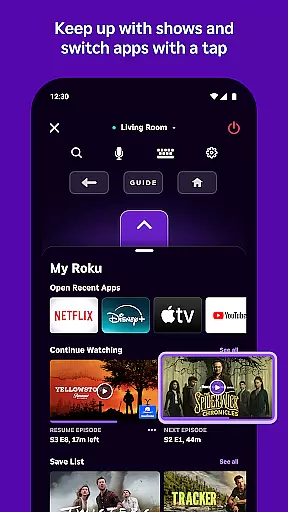
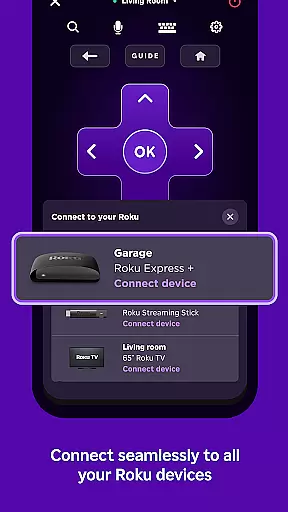
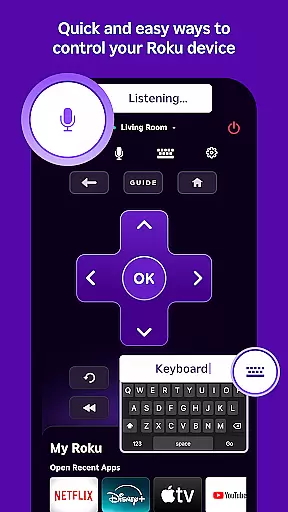
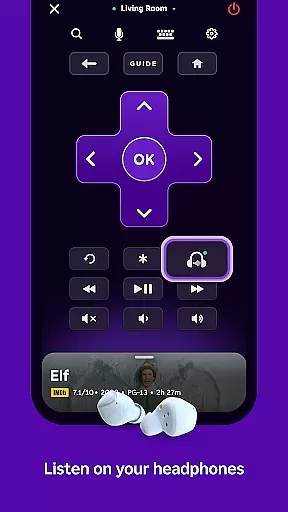
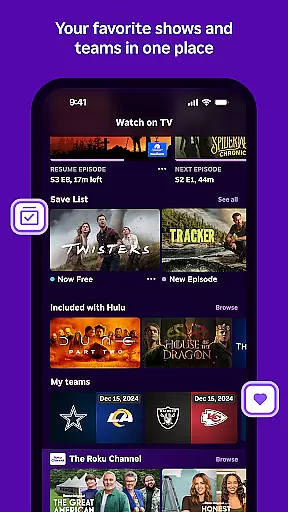
The Roku App serves as an essential streaming companion, offering users a versatile set of tools to enhance their entertainment experience. With this app, you can control Roku devices using a convenient remote interface, search for content with voice or keyboard input, and enjoy private listening through headphones. It also allows streaming of free movies, live TV, and more via The Roku Channel, casting media files from your phone to your TV, adding and launching channels on Roku devices, and simplifying text entry with a mobile keyboard.
Designed for seamless integration, certain features require your mobile device to be connected to the same wireless network as your Roku device. While some functionalities are universally available, others like voice search and The Roku Channel have specific regional limitations. This app is ideal for users seeking an intuitive and enriched streaming experience, providing both control and content accessibility in one place.
The Roku App boasts a variety of features that cater to diverse user needs. One standout feature is its ability to function as a comprehensive remote control for Roku devices, allowing users to manage their streaming activities effortlessly. Additionally, the app supports voice and keyboard search, enabling quick access to entertainment options by simply speaking or typing queries. Private listening is another highlight, where users can connect headphones to their mobile devices for an uninterrupted audio experience.
Another significant feature is the inclusion of The Roku Channel, which offers free streaming of movies and live TV directly within the app, although it's limited to users in the US. Furthermore, the app facilitates media casting, letting users project videos and photos from their phones onto their TVs. These features collectively ensure that users have a streamlined and personalized streaming experience, enhancing both convenience and enjoyment.
The Roku App offers a diverse range of entertainment options, ensuring users have access to varied content. With the ability to stream free movies, live TV, and more through The Roku Channel, it caters to different tastes and preferences.
Users can enjoy fresh content regularly, thanks to partnerships with numerous channels that are frequently updated. This ensures that viewers always have new and exciting programs to choose from, keeping their viewing experience dynamic and engaging.
In addition to streaming, the app allows casting of personal media files such as videos and photos from a mobile device to the TV. This feature further enhances content variety by integrating user-generated material into the entertainment library.
User engagement is a key strength of The Roku App, which provides features designed to keep users connected for longer periods. Its intuitive interface and easy navigation encourage extended use, while private listening with headphones adds an element of personalized enjoyment.
Retention is supported by the convenience of a mobile remote control, voice or keyboard search, and an efficient mobile keyboard for text entry on Roku devices. These elements combine to create a seamless interaction that invites users to return frequently.
Furthermore, certain channels may require payment and vary by country, offering tailored content that meets regional preferences and potentially increasing user commitment to the platform over time.
User-friendly interface
Voice search functionality
Private listening mode
Comprehensive remote control
Free content streaming
Limited regional features
Requires compatible Roku device
Some channels require payment
Network connectivity essential
Feature availability varies

Play games. Earn real rewards. Cash out in 3hours via PayPal or gift cards.
 4.40
4.40
Open-source, fast, simple and powerful IPTV app
4.90
Create melty bead designs by numbers, photos or your imagination
4.40
Underrated short-drama gems that hit hard and keep your heart hooked.
4.50
Fetch money rewards all just for playing games. Cash out for gift cards in app.
4.50
NFL, NBA, NHL, MLB, local sports coverage, shows, movies & news!
3.20
Just play games to earn gift cards. Keep playing, keep earning.
4.50
Original short dramas with diverse genres for a rich viewing experience!
4.80
Watch TV shows, movies, and stream Live TV channels without a subscription!
3.80
5 funny and lovely ponies waiting for you to style them!
4.80
Chat with AI characters! Anime, games, roleplay & more.
4.50
Best of icon for christmas
4.30
Alice Box is an Instrumental Trans Communication app.
3.80
Daily immersive workout plan: Body warm up & finger yoga exercises
3.80
With the Steam Mobile App, you can take Steam with you anywhere.
3.00
Air Horn - Siren Sounds Prank, Fun way to wake up your Friends and Family
4.0
Christmas Globe: Transform your Wear OS device into a festive timekeeper!
4.3
Control your AWTRIX 3 easily
4.0
The classic game of rock, paper, scissors
4.3


User Reviews