
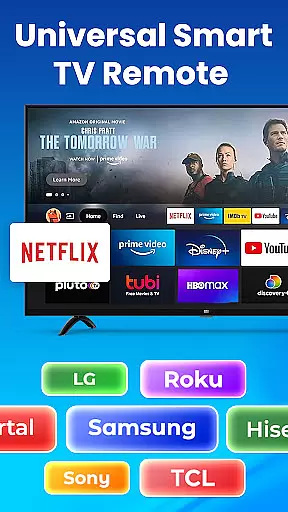
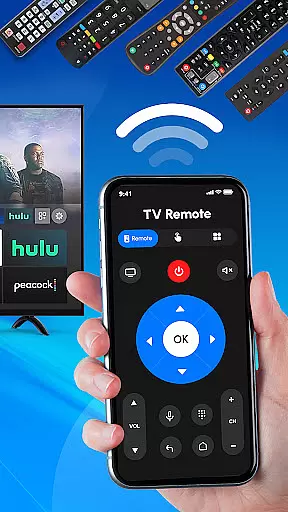
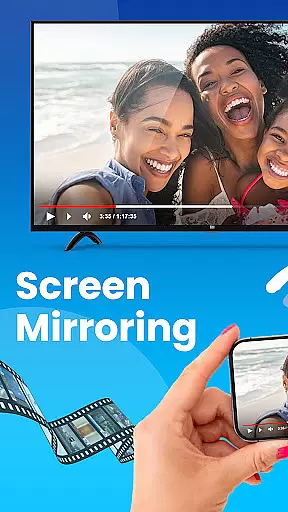
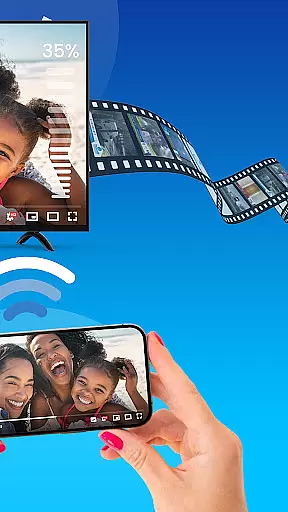
Universal TV Remote Control is a versatile application designed to replace traditional TV remotes for all major TV brands. This app supports Roku, Samsung, LG, Sony, and many other popular brands, offering seamless control over smart TVs and non-smart TVs alike. With features like Wi-Fi and Bluetooth support, users can easily manage their TV functions directly from their mobile devices.
The app's core functionality lies in its universal compatibility. Whether you need to adjust the volume, change channels, or switch input sources, this single app consolidates all these controls. It is particularly useful for households with multiple TV brands, as it eliminates the need for several different remotes. The Universal TV Remote Control app provides an all-in-one solution that simplifies the user experience significantly.
One practical scenario where this app shines is during social gatherings or family movie nights. Imagine effortlessly controlling any TV in your home without searching for the specific remote. This convenience not only saves time but also enhances the overall viewing experience by providing quick and easy access to all necessary TV functions.
Universal TV Remote Control stands out due to its rich feature set tailored for comprehensive TV management. One of its primary features is the full-featured remote control for Roku TV and streaming devices. Users can power their Roku TVs on or off, change channels, and adjust volume directly from their smartphones, making it an indispensable tool for Roku users.
In addition to Roku support, the app offers extensive compatibility with various TV brands such as Samsung, LG, Sony, TCL, and more. This versatility ensures that regardless of the TV brand, users can enjoy seamless control. The app leverages Wi-Fi and Bluetooth technologies to provide reliable connectivity, which is crucial for uninterrupted TV management. These features collectively ensure that users have a smooth and responsive control experience.
Another significant advantage is the app's ability to function as an all-in-one TV control hub. From adjusting volume levels to switching between different input sources, every conceivable TV function is accessible through this single app. This consolidation not only declutters living spaces by reducing the number of physical remotes but also streamlines the user interface, making it intuitive and user-friendly. Such innovation underscores the app's commitment to enhancing user convenience and satisfaction.
In the context of smart home management applications like Universal TV Remote Control, ensuring property listing authenticity is crucial for user trust and seamless device integration. This app verifies compatibility with various TV brands through a comprehensive database that includes Roku, Samsung, LG, Sony, and more.
The application employs strict verification protocols to ensure each listed TV model is accurately represented and compatible with the remote functionalities. By maintaining up-to-date information on supported devices, users can confidently connect their smartphones to their TVs without concern for compatibility issues.
For users, this means peace of mind when selecting their TV brand and model within the app. The authenticity verification process ensures that all available functions, from basic channel switching to advanced smart features, work as intended without unexpected errors or limitations.
This focus on accuracy not only enhances user experience but also extends the app's utility across multiple devices in a household, making it an indispensable tool for managing various TV models with a single, reliable remote solution.
Universal TV Remote Control offers a suite of home management features that streamline the control of multiple entertainment devices within your living space. By consolidating remote functions for various TV brands into one app, it simplifies the management of smart and non-smart TVs alike.
The app provides essential tools such as volume adjustment, channel changing, power control, and input source switching. These features are accessible through an intuitive interface that supports both Wi-Fi and Bluetooth connectivity, allowing users to manage their TVs without the need for multiple physical remotes.
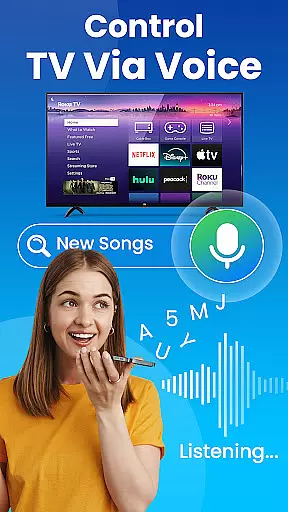
Additionally, the inclusion of voice control capabilities (where supported) enhances the home management experience by enabling hands-free operation. Users can easily navigate and control their entertainment systems, creating a more integrated and convenient smart home environment.
By offering these robust home management features, Universal TV Remote Control not only replaces traditional remotes but also elevates the way users interact with their home entertainment systems, promoting a clutter-free and technologically advanced living space.
User-friendly interface
Wide brand compatibility
Comprehensive feature set
Reliable connectivity options
Free to use
Limited voice control
Occasional connectivity issues
No physical buttons feedback
Requires smartphone
Dependent on Wi-Fi/Bluetooth

For all of your Airthings devices
 4.30
4.30
Technology powering many in-home services for residents across the United States
3.80
Turn your phone into a wifi cam with smart features and umlimited reach.
4.20
Draw your floor plan smartly. Make house design blueprint with home planner app
3.60
AI-powered home design, interior design, home decor, and room design solutions
4.50
AI floor creator to design your dream house, plan rooms & style your home
4.00
USHUD.com helps you find the best homes for sale in your area
4.00
Your guide to apartments & rental homes. Find your next place to rent with AG.
4.60
Design your dream home with 3D planning app, Visualize your dream home in 3D.
4.20
Convert your Phone to HiSense Smart TV Remote Control
4.70
Find your next home, house, apartment, condo, casa, flat, rental, studio, or bed
4.70
Night Owl Protect helps you secure, protect, and connect your world!
4.60
The Merkury Smart app makes it easy to control your smart devices.
4.50
Make Renting Easy
4.40
Wobble Fix Tool
4.40
AI Home Designer & Room Planner: Decorate your interior space with AI
4.40
Find contractors for all home renovation projects. Remodeling, repair, and more.
4.20
Find the perfect paint color with advanced tools to explore and visualize color.
3.80
This Fire TV Remote control's your Fire TV Device and Insignia Fire TV Remote
3.70


User Reviews