
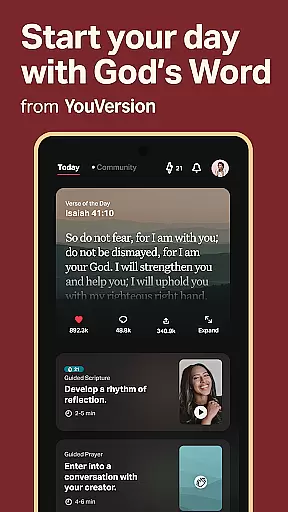
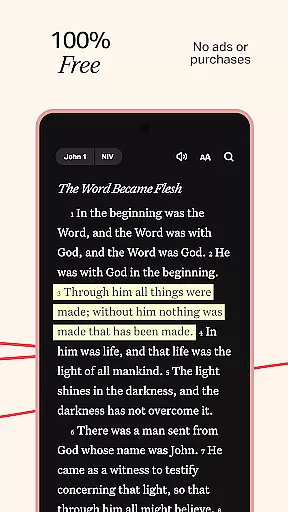
YouVersion Bible App is a comprehensive digital Bible platform that offers users access to over 2,500 Bible versions in more than 2,100 languages. The app provides an immersive spiritual experience through its extensive library of reading plans and devotionals, audio Bibles, and video content from various religious sources.
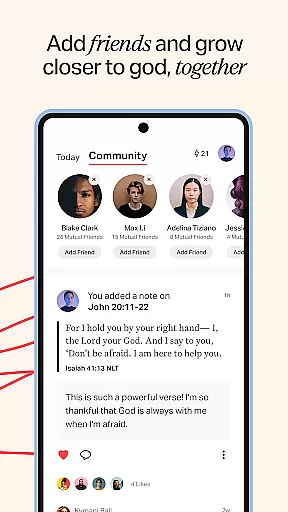
One of the key features of YouVersion is its ability to foster community among users. It allows individuals to connect with friends, share verses, participate in group reading plans, and engage in meaningful discussions about faith. This social aspect enhances personal study and encourages communal growth and learning.
The app's customization options enable users to tailor their Bible study experience. With features like highlights, bookmarks, and notes, readers can organize their insights and favorite passages effectively. Additionally, the Verse Images feature lets users create visually appealing graphics to share their favorite verses, making it ideal for those who wish to express their faith creatively.
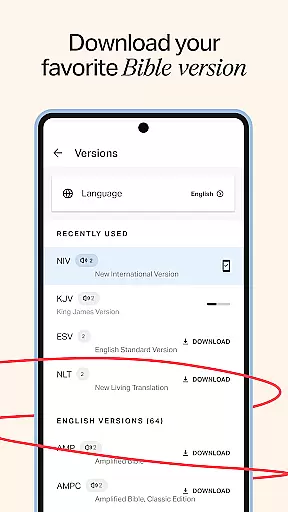
YouVersion Bible App stands out due to its vast array of Bible translations and languages, catering to a global audience. Users can switch between different versions seamlessly, ensuring they find the most suitable text for their study. Popular versions such as KJV, NIV, and ESV are readily available, enhancing accessibility for English speakers.
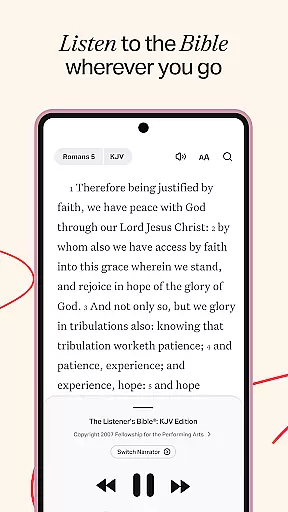
The inclusion of audio Bibles adds another dimension to the user experience, allowing for listening on the go. Although these audio files require an internet connection, they provide flexibility for users who prefer auditory learning. Furthermore, the app's offline functionality ensures uninterrupted access to select Bible versions, which is particularly beneficial in areas with limited connectivity.
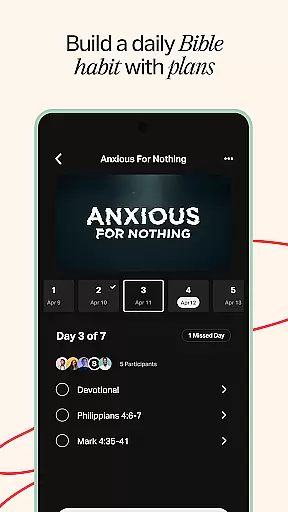
Another notable feature is the app's integration of multimedia content. Users can watch clips from religious films and series, enriching their understanding of biblical stories. The app also supports daily devotionals and reading plans, helping users maintain consistency in their spiritual practices. These structured resources guide users through thematic studies or full Bible readings, promoting deeper engagement with the scriptures.
The YouVersion Bible App offers an extensive e-book library with over 2,500 Bible versions available in more than 2,100 languages. This vast collection ensures that users from diverse linguistic backgrounds can access the scriptures in their preferred language.
Copyright authenticity is a crucial aspect of the app's offerings. Each Bible version included in the app is properly licensed, ensuring that users receive content that respects intellectual property rights and provides accurate translations and interpretations.
Popular versions such as the King James Version (KJV), New International Version (NIV), and English Standard Version (ESV) are readily accessible within the app. This not only caters to different theological preferences but also assures users of the legitimacy and scholarly rigor behind each text.
By providing such a comprehensive and authenticated selection, the YouVersion Bible App enables readers to engage with the Bible in a manner that is both legally compliant and culturally relevant, enhancing the spiritual experience for millions of users worldwide.
Format compatibility is a significant feature of the YouVersion Bible App, allowing users to engage with content in multiple ways. The app supports various formats including text, audio, and video, catering to different preferences and accessibility needs.
For text-based interaction, users can read the Bible in any of the 65+ interface languages supported by the app. They can switch between different Bible versions and languages seamlessly, making cross-referencing and study more efficient.
The inclusion of audio Bibles adds another layer of accessibility, enabling users to listen to scriptures while multitasking or when reading is not feasible. Although these audio versions require an internet connection, they provide an immersive experience that many find engaging and convenient.
Additionally, the app incorporates video content from renowned sources like the JESUS film and The Chosen series. These multimedia elements enrich the user's understanding and provide alternative ways to explore biblical stories, making the YouVersion Bible App a versatile tool for spiritual growth.
User-friendly interface
Extensive language support
Versatile reading plans
Rich multimedia content
Active community engagement
Audio requires internet
Limited offline videos
Some features need account
Occasional ads
Complex navigation

Essential Technical Rescue Field Operations Guide 6, the Industry Standard Guide
 4.20
4.20
Offline translator from english to spanish, and from spanish to english.
4.50
WebNovel - Read Solo Leveling novel and comic
4.10
Read aloud texts, audiobooks, PDFs or any eBook with text to speech AI audio
4.60
Enjoy your favorite books
3.50
Manage collectibles, survey and treasure maps in Elder Scrolls Online.
4.40
Read Trending Romance Stories
4.00
Premium reader for ePub, PDF, and more. TTS and translation. Great on any screen
3.50
Learn to tie more than 200 knots in 3D!
4.90
The favorite Christmas story comes to life!
4.80
Read and study the Bible and other content in over 1,000 languages.
4.80
The dynamic dictionary/reference app for piano chords and scales!
4.80
My Bible offers a comprehensive app by providing offline access, daily verses.
4.80
Contains the 365 daily readings and everything other thing needed for catholics
4.70
"Do you like green eggs and ham?"
4.70
"Five Dr. Seuss titles in one omBook!"
4.60
Learn Electricians' Handbook PRO complete guide beginners to advance.
4.40
Mirror Bible - eye-opening paraphrase translation of the NT by Francois du Toit
4.30
A companion for prayer, with Azan alarm, Quibla direction, and Holy Quran book
4.10


User Reviews