
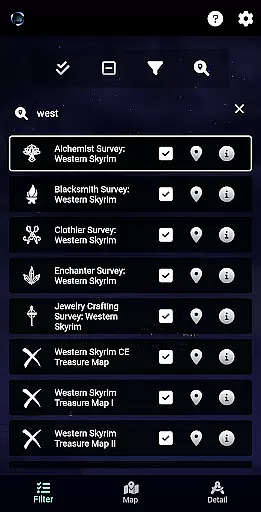
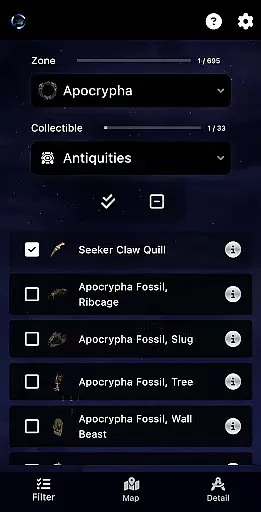
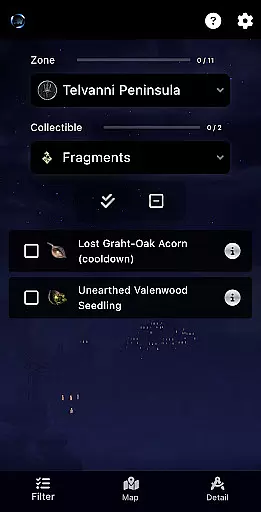
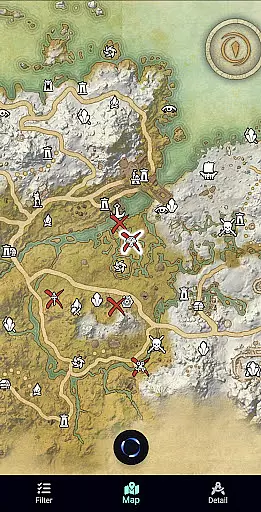
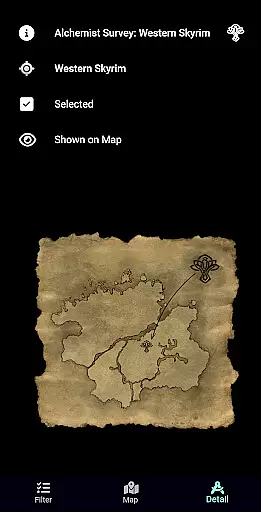
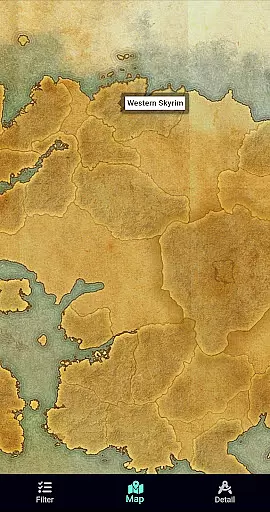
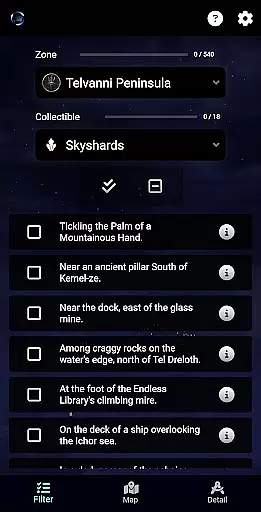
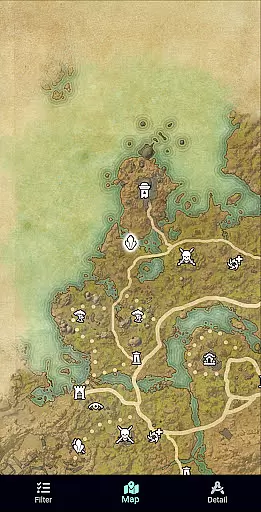
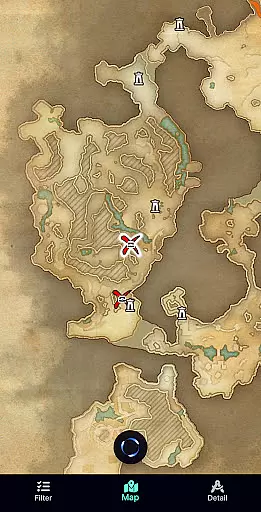
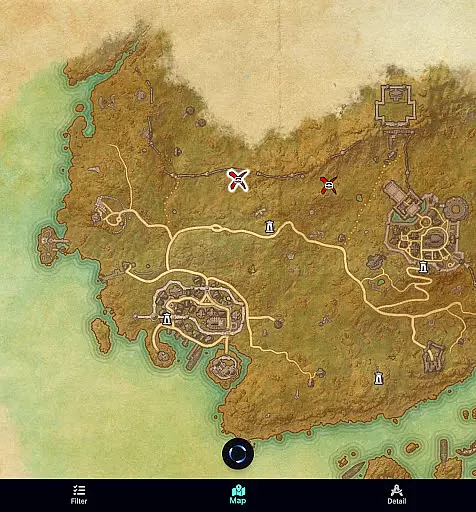
ESO Surveyor is a comprehensive reference tool designed specifically for players of The Elder Scrolls Online. This app allows users to efficiently manage in-game activities by providing detailed zone maps where items can be located and marked as completed. With features like treasure map details, survey tracking, and inventory-saving shortcuts, it streamlines the gaming experience.
The app supports tracking of Mages Guild books, Skyshards, Public Dungeon fragments, and Antiquities, including cooldown monitoring. While the Lite version covers only the base game, the full version offers unrestricted access to all zones, making it an essential companion for both casual and hardcore gamers looking to optimize their ESO adventures.
ESO Surveyor stands out with its robust feature set tailored for ESO enthusiasts. The app provides interactive zone maps that display item locations, allowing players to tick off completed tasks. It includes treasure map and survey details for each item, saving users time by reducing inventory checks.
Additional notable features include tracking missing Mages Guild books and Skyshards, monitoring Public Dungeon fragments and Antiquities, and cooldown tracking for fragments. Updated regularly, such as the recent Feast of Shadows update, this app ensures that players have access to the latest in-game information, enhancing their overall gaming strategy and efficiency.
ESO Surveyor offers an extensive collection of in-game items, ranging from treasure maps to Mages Guild books and Skyshards. This vast digital library ensures that players have access to a wide array of content directly related to 'The Elder Scrolls: Online' universe.
The app meticulously documents each item's location and completion status, providing users with accurate and up-to-date information. All data is sourced from the game itself and various internet resources, ensuring its legitimacy and adherence to copyright guidelines.
By offering both a Lite version for the base game and a full version that includes DLC zones, ESO Surveyor caters to different player needs while respecting intellectual property rights. The developers clearly state their non-affiliation with ZeniMax Online Studios or Bethesda Softworks, reinforcing their commitment to ethical content curation.
Designed with user convenience in mind, ESO Surveyor ensures seamless integration with players' gaming experience. It supports all essential formats required for tracking in-game items, making it easy for users to manage their progress without constantly switching between apps.
The app's compatibility extends to various devices, allowing gamers to access their survey data on multiple platforms. Whether they're using Android smartphones or tablets, users can expect consistent performance and accessibility across devices.
Regular updates, such as the recent Feast of Shadows patch, demonstrate the developers' dedication to maintaining format consistency and compatibility with the latest game versions. This commitment ensures that ESO Surveyor remains a reliable tool for both casual players and dedicated enthusiasts of 'The Elder Scrolls: Online.'.
User-friendly interface
Comprehensive zone maps
Time-saving features
Regular updates
Unrestricted access
No official affiliation
Limited Lite version
Requires game knowledge
Occasional bugs
Premium cost

The Original Tropical Freshwater Aquarium Fish And Plant Care Guide
 4.80
4.80
Contains the 365 daily readings and everything other thing needed for catholics
4.70
Audiobook player with cross-device progress sync, playlists, and widget support.
4.80
Words spoken by native English speakers and full definitions.
4.60
A wonderful reader for good time spend.
4.20
Prime novels await! Fantasy & Romance on JoyRead. Immersive reads!
4.20
8 Dr. Seuss short stories in 1 app!
4.70
Unlock unlimited access to bestselling ebooks, novels, stories, and audiobooks
4.60
Read unlimited novels, audiobooks, stories & Unlock ebooks, fanfiction and more!
4.70
What’s that bird? Just answer 5 questions, snap a photo, or record its song!
4.90
“I am the Lorax. I speak for the trees.”
4.80
Track your Star Wars book collection across Canon & Legends
4.80
King James Bible read offline, AI Priest, Bible Quiz, Guiding Prayers & Plans
4.80
Read the KJV Bible with Strong’s offline: reading plans, audio Bibles, and more.
4.70
Discover Stars and Planets: Live Map Shows Current Constellations in Full Detail
4.70
The Original & Authentic Crystals, Gemstones, Rocks & Minerals Encyclopedia.
4.60
Improve your vocabulary and grammar with the 15 biggest Oxford Dictionaries.
4.30
All in one Calibre libraries on your phones and tablets.
3.80
University of North Carolina Herbarium presents the flora of TN, AL, & MS.
4.4


User Reviews