
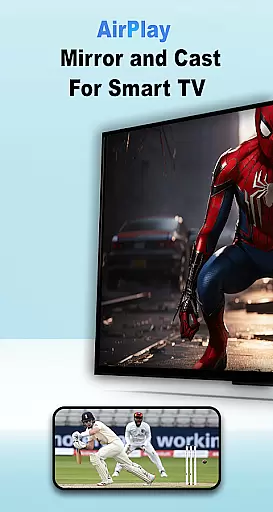
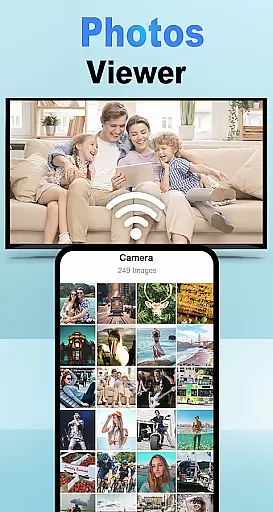
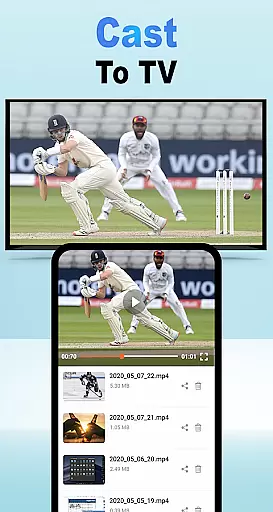
Air Play: Cast to TV is an innovative screen mirroring and wireless streaming application designed specifically for Android users. This app allows you to effortlessly connect your mobile device to a wide range of AirPlay-compatible devices, including smart TVs, Apple TV, and AirPlay speakers.
With support for multiple protocols like DLNA and Chromecast, the app ensures broad compatibility across various devices such as Samsung AirPlay TVs and other AirPlay receivers. Whether you want to stream videos, display photos, or play music on a bigger screen, Air Play: Cast to TV delivers seamless connectivity and high-quality transmission.
The app is particularly useful in home entertainment settings where users can enjoy their favorite multimedia content on larger displays without any hassle. Its intuitive interface and reliable performance make it a must-have tool for anyone looking to enhance their digital media experience.
Air Play: Cast to TV stands out with its comprehensive feature set tailored for effortless media sharing. One of its core functionalities is the ability to cast various types of media including videos, photos, and music from your Android device directly to a TV or compatible speaker system.
The app supports multiple streaming technologies such as DLNA, Chromecast, and native AirPlay protocols, ensuring wide compatibility with different devices like Samsung AirPlay TVs, Apple TV, and various AirPlay receivers. This versatility allows users to connect and stream content without worrying about device limitations.
Another notable feature is its user-friendly interface that simplifies the entire streaming process. By requiring both the Android device and target display to be on the same Wi-Fi network, it guarantees stable connections while enabling quick selection and connection to desired AirPlay devices through an intuitive device list.
Air Play: Cast to TV for Android demonstrates exceptional functionality completeness by supporting a wide range of casting protocols and devices. The app integrates DLNA, Chromecast, and other wireless technologies, ensuring compatibility with various smart TVs, AirPlay receivers, and speakers.
One of the standout features is its ability to connect seamlessly with multiple types of devices, including Samsung AirPlay TVs, Apple TV, and AirPlay-enabled speakers. This broad device support ensures that users can enjoy their favorite content on virtually any screen or audio system without limitations.
The app also covers diverse media types, allowing users to cast videos, photos, and music effortlessly. Whether you're streaming a movie, sharing vacation photos, or playing your favorite tunes, Air Play provides comprehensive coverage for all your media-sharing needs.
This extensive functionality delivers significant value to users by eliminating the need for multiple specialized apps. With Air Play, you get a single solution that handles all your wireless streaming requirements, making it an essential tool for anyone looking to enhance their home entertainment experience.
When it comes to usability, Air Play: Cast to TV excels in providing a smooth and intuitive user experience. The app's interface is designed for simplicity, allowing users to quickly grasp its features and start casting their content within minutes of installation.
Operational smoothness is evident in how the app maintains stable connections between devices. By requiring both the Android device and target display or speaker to be on the same Wi-Fi network, Air Play ensures minimal latency and maximum reliability during streaming sessions.
The app streamlines the connection process through an intelligent device discovery system. Users can easily identify and select their desired AirPlay receiver from a clear list of available devices, eliminating confusion and potential connection errors.
This focus on usability extends to its performance as well. Air Play maintains consistent quality during streaming sessions, whether you're watching videos, viewing photos, or listening to music. The result is an enjoyable, frustration-free experience that makes wireless media sharing accessible to users of all technical skill levels.
Seamless screen mirroring
Wide device compatibility
User-friendly interface
Multiple protocol support
High-quality streaming
Limited to same Wi-Fi networks
Occasional connection issues
No offline functionality
Requires compatible devices
Some features may need premium version

Block and secure the microphone and protect from secret listening and recording.
 4.50
4.50
Connect and find your Smarttag devices through our app.
4.00
Identify securely online
3.10
Easily evaluate the performance of Scandit's barcode and ID scanning SDK
4.10
Test DPC is a sample device policy controller for use with Android Enterprise.
4.20
Explore The Holy Quran Majeed for Muslim. Listen to MP3 Quran & Al Quran Kareem.
4.80
Game booster GFX may reduce interruptions and improve gaming experience.
4.50
Manage apps & elevate your gaming experience with Game Launcher: Gaming Hub app.
4.30
Phone Software Update Quick Checker helps you to keep your phone apps up to date
4.50
Study Bible King James Version: the correct way to learn the Bible with audio
4.80
TV USB connector app provides you a seamless cast option from your phone to tv.
4.70
The Free Catholic Latin American Bible in complete Spanish
4.60
MirrorLink for connecting your Android phone to your car’s infotainment screen.
4.50
Android secret code for smart phone, mobile codes, with secret codes app
4.20
Do you want to drive easy ? do you wanna full mirror link Mobile with your car
4.10
Use your Phone as Drone Controller.
3.70
With Endoscope Camera Connector you can connect your phone with endoscope cam
3.70
Collection of Maps and Mods for Dmod
3.30
Connect and Find your smart tag via our app.our app is compatible with smarttag.
3.30


User Reviews