
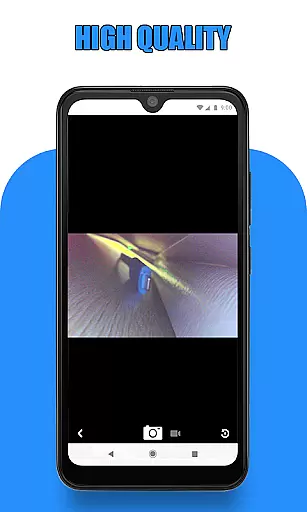
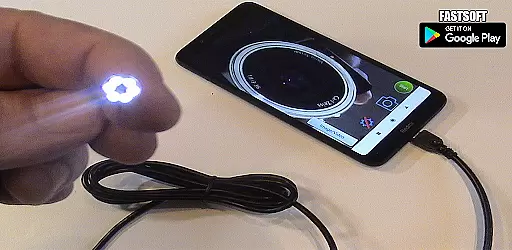
Endoscope Camera Connector is a specialized app designed to connect Android devices with external cameras such as endoscopes, USB cameras, or Borescope cameras. This versatile tool allows users to view live feeds from these devices directly on their smartphones, making it ideal for various inspection tasks. The app functions similarly to an OTG viewer, enabling seamless integration with UVC-compatible cameras through USB OTG or Type-C connections.
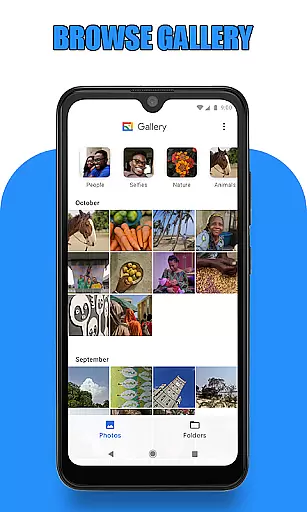
One of the key features of this app is its ability to record videos with sound and manage media files efficiently. Users can capture photos and videos using their connected endoscope camera and access them instantly via the built-in gallery. The gallery supports both image and video playback, allowing users to review their captured content easily. Whether you're inspecting blocked drains or conducting sewer line evaluations, Endoscope Camera Connector provides a practical solution for visual assessments without the need for additional equipment.
Endoscope Camera Connector offers several notable features that enhance its functionality. Firstly, the app includes a USB OTG checker which helps users verify if their device supports USB OTG technology before proceeding. This ensures compatibility and prevents potential connection issues. Additionally, the app requires minimal permissions, primarily needing access to the microphone for recording audio and the gallery for storing and retrieving media files.
Another significant feature is the intuitive user interface that simplifies the process of connecting and using external cameras. Once the camera is connected via USB, users can simply tap the camera icon within the app to start viewing the live feed. The app also provides easy navigation to the gallery where all captured images and videos are stored. Users can delete unwanted files directly from the gallery by long-pressing on the item. These features collectively make Endoscope Camera Connector a powerful tool for anyone needing to perform detailed inspections using external cameras.
Endoscope Camera Connector offers a comprehensive solution for connecting your mobile device with various external cameras, including endoscopes, USB cameras, and Borescope cameras. This app ensures that users can conveniently access and utilize their external camera devices directly from their smartphones.
The app supports functionalities such as video recording with sound and photo capturing, providing an all-in-one platform for managing media files. By integrating essential tools like a gallery for storing and viewing images and videos, it covers a wide range of user needs related to inspection and documentation.
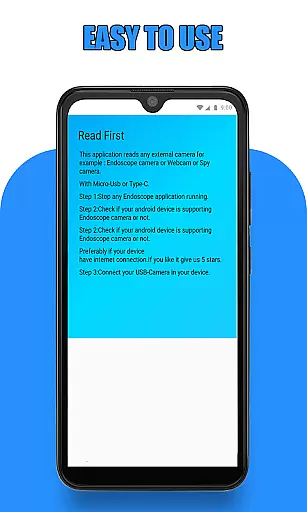
Before using the app, users are guided to check if their device supports USB OTG technology and whether their USB camera is UVC-compatible. These preliminary steps ensure seamless compatibility and functionality, enhancing the overall user experience.
With its extensive support for different types of external cameras and robust feature set, Endoscope Camera Connector stands out in the Libraries & Demo category by offering unmatched utility and convenience for both personal and professional use.
Usability is a key aspect of Endoscope Camera Connector, designed to provide a smooth and intuitive operational experience. The app simplifies the process of connecting and using external cameras by offering straightforward instructions and an easy-to-navigate interface.
Upon launching the app and connecting the endoscope camera via USB, users can effortlessly start viewing live footage, taking photos, and recording videos. The app's design ensures that even those unfamiliar with such technology can quickly adapt and utilize its features without a steep learning curve.
In addition to its user-friendly interface, the app includes practical features like a gallery where users can manage their captured media. This gallery allows users to view, delete, and organize photos and videos efficiently, contributing to a hassle-free experience.
Overall, Endoscope Camera Connector excels in delivering operational smoothness, making it an invaluable tool for tasks ranging from inspecting blocked drains to detailed sewer examinations. Its focus on usability ensures that users can achieve their objectives with minimal effort and maximum efficiency.
User-friendly interface
Compatible with UVC cameras
Efficient media management
Real-time video recording
Integrated gallery viewer
Limited to Android devices
Requires OTG support
No advanced editing tools
Dependent on external hardware
Basic UI design

If you are looking for melon playground mod that fun you deffinitely try our app
 2.70
2.70
Tune your game graphics with our GFX optimizer for optimal gaming experience
4.50
use your smartphone as Remote control drones .
4.20
Enjoy hours of entertainment with our Roblox mobile games app
4.4
Mirror link car connector to share your screen with car dashboard
3.80
MirrorLink for connecting your Android phone to your car’s infotainment screen.
4.50
Al QURAN-القرأن الكريم app to read Quran offline just like an actual Quran book
4.30
A Pydroid Quick Install repository provider.
4.00
Unlock the hidden menus of your phone with our mobile secret codes app.
4.20
TV USB connector app provides you a seamless cast option from your phone to tv.
4.70
The Free Catholic Latin American Bible in complete Spanish
4.60
Block, disable and secure phone camera from secretly taking photos by spyware.
4.50
Game Booster GFX for smoother gaming experience. Enjoy 120 FPS and 4x Game Space
4.20
Connect and find your Smarttag devices through our app.
4.00
Demo version of the mcpro24fps manual video camera. Try and buy a full version!
4.00
Connect and Find your smart tag via our app.our app is compatible with smarttag.
3.30
Looking to connect your phone to your car screen? Mirror Link is the solution.
3.20
DamonSx2 is the open Source LGPL Emulator
3.20
Record with Double Camera Video Recording using Dual Camera Front and Back Video
3.00


User Reviews