
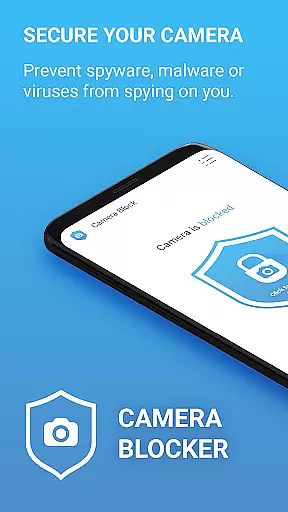

Camera Blocker is a powerful privacy protection tool designed to secure your phone's camera access and prevent unauthorized surveillance. The app allows users to block camera access with a single click, protecting against spyware, malware, and other potential threats that could secretly record or watch you. With over 13,000 five-star ratings, this trusted solution ensures comprehensive camera security without requiring root access.
In addition to its core functionality, Camera Blocker offers advanced features such as automatic blocking schedules, a camera detector, and monitoring tools for apps accessing your camera. Its user-friendly interface includes dark mode, customizable icon sets, and quick-access widgets, making it easy to manage your privacy settings effectively.
This app is ideal for individuals concerned about digital privacy and seeking peace of mind in their daily lives. Whether at home or in public spaces, Camera Blocker provides an essential layer of security by ensuring no app can exploit your device’s camera without permission.
Camera Blocker stands out with its robust feature set tailored to enhance user privacy. One of its key highlights is the one-click camera blocking functionality, which disables all camera access instantly. This prevents malicious apps, spyware, and malware from taking unauthorized photos or videos, safeguarding your personal moments.
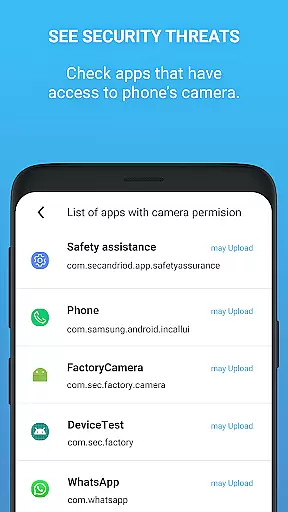
Beyond basic blocking, the app includes a camera detector and guard system that monitors which apps have camera permissions. Users receive notifications when new apps gain access, allowing them to take immediate action. Additionally, the automatic blocking scheduler lets users define specific times when the camera should be disabled, adding convenience to security.
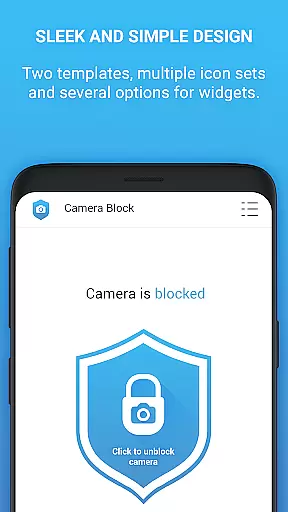
The app also boasts a sleek design with dark mode support, multiple icon themes, and a home screen widget for quick access. For those seeking even more control, the PRO version removes ads, eliminates internet access, and extends protection indefinitely, offering a lifetime license for uninterrupted privacy management.
Camera Blocker offers a comprehensive suite of features designed to protect your privacy by blocking unauthorized access to your phone's camera. The app provides complete functionality for users seeking to secure their devices against spyware, malware, and surveillance threats.
The core feature set includes one-click camera blocking, automatic scheduling for blocking periods, and monitoring tools that notify you when new apps gain camera access. This extensive coverage ensures that all potential vulnerabilities are addressed, offering peace of mind to security-conscious users.
Additionally, the app goes beyond basic blocking by providing educational content about Android permissions and suggesting ways to remove risky applications. These proactive measures help users maintain optimal security settings and understand potential risks better.
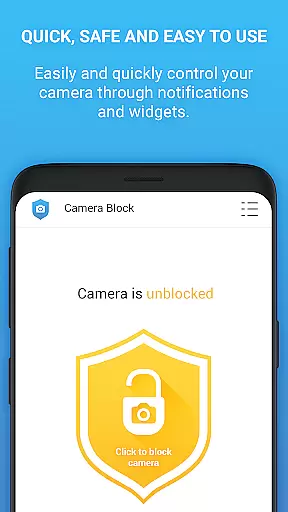
Usability is at the forefront of Camera Blocker's design philosophy. The application boasts an intuitive interface with clear instructions and simple controls, making it accessible even for non-technical users. Key functions like enabling or disabling camera access can be executed with just one click.
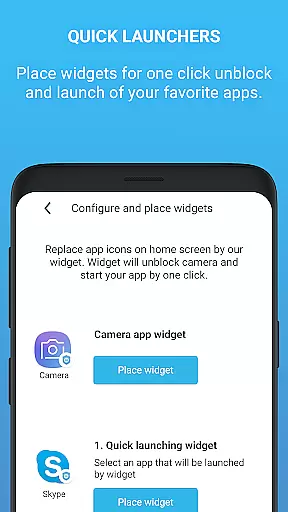
Operational smoothness is further enhanced through additional convenience features such as home screen widgets and notification shortcuts. These elements provide quick access to essential functions without navigating through multiple menus, streamlining the user experience significantly.
For those seeking an ad-free environment, the PRO version offers unlimited protection without interruptions or advertisements. This commitment to seamless operation demonstrates the developer's dedication to delivering both functionality and user comfort in equal measure.
Easy-to-use interface
Effective spyware protection
Automatic blocking schedule
Real-time monitoring alerts
No root access required
Limited free version timing
Occasional notification overload
Paid PRO version necessary
Basic design aesthetics
Dependent on system permissions

Game Booster GFX for smoother gaming experience. Enjoy 120 FPS and 4x Game Space
 4.20
4.20
Use your Phone as Drone Controller.
3.70
Recite Quran Majeed القران with special 16 line real Kuran page in hand
4.30
a wireless controller that provides a seamless and gaming experience for players
3.80
Mobs maker Minecraft help MCPE creators make their own mob by using Blockbench
3.50
Al QURAN-القرأن الكريم app to read Quran offline just like an actual Quran book
4.30
CloudEye 365 is a easy-handling APP
3.60
DamonSx2 is the open Source LGPL Emulator
3.20
Experience virtual reality on your smartphone with Cardboard.
3.50
SmartCast mirrors Android phone to TV screen With Cast Screen, Chromecast.
4.80
Read Holy Quran Feel Like Real Quran & Listen Al Quran Mp3 Audio Online Offline.
4.70
View your cameras anywhere and anytime
4.20
Unlock the hidden menus of your phone with our mobile secret codes app.
4.20
You can remote control and play much easier.
4.10
With Endoscope Camera Connector you can connect your phone with endoscope cam
3.70
Connect and find your Smart Tag 2 devices through our app.
3.60
Endoscope camera an app to connect with endoscope cam or any device
3.30
If you are looking for melon playground mod that fun you deffinitely try our app
2.70
Zlink Carplay Android a mirror link app with a Carplay interface style
4.2


User Reviews