
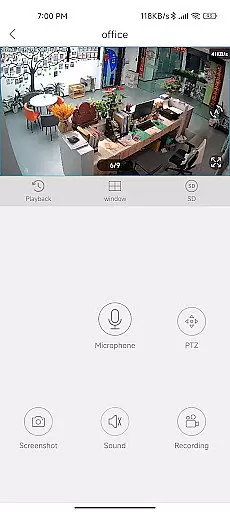
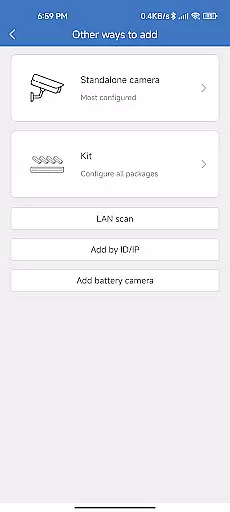
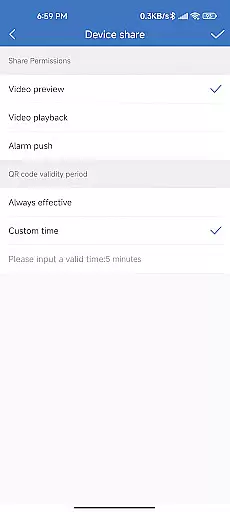
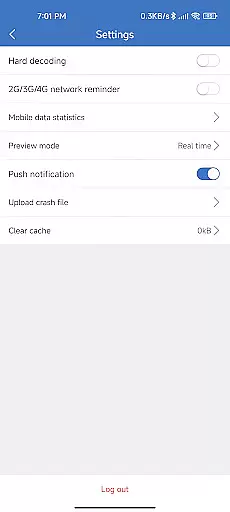
CloudEye 365 is a cutting-edge remote monitoring application designed to provide users with enhanced security and peace of mind. This app allows you to access live video feeds from your surveillance devices directly on your mobile device, no matter where you are. Whether you're at home, in the office, or traveling abroad, CloudEye 365 ensures you stay connected to what matters most.
The application's intelligent alert system notifies you immediately when any abnormal movement or suspicious activity is detected by your connected devices. This proactive approach helps mitigate potential risks to your personal security and property. With its user-friendly interface and reliable performance, CloudEye 365 serves as your personal security assistant, operating 24/7 throughout the year.
CloudEye 365 stands out with its comprehensive feature set tailored for both convenience and security. The app provides high-quality live streaming directly to your smartphone, ensuring you never miss a moment. Its intuitive design makes navigation effortless, allowing users to switch between multiple camera views and manage their devices with ease.
One of the key highlights is the smart motion detection system. When unusual activity is identified, the app sends instant notifications to your device, complete with snapshots of the event. Additionally, CloudEye 365 offers cloud storage solutions, enabling users to store and review footage securely. These features collectively create a robust security ecosystem that adapts to various user needs while maintaining optimal performance.
CloudEye 365 offers a comprehensive suite of functionalities that cater to remote monitoring and security needs. The app ensures users can access live feeds from their devices no matter where they are, providing peace of mind for home and office security.
The application is designed with a variety of features including motion detection and alerts for suspicious activities. This allows users to respond promptly to any potential security threats, ensuring their properties remain safe throughout the year.
With its extensive coverage capabilities, CloudEye 365 supports continuous surveillance and timely notifications. Users receive updates on their smartphones, making it convenient to keep an eye on their premises at all times.
CloudEye 365 stands out in terms of usability by offering an intuitive interface that makes navigation straightforward even for non-tech-savvy individuals. Its user-friendly design ensures that anyone can easily set up and manage their surveillance settings without hassle.
Operational smoothness is another key feature of this app. It provides seamless performance with minimal latency when streaming live footage, which enhances the overall user experience. This reliability is crucial for maintaining effective security monitoring.
In addition, the app's robust operational framework ensures uninterrupted service. Whether checking feeds or receiving alerts, users will find CloudEye 365 dependable and efficient, contributing significantly to their sense of safety and control over their environments.
User-friendly interface
Instant activity alerts
Cloud storage integration
Multi-device support
Reliable performance
Limited free features
Subscription costs
Occasional connectivity issues
High data usage
Device compatibility limits

Record with Double Camera Video Recording using Dual Camera Front and Back Video
 3.00
3.00
Connect and find your Smarttag devices through our app.
4.00
Android secret code for smart phone, mobile codes, with secret codes app
4.20
Recite Quran Majeed القران with special 16 line real Kuran page in hand
4.30
Study Bible King James Version: the correct way to learn the Bible with audio
4.80
Turn your phone into a wireless Xbox controller – play, stream & control anytime
4.4
Barcode scanning made simple!
4.40
Manage apps & elevate your gaming experience with Game Launcher: Gaming Hub app.
4.30
Endoscope camera an app to connect with endoscope cam or any device
3.30
SmartCast mirrors Android phone to TV screen With Cast Screen, Chromecast.
4.80
Block and secure the microphone and protect from secret listening and recording.
4.50
Game booster GFX may reduce interruptions and improve gaming experience.
4.50
Enjoy Minecraft Mod Scary Neighbor Granny for Minecraft PE.
4.30
View your cameras anywhere and anytime
4.20
Test DPC is a sample device policy controller for use with Android Enterprise.
4.20
Unlock the hidden menus of your phone with our mobile secret codes app.
4.20
With Endoscope Camera Connector you can connect your phone with endoscope cam
3.70
Experience virtual reality on your smartphone with Cardboard.
3.50
Mirror Link Car Display to share your screen with car dashboard wirelessly
4.2


User Reviews