
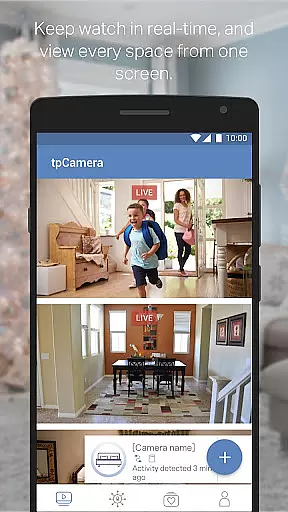
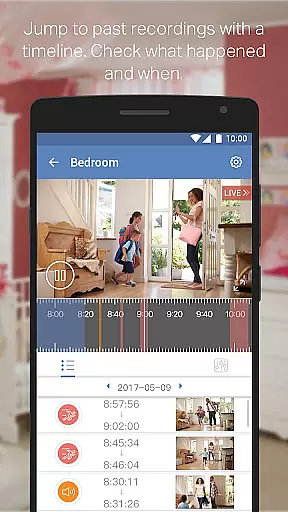
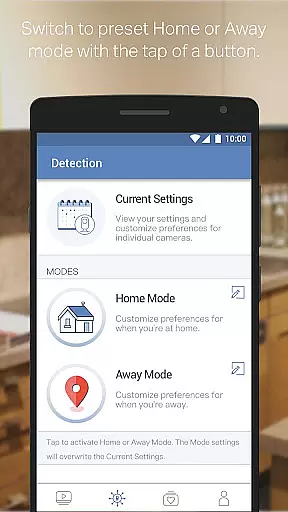
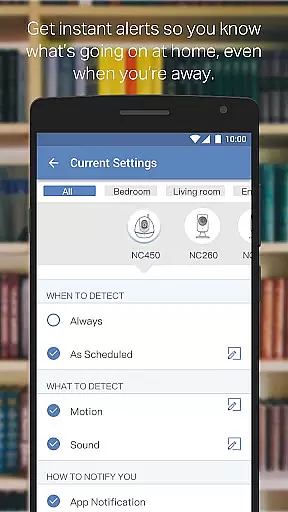
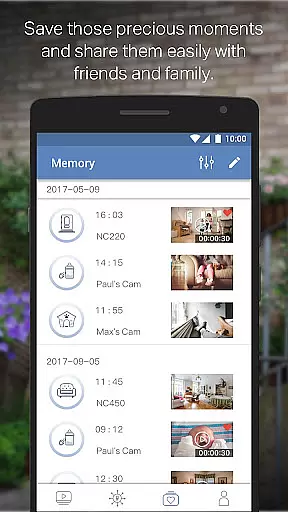
TP-LINK tpCamera is a cloud-based video monitoring app that allows users to stay connected with their home, family, or pets remotely. With this app installed on your smartphone, you can access your cloud cameras anytime and from anywhere over the Internet. The app supports multiple camera streams, making it easy to monitor different areas simultaneously.
The app offers a free cloud service for life, ensuring that users can store photos and videos without worrying about subscription fees. Its quick registration and setup process makes it simple to connect to your home or office. Compatible with various devices like NC200, NC210, NC220, NC230, NC250, NC260, and NC450, TP-LINK tpCamera provides a reliable solution for remote video monitoring.
TP-LINK tpCamera stands out with its comprehensive feature set tailored for remote video monitoring. One of its key features is the free cloud service for life, allowing users to store and access their media without additional costs. This ensures that important moments are always available for review.
The app also supports managing and streaming live videos from multiple cameras, providing a versatile monitoring solution. Whether you need to keep an eye on your home, family, or pets, TP-LINK tpCamera delivers a seamless experience. Additionally, the quick registration and setup process simplifies the initial configuration, making it accessible even for non-technical users.
With support for various languages including English, French, German, Spanish, Portuguese, Italian, Russian, Polish, Traditional Chinese, and Korean, the app caters to a global audience. This multilingual support enhances user accessibility and ensures that more people can benefit from its robust functionality.
When evaluating a cloud-based video monitoring app like TP-LINK tpCamera, functionality completeness is crucial for ensuring reliable performance. This application offers an extensive range of features that cater to both home and office surveillance needs.
The app provides free lifetime cloud service, enabling users to store and access their videos without worrying about subscription fees. It supports multiple camera streams, allowing simultaneous monitoring of various locations. Whether you need to keep an eye on your family, pets, or office premises, the ability to manage live video feeds from different cameras ensures comprehensive coverage.
Additionally, quick registration and setup processes make it easy for users to get started. The intuitive interface simplifies connecting to your cameras, making it accessible even for those who are not tech-savvy. With compatibility across several devices such as NC200, NC210, NC220, NC230, NC250, NC260, and NC450, this app delivers broad device support.
Overall, TP-LINK tpCamera's robust feature set ensures that users have all the tools they need for effective remote monitoring, enhancing both security and peace of mind.
Usability and operational smoothness are key factors in determining the effectiveness of any mobile application, especially one designed for video monitoring like TP-LINK tpCamera. A seamless user experience can significantly enhance the utility and reliability of the app.
TP-LINK tpCamera excels in providing a user-friendly interface that simplifies navigation and control. Users can easily register and set up their cameras through a straightforward process, minimizing setup time and effort. Once configured, accessing live video streams is intuitive, thanks to the well-designed layout that prioritizes ease of use.
Moreover, the app's operational smoothness is evident in its ability to deliver uninterrupted video streaming. By leveraging cloud technology, TP-LINK tpCamera ensures that users can view their cameras anytime and anywhere with minimal latency. This consistent performance is vital for maintaining real-time awareness of monitored areas.
In summary, TP-LINK tpCamera combines usability with operational efficiency, offering a dependable solution for remote video monitoring. Its focus on delivering a smooth and responsive user experience makes it a valuable tool for enhancing security and staying connected to what matters most.
User-friendly interface
Free lifetime cloud storage
Supports multiple camera streams
Quick setup process
Multilingual support
Limited device compatibility
No advanced analytics
Basic video quality settings
Occasional connectivity issues
Ads in the free version

SmartCast mirrors Android phone to TV screen With Cast Screen, Chromecast.
 4.80
4.80
Block and secure the microphone and protect from secret listening and recording.
4.50
With Endoscope Camera Connector you can connect your phone with endoscope cam
3.70
Block, disable and secure phone camera from secretly taking photos by spyware.
4.50
MirrorLink for connecting your Android phone to your car’s infotainment screen.
4.50
Turn your phone into a wireless Xbox controller – play, stream & control anytime
4.0
An impressive collection of tools, characters, weapons, skins and more!
4.30
Mobile Connect To TV - HDMI USB & WiFi Screen Mirroring
3.70
Ps2 plugins for 64 bit artitechture
3.70
Read Holy Quran Feel Like Real Quran & Listen Al Quran Mp3 Audio Online Offline.
4.70
Wireless reverse charging using phone now is possible
4.30
Game Booster GFX for smoother gaming experience. Enjoy 120 FPS and 4x Game Space
4.20
Sad ringtones full of feeling, sad music ringtones
3.90
a wireless controller that provides a seamless and gaming experience for players
3.80
Use your Phone as Drone Controller.
3.70
Mirror phone to TV effortlessly! Stream, share & connect with Airplay ease.
3.60
Now Available on Android ™
3.40
Connect and Find your smart tag via our app.our app is compatible with smarttag.
3.30
Endoscope camera an app to connect with endoscope cam or any device
3.30


User Reviews