
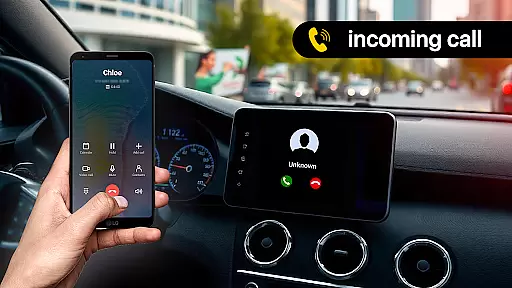
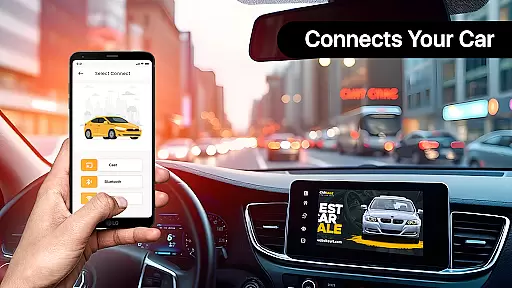
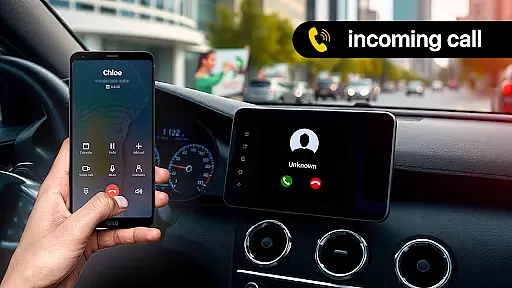
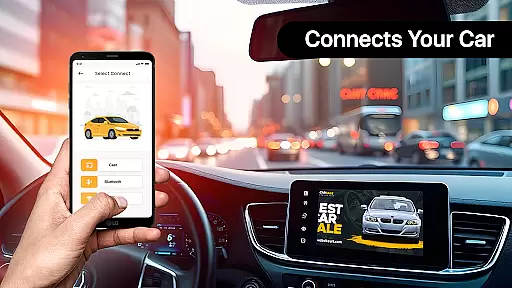
Zlink Carplay Android is an innovative application that allows users to seamlessly connect their Android devices to their car's display system without the need for cables. This app provides a user-friendly interface, making it easy to access your phone's apps while driving. With features like automatic connection and hassle-free linking, Zlink Carplay enhances the driving experience by allowing drivers to stay focused on the road while still being able to use essential apps.
One of the standout capabilities of Zlink Carplay Android is its ability to share the phone screen with the car display, promoting safer driving habits. Whether you're on a long trip or simply commuting, this app ensures that you can manage your tasks hands-free. Additionally, it offers entertainment options such as watching videos, viewing photos, and playing music on the car's big screen, effectively eliminating boredom during drives.
Zlink Carplay Android comes packed with a variety of features designed to enhance both safety and convenience while driving. One notable feature is the ability to save your car's parking location, navigate using maps, and easily find your vehicle with just one click. This functionality not only saves time but also reduces stress when returning to your car in unfamiliar locations.
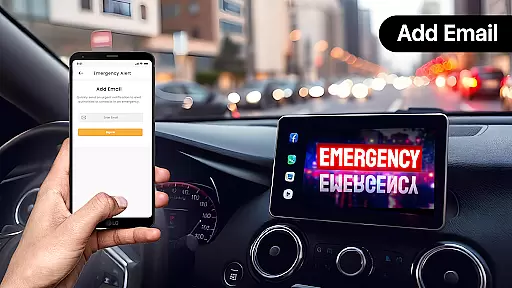
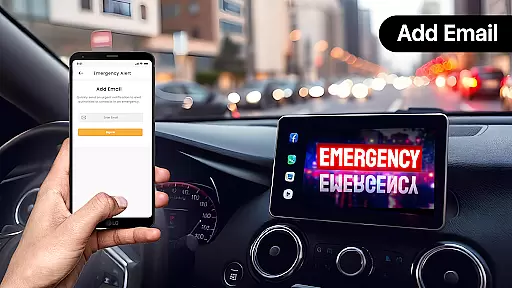
In addition to parking assistance, the app includes a fuel chart check feature, allowing users to monitor fuel usage for individual trips and monthly totals. By entering details such as distance covered and fuel prices, drivers can calculate overall costs efficiently. The emergency alert function enables users to send urgent messages via email using voice commands, ensuring quick communication in critical situations. Furthermore, advanced control options like hands-free voice control allow users to handle calls, send messages, and manage applications without taking their hands off the wheel.
In the realm of Libraries & Demo apps, functionality completeness is paramount for an optimal user experience. Zlink Carplay Android excels in this area by offering a comprehensive suite of features that cater to various needs while driving. The app provides essential functions such as immediate connectivity, which allows users to effortlessly link their Android devices to their car screens without cumbersome manual setups.
Moreover, Zlink Carplay Android goes beyond basic connectivity by integrating advanced control options. Users can take advantage of hands-free voice commands to manage calls, send messages, and interact with applications seamlessly. This ensures drivers can keep their focus on the road while still staying connected. Additionally, the inclusion of practical tools like car parking assistance, fuel chart checks, and emergency alerts showcases the app's extensive functional coverage.
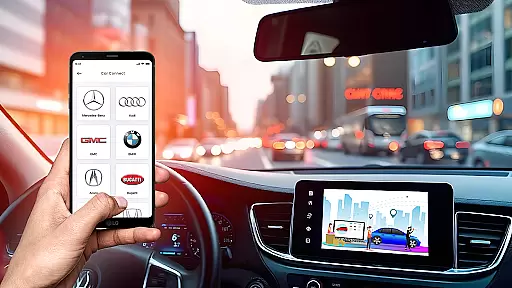
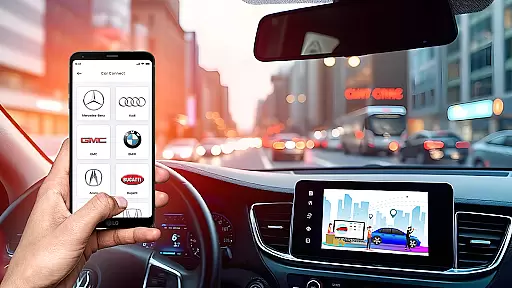
The true value of Zlink Carplay Android lies in its ability to consolidate these diverse features into a single, cohesive platform. Whether it's managing multiple vehicles or customizing app preferences for quick access, the application demonstrates remarkable completeness. This comprehensive approach not only enhances convenience but also significantly contributes to safer driving practices.
Usability and operational smoothness are crucial factors that determine the success of any Libraries & Demo application. Zlink Carplay Android distinguishes itself through its commitment to providing a seamless user experience. The application boasts an intuitive interface designed to be simple and user-friendly, making it accessible even to those who may not be technologically savvy.
One of the standout aspects of Zlink Carplay Android is its hassle-free connection process. The automatic linking feature eliminates the need for complex setup procedures, allowing users to quickly and reliably connect their Android phones to their car displays. This operational efficiency is further enhanced by the app's ability to maintain stable performance during use, ensuring that users can enjoy uninterrupted access to their phone's functionalities while driving.
Beyond mere technical performance, Zlink Carplay Android emphasizes practical usability enhancements. Features like easy customization options enable drivers to organize their preferred apps for swift access, tailoring the experience to individual preferences. These thoughtful design choices contribute to an overall smooth operational experience that keeps drivers focused on the road while still enjoying the benefits of their mobile devices.
User-friendly interface
Automatic connectivity
Voice command support
Fuel usage monitoring
Emergency alert system
Limited vehicle compatibility
Requires stable internet
Potential lag in response
No offline functionality
Subscription fees may apply

Connect and find your Smart Tag 2 devices through our app.
 3.60
3.60
Use your Phone as Drone Controller.
3.70
Android secret code for smart phone, mobile codes, with secret codes app
4.20
Popular mods fnaf mods for melon playground
4.50
Easily evaluate the performance of Scandit's barcode and ID scanning SDK
4.10
Demo version of the mcpro24fps manual video camera. Try and buy a full version!
4.00
An impressive collection of tools, characters, weapons, skins and more!
4.30
Barcode scanning made simple!
4.40
Unlock the hidden menus of your phone with our mobile secret codes app.
4.20
Study Bible King James Version: the correct way to learn the Bible with audio
4.80
Game booster GFX may reduce interruptions and improve gaming experience.
4.50
Wireless reverse charging using phone now is possible
4.30
use your smartphone as Remote control drones .
4.20
charging your phone by other phone easly
4.00
Mirror link car connector to share your screen with car dashboard
3.80
A great tool help you to format Micro SD memory Card
3.10
Record with Double Camera Video Recording using Dual Camera Front and Back Video
3.00
Collection of high-quality, trendy skins and outfits!
4.4
Turn your phone into a wireless Xbox controller – play, stream & control anytime
4.3


User Reviews