
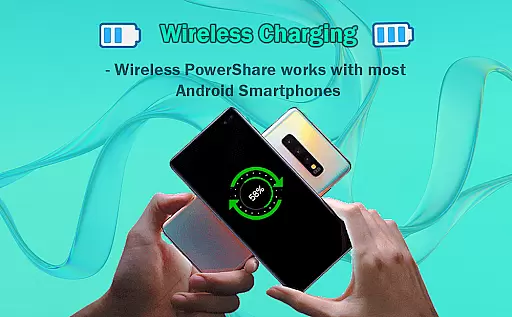
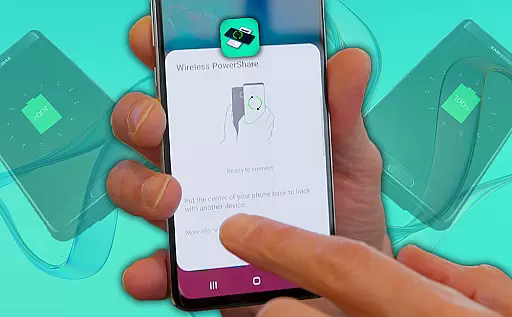
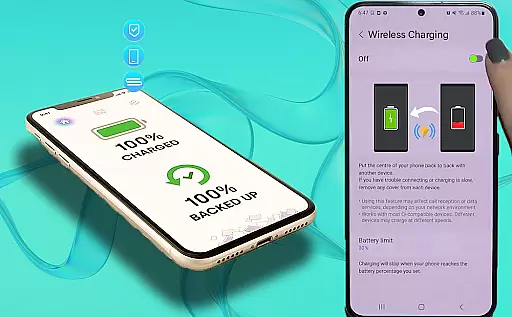
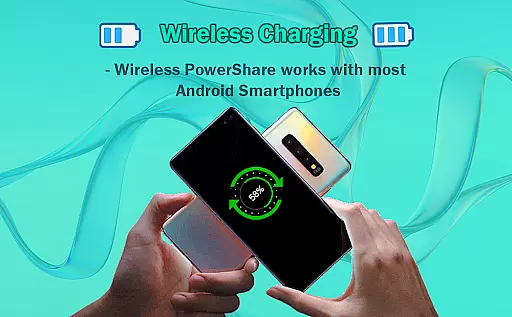
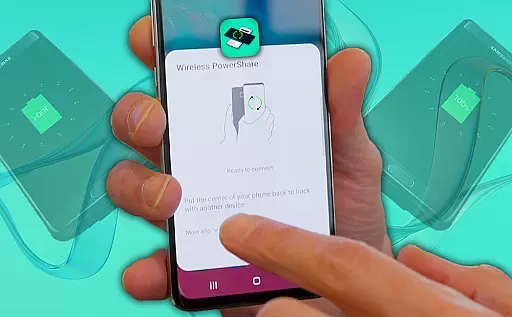
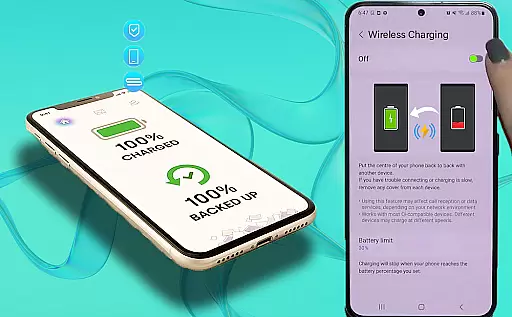
Wireless Reverse Charging is an innovative application that allows users to wirelessly charge their smartphones by exchanging power with another compatible device. This app facilitates the transfer and reception of electric power simply by placing your phone on the rear face of another smartphone, initiating the charging process seamlessly. It is particularly useful in situations where a power outlet is not available, enabling users to extend their device's battery life through peer-to-peer charging.
The app includes features such as checking wireless charging compatibility and a Wireless Charging Checker ability, ensuring that users can verify if their devices support this functionality. With more features on the horizon, Wireless Reverse Charging aims to revolutionize how users manage their smartphone's battery life, providing a convenient and efficient solution for maintaining power on-the-go.
Wireless Reverse Charging offers a variety of features designed to enhance user experience and provide practical solutions for managing device power. One of its core functionalities is the ability to check wireless charging compatibility, allowing users to determine whether their devices can support wireless power exchange. This feature ensures that users are well-informed about their device capabilities before initiating the charging process.
In addition to compatibility checks, the app provides a Wireless Charging Checker tool, which further assists users in confirming their device's ability to send and receive power wirelessly. These features collectively contribute to a seamless and reliable charging experience, eliminating the need for traditional charging methods and cables. As the app continues to evolve, users can anticipate even more enhancements and capabilities, solidifying Wireless Reverse Charging as a leading solution in mobile power management.
Wireless Reverse Charging offers a comprehensive solution for wireless power exchange between smartphones. This app allows users to both transfer and receive electric power by simply placing their phone on the rear face of another compatible smartphone.
The key functionality includes a wireless charging compatibility checker, ensuring that users can verify if their device supports this innovative feature. This verification process helps prevent potential charging failures and optimizes the user experience by confirming device compatibility beforehand.
Additionally, the app is designed to support future expansions, with more features planned to enhance the wireless charging process. These upcoming additions demonstrate the app's commitment to providing a complete and evolving solution for wireless power needs.
By covering essential aspects such as compatibility checking and straightforward power exchange processes, Wireless Reverse Charging ensures that users have all necessary tools at their disposal for convenient wireless charging.
When it comes to usability, Wireless Reverse Charging excels by offering an intuitive and seamless operational experience. The app simplifies the complex process of wireless charging into easy-to-follow steps, making it accessible even for non-technical users.
Users can quickly initiate the charging process by following the on-screen instructions. The app provides clear guidance on properly aligning devices and confirming successful connection establishment, ensuring smooth operation throughout the entire charging session.
Operational smoothness is further enhanced through the app's efficient power management system. It monitors the charging process in real-time, automatically adjusting power transfer rates to maintain optimal efficiency and prevent overheating or power loss.
This combination of user-friendly interface and reliable operational performance makes Wireless Reverse Charging a practical solution for everyday wireless power needs, delivering consistent results without compromising on convenience or safety.
User-friendly interface
Wireless charging capability
Compatibility checker
Innovative power exchange
Convenient on-the-go solution
Limited device compatibility
Slower charging speed
Requires close proximity
Drains host device battery
Dependent on future updates

Read Holy Quran Feel Like Real Quran & Listen Al Quran Mp3 Audio Online Offline.
 4.70
4.70
Use your Phone as Drone Controller.
3.70
Connect your phone to any endoscope camera, USB camera, or borescope with ease.
3.70
Demo version of the mcpro24fps manual video camera. Try and buy a full version!
4.00
Explore The Holy Quran Majeed for Muslim. Listen to MP3 Quran & Al Quran Kareem.
4.80
An impressive collection of tools, characters, weapons, skins and more!
4.30
DamonSx2 is the open Source LGPL Emulator
3.20
Mobile Connect To TV - HDMI USB & WiFi Screen Mirroring
3.70
The best PS2 games from your childhood come to life in their mobile version!
4.00
MirrorLink for connecting your Android phone to your car’s infotainment screen.
4.50
Recite Quran Majeed القران with special 16 line real Kuran page in hand
4.30
Easily evaluate the performance of Scandit's barcode and ID scanning SDK
4.10
Mirror link car connector to share your screen with car dashboard
3.80
Ps2 plugins for 64 bit artitechture
3.70
CloudEye 365 is a easy-handling APP
3.60
Mirror phone to TV effortlessly! Stream, share & connect with Airplay ease.
3.60
Experience virtual reality on your smartphone with Cardboard.
3.50
Connect and Find your smart tag via our app.our app is compatible with smarttag.
3.30
Identify securely online
3.10


User Reviews