
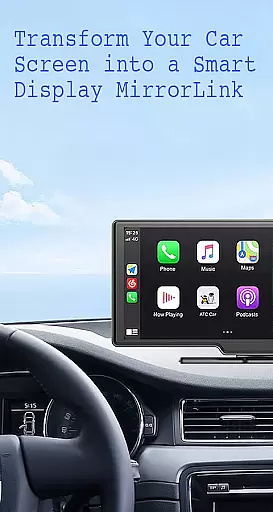
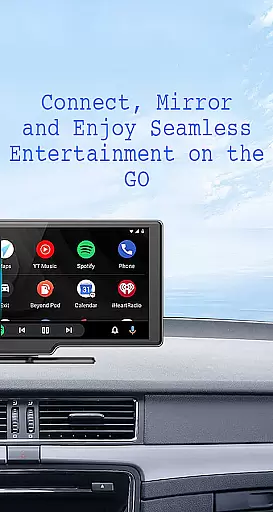
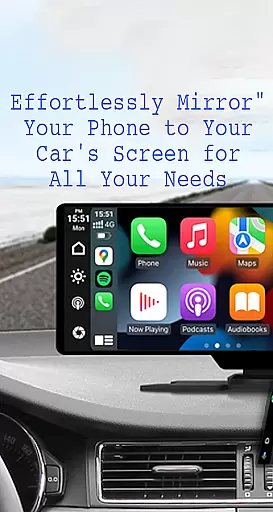
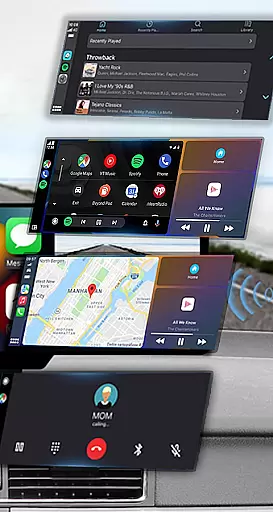
Mirror Link is a cutting-edge application designed to seamlessly connect your smartphone to your car's display system. This innovative solution supports both wireless and USB connections, enabling users to mirror their phone's screen directly onto their vehicle's larger display. The app ensures enhanced driving safety by providing effortless access to essential phone features without requiring drivers to look away from the road.
With its robust feature set, Mirror Link allows for static screen sharing, multimedia playback, hands-free calling, and navigation. Whether you're streaming music, watching videos, or accessing maps, this app transforms your car's display into a convenient control panel. Its universal compatibility with all car brands and devices that have built-in web browsers makes it an indispensable tool for modern drivers who value convenience and safety.
The app's automation capabilities further enhance user experience by automatically playing and pausing media when connecting to the car display. Suitable for both older and newer car models, Mirror Link delivers a comprehensive mirroring solution that integrates smoothly with systems like Apple CarPlay and Android Auto. This versatility makes it an ideal choice for anyone looking to optimize their in-car technology experience.
Mirror Link stands out with its diverse range of features designed to enhance the driving experience. The app's primary capability lies in its ability to share your smartphone's screen with your car's display through both wireless and USB connections. This dual connectivity option provides flexibility and convenience, allowing users to choose their preferred method of connection while maintaining stable performance.
One of the most notable features is its one-click screen sharing and communication functionality. Users can quickly establish a connection between their phone and car display, enabling them to access various applications directly from their vehicle's touchscreen. The app supports full multimedia access, including music playback, video streaming, text messaging, phone calls, and map navigation, all accessible through the car's interface.
Additionally, Mirror Link incorporates smart automation features that enhance user convenience. When connected, the app can automatically manage media playback, pausing and resuming content as devices connect and disconnect. Its universal compatibility extends to all car brands and devices with built-in web browsers, while seamless integration with Mirror Link CarPlay and Android Auto systems ensures a smooth user experience across different platforms.
Functionality completeness in Mirror Link ensures that users can seamlessly connect their smartphones to their car's display, providing a comprehensive set of features for an enhanced driving experience. This app offers both wireless and USB connection options, catering to different preferences and setups.
The coverage of functionalities extends to static screen sharing, allowing you to mirror your phone's interface directly onto the larger vehicle screen with stability. It also supports multimedia access so drivers and passengers can enjoy music, videos, texts, calls, and navigation maps safely through the caru2019s system.
Automation is another key aspect where Mirror Link excels; it enables automatic playback control of media when connected to compatible systems. With full mirror link capability, this application works across various car models old and new, ensuring broad compatibility which enhances its functional scope significantly.
Usability is at the core of Mirror Linku2019s design, offering intuitive one-click connections for quick screen sharing and communication between devices. The simplicity of use makes it accessible even to those who may not be tech-savvy, promoting safer interactions while driving by minimizing distraction times during setup.
Operational smoothness is evident as users benefit from fast response times when casting their phone screens to their car displays. Whether using wireless connectivity or a wired approach via USB, Mirror Link maintains consistent performance without lag, delivering an uninterrupted user experience.
Additionally, universal compatibility with all car brands equipped with built-in web browsers further underscores its ease-of-use factor. By integrating effortlessly into existing automotive systems like Apple CarPlay and Android Auto, Mirror Link provides a streamlined solution that prioritizes driver convenience alongside operational efficiency.
User-friendly interface
Wireless and USB connectivity
Universal compatibility
Automatic media management
Enhanced driving safety
Limited to compatible devices
Requires Miracast support
Occasional connection issues
Basic free version
Learning curve for setup

Record with Double Camera Video Recording using Dual Camera Front and Back Video
 3.00
3.00
Tune your game graphics with our GFX optimizer for optimal gaming experience
4.50
Use your Phone as Drone Controller.
3.70
Popular mods fnaf mods for melon playground
4.50
You can remote control and play much easier.
4.10
Zlink Carplay Android a mirror link app with a Carplay interface style
4.0
Turn your phone into a wireless Xbox controller – play, stream & control anytime
4.4
Ps2 plugins for 64 bit artitechture
3.70
Expo is a free & open source platform to build apps using JavaScript and React.
4.70
Phone Software Update Quick Checker helps you to keep your phone apps up to date
4.50
MirrorLink for connecting your Android phone to your car’s infotainment screen.
4.50
Android secret code for smart phone, mobile codes, with secret codes app
4.20
Connect and find your Smarttag devices through our app.
4.00
Demo version of the mcpro24fps manual video camera. Try and buy a full version!
4.00
Connect your phone to any endoscope camera, USB camera, or borescope with ease.
3.70
Connect and find your Smart Tag 2 devices through our app.
3.60
Experience virtual reality on your smartphone with Cardboard.
3.50
Collection of Maps and Mods for Dmod
3.30
If you are looking for melon playground mod that fun you deffinitely try our app
2.70


User Reviews