
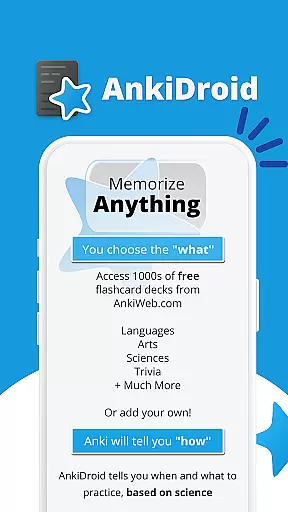
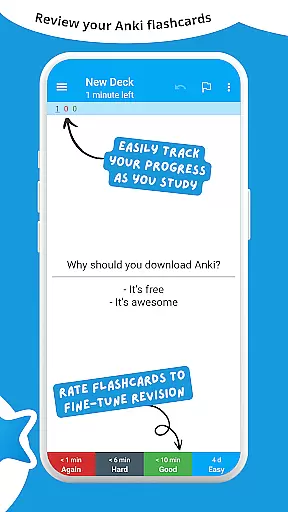
AnkiDroid Flashcards is a powerful educational app designed to help users memorize anything efficiently through the use of digital flashcards. The app utilizes spaced repetition techniques, ensuring that users are shown flashcards just before they are likely to forget the content. This method significantly enhances memory retention and learning efficiency.
One of the standout features of AnkiDroid is its full compatibility with Anki, a popular desktop application available across multiple platforms including Windows, Mac, Linux, ChromeOS, and iOS. Users can seamlessly synchronize their flashcards between AnkiDroid and Anki, allowing for a flexible and integrated learning experience. Whether you're studying languages, preparing for exams, or expanding your knowledge in various fields, AnkiDroid provides the tools necessary to create, download, and manage thousands of flashcard decks tailored to your needs.
The app is particularly useful for making the most of idle times, such as during bus trips, while waiting in queues, or any other situation where you have a few spare moments. With support for multimedia flashcards containing text, images, sounds, and even mathematical formulas via MathJax, AnkiDroid caters to diverse learning styles and preferences. Its open-source nature and extensive customization options make it an invaluable tool for students and lifelong learners alike.
AnkiDroid Flashcards offers a comprehensive set of features designed to enhance the learning experience. One of its core functionalities is the support for various flashcard contents, including text, images, sounds, and MathJax, enabling users to create rich and engaging study materials. The app's implementation of the SuperMemo 2 algorithm for spaced repetition ensures that users review material at optimal intervals, maximizing retention and minimizing study time.
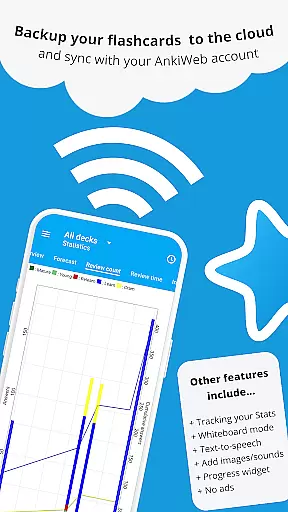
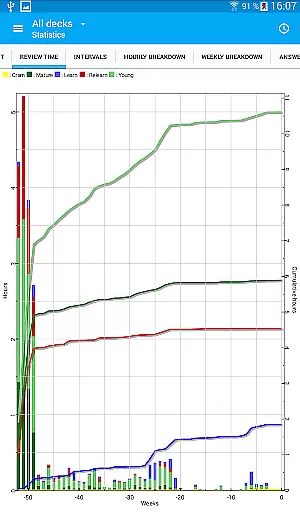
In addition to its primary features, AnkiDroid includes several advanced capabilities. Users can take advantage of text-to-speech integration, detailed statistics, and a progress widget to track their learning journey. The app also supports syncing with AnkiWeb, allowing seamless access to flashcards across multiple devices. Furthermore, AnkiDroid's open-source framework encourages community contributions and continuous improvement.
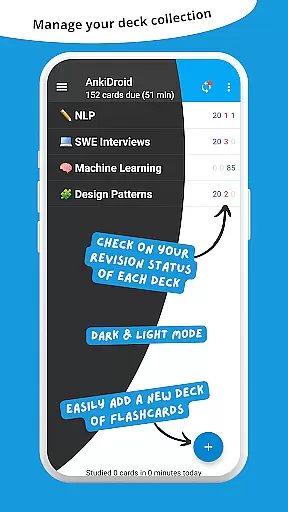
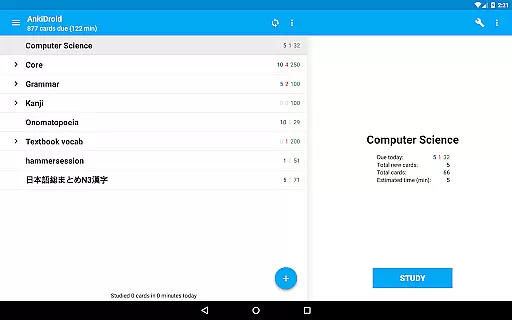
AnkiDroid stands out with its additional features that cater to diverse user needs. These include a whiteboard for sketching out ideas, a card editor and browser for managing flashcards, and support for custom fonts and tablet layouts. The app's dynamic deck handling, dark mode, and over 100 localizations ensure a personalized and comfortable user experience. With navigation options like swipe, tap, and shake, along with a robust backup system, AnkiDroid provides a reliable and versatile platform for effective learning.
AnkiDroid Flashcards ensures content accuracy and authority by allowing users to create their own flashcard decks or download thousands of free, pre-made decks covering a wide range of languages and topics. This flexibility empowers learners to study material that is both relevant and reliable.
The app supports various flashcard contents including text, images, sounds, and even mathematical formulas through MathJax. This multimedia support enhances the credibility of the educational content by catering to different learning styles and ensuring information is presented clearly and effectively.
With synchronization capabilities with AnkiWeb and the ability to add material automatically from dictionaries, AnkiDroid maintains high standards of content accuracy. Users can trust that their study material is not only comprehensive but also kept up-to-date across all devices.
AnkiDroid Flashcards offers personalized learning paths by utilizing the SuperMemo 2 algorithm for spaced repetition. This method optimizes memory retention by showing flashcards just before the user is likely to forget, tailoring each study session to individual learning needs.
Users can further customize their learning experience with features like writing answers, using a whiteboard for sketches, and accessing detailed statistics. These tools allow learners to adapt the application to their unique study habits and track progress over time.
Additionally, AnkiDroid's full backup system and dynamic deck handling ensure that personalization is not lost. Learners can seamlessly switch between devices while maintaining their personalized learning paths, making education both flexible and efficient.
Efficient learning
Versatile flashcards
Seamless sync
Customizable
Open source
Complex interface
Requires setup
Limited offline
No live support
Ads in free version

AR planetarium app that brings the solar system to you via XREAL Glasses.
 4.4
4.4
Learn math, step-by-step
4.30
Break Language Barriers with AI—Learn Language Anytime, Anywhere!
4.00
2026 DVSA Driving Theory Test revision with Hazard Perception + Highway Code
4.60
Designed for Calculator 84 users
4.20
Practice Casino Roulette Payouts for Table Game Dealers and Croupiers
4.40
Flashnote Derby is the fun way for kids to learn music notes and memorize them.
3.40
Snap a dog photo to identify its breed instantly. Fast, accurate and easy to use
3.40
Train, track, and reward potty training using Potty with Pull-Ups® ft. Disney®
4.70
Hebrew Vocab
4.90
Guitar chord finder, analyzer, smartly visualized theory, progressions, quizzes.
4.70
Astronomy Guide to the Night Sky
4.40
The "Go To" app for Airmen studying for promotion to SSgt and TSgt
4.30
An aviator’s preparation, study and test tool for FAA Knowledge Exams.
4.10
FAR/AIM, FAR for Flight Crew and FAR for Aviation Maintenance Technicians
3.80
Visit Daniel's house & make believe. Play doctor, make music, & feed fish.
3.20
Hasbro’s classic CANDY LAND game is now a gorgeous interactive storybook app.
2.30
A 2024 digital study guide for the Expert Infantryman and Expert Soldier's Badge
4.1
Pickleball guide complete with illustrated Pickleball drills and helpful info
4.1


User Reviews