
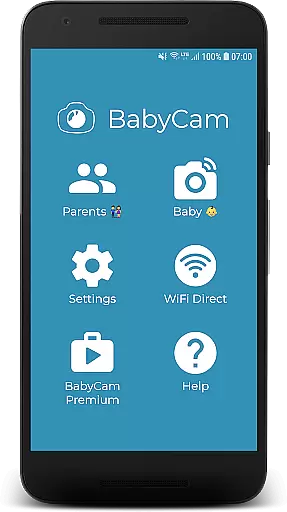
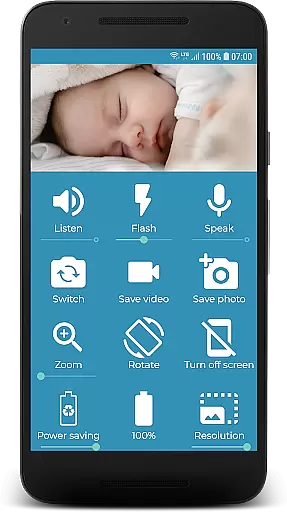
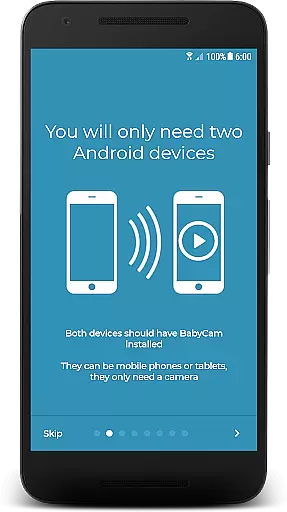
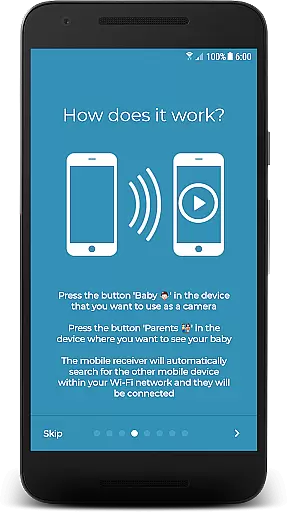
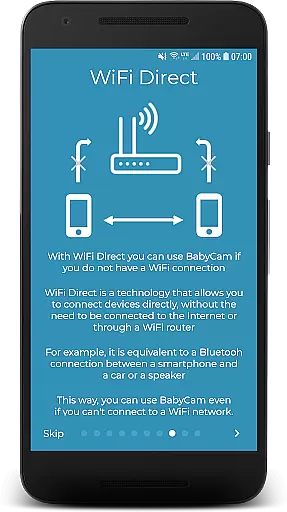
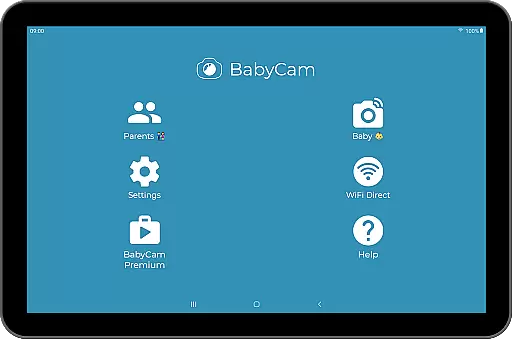
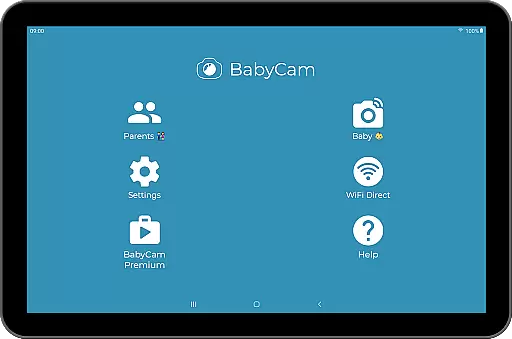
BabyCam is a reliable and innovative parenting app that allows parents to monitor their baby using two devices, such as phones or tablets. One device acts as a camera to record the baby's activities, while the other serves as a viewing screen for the parents. The app operates seamlessly on the same WiFi network or via WiFi Direct, ensuring a stable connection without the need for an Internet connection.
What sets BabyCam apart is its simplicity and functionality. There's no need for account registration or complex device pairing; just a single tap connects the parent's device to the baby's. Additionally, BabyCam offers a range of features including night vision, lullabies, zoom, and more, all for free. A premium version is available for $1.99 to remove ads permanently.
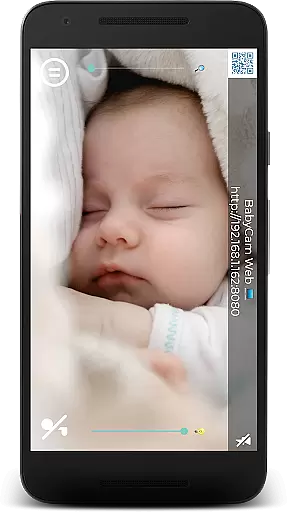
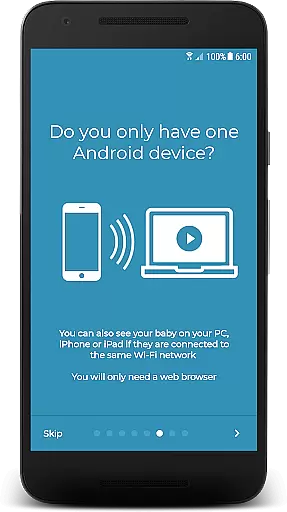
BabyCam stands out with its comprehensive feature set tailored for modern parenting needs. The app supports multiple viewing options, allowing parents to monitor their baby not only on mobile devices but also on TV via Chromecast, or through web browsers on PC, iPhone, or iPad. This versatility ensures parents can check on their baby from virtually anywhere.
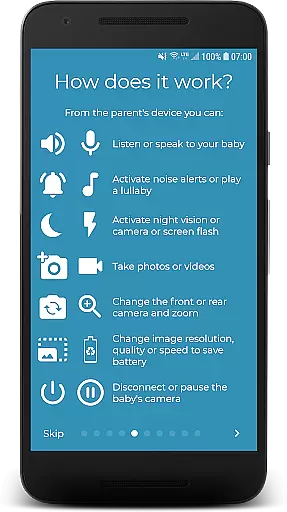
The app includes essential monitoring features like audio listening and two-way communication, enabling parents to talk to their baby remotely. Additional functionalities include playing lullabies, toggling the camera flash for low-light visibility, switching between front and back cameras, and adjusting microphone volume. Parents can also take pictures and videos, check the baby device's battery level, and activate night mode for comfortable nighttime monitoring.
When it comes to parenting apps, the credibility of the content and validation by experts is crucial. BabyCam excels in this area by providing features that are designed with both parental peace of mind and baby safety in mind.
The app offers functionalities such as night mode to protect eyesight, volume control for microphones, and the ability to play lullabies, all of which contribute to a nurturing environment for the child. These features have been crafted considering the well-being of both baby and parents.
BabyCam ensures that parents can trust the information and functions provided within the app. With options like flash activation for low light visibility and switching between front and back cameras, every feature serves a practical purpose in baby monitoring.
By focusing on real needs and safety, BabyCam delivers an experience that reassures parents about their child's welfare. This dedication to credible and expertly validated content makes BabyCam a reliable choice for modern parenting.
Growth tracking accuracy is essential for understanding a child's development over time. While BabyCam does not directly track growth metrics, it provides tools that allow parents to observe and document their baby's daily activities and milestones.
With capabilities such as taking pictures and videos, BabyCam enables parents to capture important moments easily. These visual records can be invaluable when monitoring changes in behavior or physical growth.
In addition to visual documentation, BabyCam supports audio interaction through listening and talking features. This allows parents to maintain a close connection with their baby, even when they are not physically present.
While BabyCam focuses primarily on real-time monitoring rather than long-term analytics, its accurate representation of daily life provides a solid foundation for observing patterns and progress in your child's early years.
User-friendly interface
No internet required
Multi-device support
Free basic features
Comprehensive monitoring tools
Premium version costs $1.99
WiFi network dependency
Limited to same network usage
Occasional connectivity issues
Ads in free version

Happiest Baby App replaces the SNOO App (the mobile companion to SNOO & SNOObie)
 3.20
3.20
All-In-One Pregnancy Tracker, Your Baby's Milestones, Growth Stages & Parenting
4.70
Parental Control including Screen time control, GPS tracking, App/Game blocker.
3.90
Limit screen time, Block Apps & Games, Monitor with Parental control app
4.20
Join over 1MM parents & professionals who've used OFW to navigate co-parenting
4.40
Introduce real food to baby with First Foods® Database, baby led weaning BLW
4.80
Reliable phone tracker by number & locate phone app. Protect your family.
4.50
App/Game blocker & GPS tracker
4.50
All-In-One Pregnancy Tracker, Your Baby's Milestones, Growth Stages & Parenting.
4.90
Advanced baby tracking, expert sleep help & parenting support for every stage.
4.80
FamilyAlbum helps you share, save, and remember your child's special moments.
4.80
Live Location, Alerts & 2-Way Voice for Kids and Adults with Special Needs
4.60
GPS tracker app: Simple GPS phone tracker for fast family location tracking
4.60
Keep track of your stored breastmilk
4.40
Fake call application designed for parents and adults to discipline their children through the children's police.
4.20
Family parental control app: limit screen time, block apps, GPS tracker.
4.20
Pregnancy and baby formula tips for moms, plus Enfamil coupons & cash back
4.10
Watching baby, helping parents
4.10
The Baby’s Bounty App is your hub to register for our diaper banks in Nevada
3.70


User Reviews