
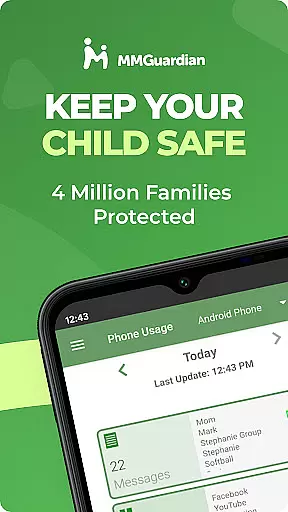
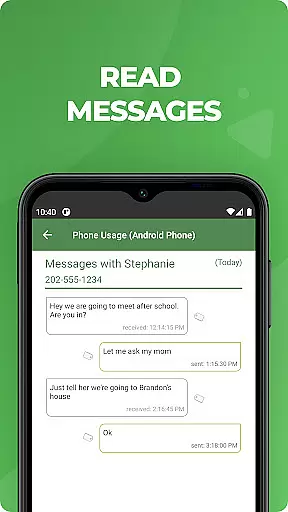
MMGuardian Parental Control is a comprehensive parental monitoring solution designed to ensure children's online safety. This app, installed on the parent's phone, works in tandem with a separate child app that must be installed on the child's device. It enables parents to remotely monitor and manage their child's smartphone activity, including SMS text messages, web browsing, application usage, and phone calls.
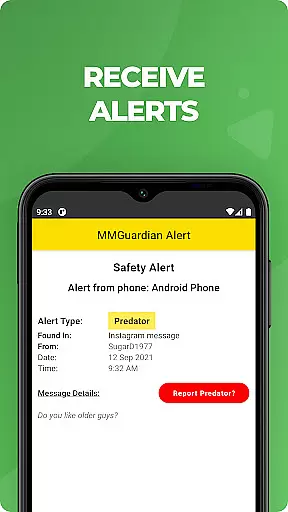
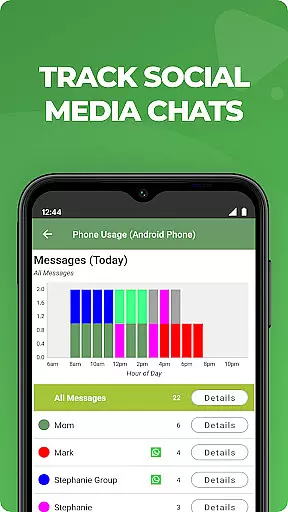
One of the key features of MMGuardian is its ability to send real-time alerts when potentially harmful content or behavior is detected. These include warnings about sexting, cyberbullying, drug-related conversations, and even suicidal thoughts. The app also provides social media chat monitoring for platforms like Facebook Messenger, WhatsApp, Snapchat, Instagram, Kik, TikTok, and Discord, ensuring parents are informed about their child's digital interactions.
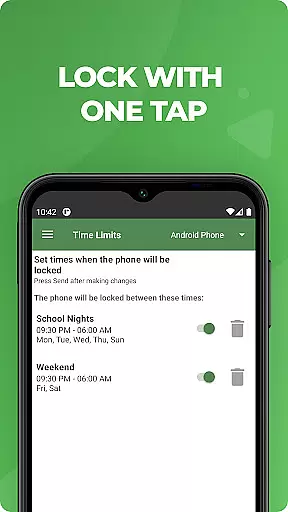
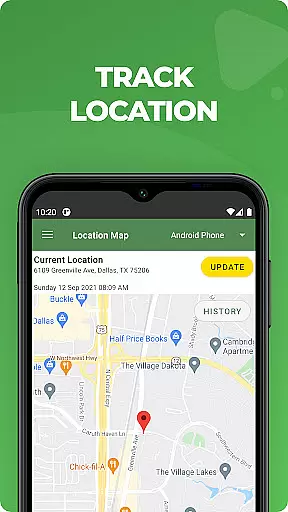
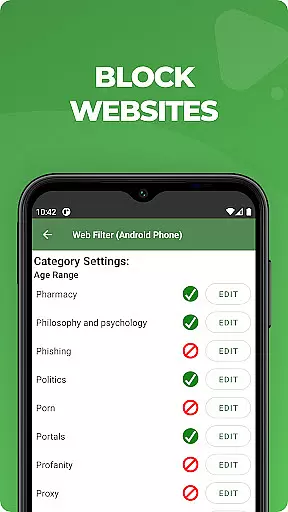
Beyond monitoring, MMGuardian offers practical tools such as GPS location tracking, remote phone locking, and screen time management. Parents can set specific limits on app usage and web filtering, helping maintain a healthy balance between digital and real-world activities. With a 14-day free trial and flexible subscription options, this parenting tool delivers both peace of mind and practical control for modern families.
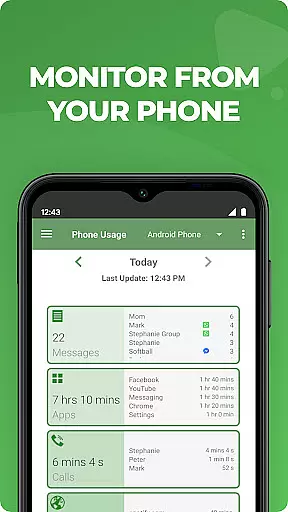
MMGuardian Parental Control stands out through its robust feature set tailored specifically for parental oversight. The app's core functionality revolves around comprehensive monitoring capabilities. Parents can review detailed reports on their child's text messages, web browsing history, app usage patterns, and call logs. This level of detail helps identify potential risks and behavioral patterns that might require attention.
A distinctive feature is the advanced alert system that analyzes both text messages and social media communications. When content matches predefined risk categories - including cyberbullying, sexting, or other concerning behaviors - parents receive immediate notifications. The app's support for multiple social media platforms ensures broad coverage of digital communication channels, while its image analysis capability can detect potentially inappropriate content shared via MMS.
Practical control features enhance the app's value proposition. The remote lock/unlock function provides instant control over the child's device, while the GPS tracker helps locate the child's phone. Screen time management tools allow parents to establish healthy usage patterns by setting daily limits and scheduling restrictions. These features work together to create a comprehensive protection framework that addresses both safety concerns and responsible device usage.
When it comes to parenting apps, the credibility of content and expert validation are paramount. MMGuardian Parental Control excels in this area by providing features that are designed and endorsed by child safety experts. The app's monitoring capabilities extend to text messages, social media chats, and web searches, alerting parents to potential dangers such as cyberbullying, sexting, and more.
The app employs advanced algorithms to analyze messages and online activities, ensuring that alerts are both accurate and meaningful. This level of scrutiny is crucial for parents who need reliable information to make informed decisions about their children's digital lives. By trusting MMGuardian, parents can rest assured that the guidance they receive is based on professional expertise.
Furthermore, MMGuardian offers comprehensive reports on various aspects of a child's smartphone usage, including app usage, web browsing, and voice calls. These reports are not only detailed but also presented in an accessible format, empowering parents with knowledge and understanding. With expert-validated insights, parents can foster healthier digital habits for their children.
Growth tracking accuracy is essential for parental control apps, and MMGuardian delivers precise monitoring tools that help parents oversee their children's digital development. The app provides real-time location tracking, giving parents peace of mind about their child's physical whereabouts. Additionally, it allows parents to set specific limits on screen time, app usage, and web filtering, promoting balanced digital consumption.
MMGuardian goes beyond basic tracking by offering proactive alerts when potentially harmful content or behaviors are detected. For instance, if a child engages in conversations related to drugs, violence, or suicidal thoughts, parents are immediately notified. This feature ensures timely intervention, which is critical for addressing issues before they escalate.
Moreover, the app includes functionalities like remotely locking or unlocking the child's phone and setting restrictions on certain apps and games. These features contribute to a safer digital environment while encouraging responsible device use. With its robust tracking mechanisms, MMGuardian supports parents in nurturing their children's growth within a secure and monitored framework.
Comprehensive monitoring
Real-time alerts
Social media coverage
GPS tracking included
Free trial available
Separate child app needed
Paid subscription
Technical setup required
Limited iOS features
Network dependency

Block apps, set screen time limits, and customize usage schedules
 4.50
4.50
Find unique + popular baby names for your little peanut.
4.30
Discover fun videos, kids songs, bedtime stories and games
3.60
With BabyCam you can monitor your baby using your mobile phone, tablet, PC or TV
4.40
Sleep better with white noise app! Discover rain sounds, fan noise and more.
4.70
Track your labor contractions
4.90
App/Game blocker & GPS tracker
4.50
All-In-One Pregnancy Tracker, Your Baby's Milestones, Growth Stages & Parenting.
4.90
Monitor screen time and build healthy habits with Family Safety
3.90
A simple way to track your baby’s breastfeeding, diaper changes, sleep patterns.
4.90
Track Pregnancy, Baby Feeding, Sleep, Diaper Changes, Postpartum Health & More!
4.80
Pinardin - Smart Parental Control, Online Safety & GPS Tracking!
4.80
Introduce real food to baby with First Foods® Database, baby led weaning BLW
4.80
Comprehensive Parental Control & Child Safety — Hear & Protect Your Child World
4.30
Cherish every beat - capture your baby's heart sounds with our app
4.30
Magic chalkboard coloring and drawing!
4.20
Affirmations | Stories | Bible
4.10
Play activities, milestones, expert-led classes, baby tracker, and more!
3.00
Lullabies, Night Light & Age-based Routines to help your baby fall asleep
4.1


User Reviews