

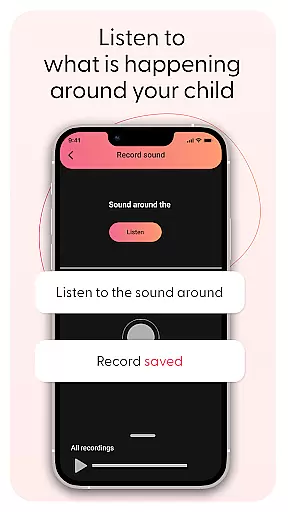
Kid Security is a comprehensive parental control app designed to ensure child safety both online and offline. The application provides parents with tools to monitor their child's surroundings by discreetly activating the phone's microphone, allowing them to listen to ambient sounds. This feature helps identify potentially unsafe situations while confirming the child's location.
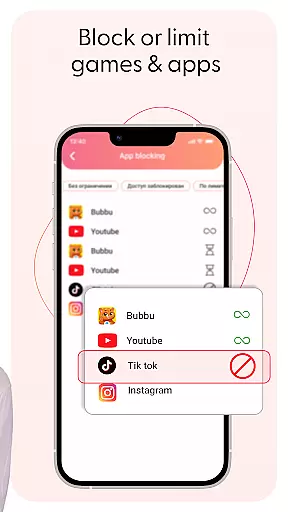
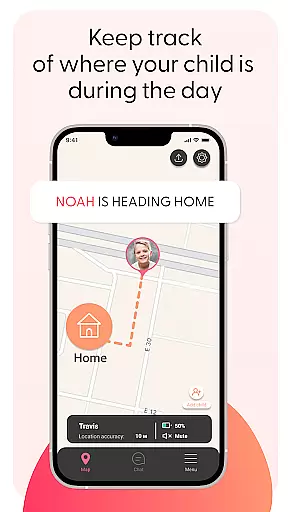
The app also offers robust parental controls that enable management of the child's digital experience through restricting access to inappropriate content. With GPS tracking and geolocation features, parents can view real-time locations, set up safe zones, and receive alerts on area entries or exits. Kid Security combines an intuitive interface with essential safety features, making it easier for parents to protect their children with confidence.
Kid Security stands out with its innovative sound monitoring feature, which allows parents to listen to surrounding sounds around their child's phone. This proactive approach to child safety ensures parents are always informed about their child's environment. Additionally, the app's powerful parental controls let you block specific apps or categories and monitor usage statistics.
The integration of GPS tracking and geolocation capabilities further enhances the app's protective measures. Parents can track their child's real-time location on a map, establish safe zones (geofences), and get instant notifications when these areas are accessed. These features work seamlessly together, providing a holistic view of the child's world and ensuring they remain secure both physically and digitally.
When it comes to parenting applications, the credibility of content and expert validation form the backbone of user trust. Kid Security stands out in this aspect by offering features that are not only innovative but also grounded in child safety expertise. The app provides a comprehensive suite of tools designed with the guidance of child safety professionals, ensuring that every feature serves a meaningful purpose in protecting your child.
The surrounding sound monitoring functionality exemplifies this commitment to expert-backed solutions. This feature isn't just about technology; it's about creating a bridge between digital monitoring and real-world safety. Developed with insights from child psychologists and safety experts, this tool allows parents to make informed decisions about their child's environment. The ability to listen to ambient sounds offers peace of mind and helps identify potentially unsafe situations quickly.
Moreover, Kid Security's parental control features are regularly updated based on the latest research in online safety and digital habits among children. The app doesn't just block inappropriate content randomly; it uses a sophisticated filtering system developed in consultation with child development specialists. This ensures that the restrictions are age-appropriate and psychologically beneficial for growing minds.
Parents can feel confident knowing that every aspect of Kid Security has been scrutinized and validated by experts in child safety and development. From geofencing parameters to screen time management recommendations, each feature is designed to support healthy development while maintaining top-notch security standards.
Tracking a child's growth and development accurately is crucial for modern parenting, and Kid Security excels in providing precise monitoring tools. Unlike other parenting apps that focus solely on location tracking, this application offers a holistic approach to growth monitoring through its innovative features and data collection methods.
The app's GPS tracking and geolocation capabilities provide more than just real-time location data. They offer valuable insights into a child's daily patterns and movements. Parents can analyze location history to understand their child's routine, identify areas they frequently visit, and recognize any significant changes in their movement patterns. This level of detail helps in making informed decisions about their child's physical development and social interactions.
Kid Security goes beyond basic location tracking by incorporating contextual information about a child's environment. The surrounding sound monitoring feature adds another layer of accuracy to growth tracking. By analyzing environmental sounds, parents can gain insights into their child's activities and emotional state, which are crucial indicators of developmental progress.
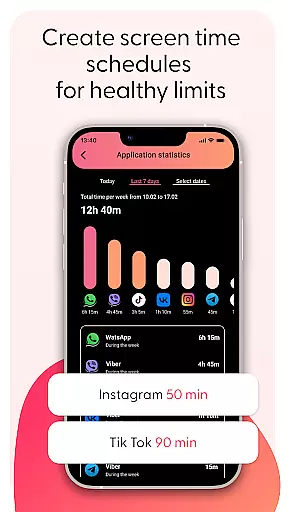
Furthermore, the app's screen time management and application usage statistics provide detailed reports on digital habits. These metrics help track cognitive and social development by showing how children interact with technology. Parents can use these accurate data points to adjust settings, set appropriate limits, and encourage healthy digital consumption patterns, all contributing to a more comprehensive understanding of their child's overall growth trajectory.
Comprehensive safety features
User-friendly interface
Real-time GPS tracking
Proactive sound monitoring
Robust parental controls
Requires child's phone
Premium features may cost extra
Dependent on internet connection
Limited without Tigrow app
Privacy concerns with sound monitoring

Free symptom & med tracker with expert-reviewed tips.
 4.30
4.30
AI Motion Video Maker & Ideas
4.1
Block apps, set screen time limits, and customize usage schedules
4.50
Find unique + popular baby names for your little peanut.
4.30
With BabyCam you can monitor your baby using your mobile phone, tablet, PC or TV
4.40
Real-time family location with consent, check-ins & SOS—private by default.
4.40
Limit screen time, Block Apps & Games, Monitor with Parental control app
4.20
Babysitting video camera - Turn your two phones or tablets into a single nanny.
4.40
Introduce real food to baby with First Foods® Database, baby led weaning BLW
4.80
All-In-One Pregnancy Tracker, Your Baby's Milestones, Growth Stages & Parenting.
4.90
Track Pregnancy, Baby Feeding, Sleep, Diaper Changes, Postpartum Health & More!
4.80
Advanced baby tracking, expert sleep help & parenting support for every stage.
4.80
Sleep better with white noise app! Discover rain sounds, fan noise and more.
4.70
Fun Ideas for Parents
4.70
Parental control App for Location, Remote Camera, Screen Mirroring, Block Apps.
4.60
Reliable phone tracker by number & locate phone app. Protect your family.
4.50
The 10 development leaps of your baby | newborn milestones & leap days tracker
4.10
Monitor screen time and build healthy habits with Family Safety
3.90
Discover fun videos, kids songs, bedtime stories and games
3.60


User Reviews