
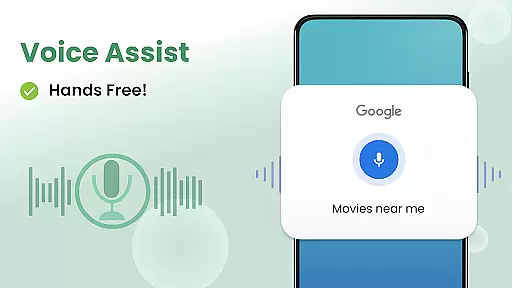
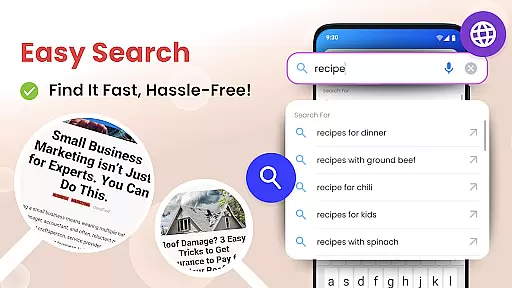
Big Keyboard: Easy Homescreen is a personalization app that transforms your smartphone experience with its intuitive design and practical tools. The app features an innovative home screen layout with quick-swipe shortcuts, making essential functions easily accessible. Its standout feature is the enlarged keyboard, which can be up to 70% larger than standard keyboards, significantly reducing typos and enhancing typing speed. Additionally, the hands-free voice assistant allows for effortless searching powered by Yahoo.
Beyond its functional enhancements, Big Keyboard offers tools like a magnifier and flashlight, perfect for reading in low-light conditions. It also includes customizable wallpapers and easy access to display settings, allowing users to personalize their devices while maintaining comfort and accessibility. Whether you're looking to improve usability or simply love your phone more, this app provides a comprehensive solution.
This application is particularly beneficial for those who struggle with small text or interface elements on their smartphones. By combining practicality with personalization, Big Keyboard: Easy Homescreen ensures that users not only enjoy a more comfortable interaction with their devices but also express their individuality through unique backgrounds and themes.
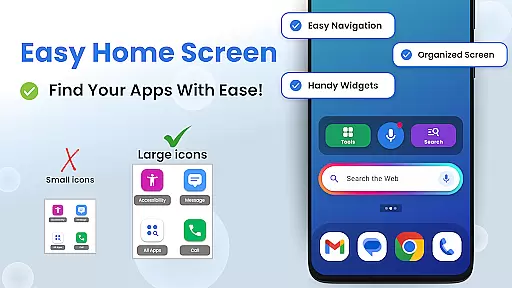
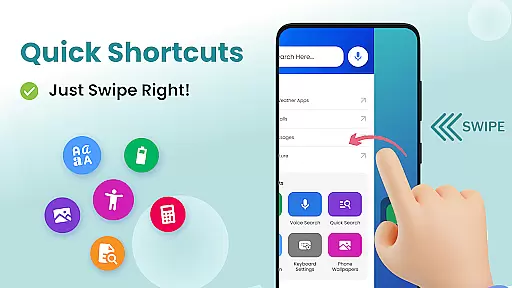
Big Keyboard: Easy Homescreen stands out with its array of distinctive features designed to enhance user convenience. One of the primary highlights is the new home screen experience, offering an intuitive design coupled with quick shortcuts accessible with a simple swipe to the right. This functionality streamlines navigation and keeps frequently used features at your fingertips without cluttering the interface.
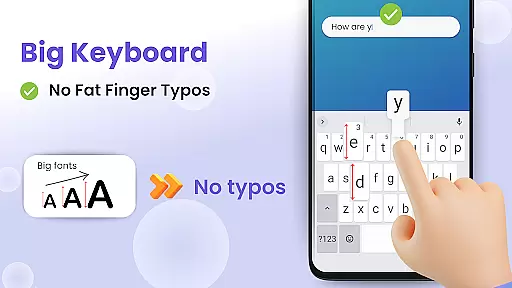
The big keyboard feature addresses common frustrations associated with small touchscreens. Users can increase the keyboard size by up to 70%, drastically minimizing errors and improving typing efficiency. This customization extends beyond mere aesthetics; it adapts to individual preferences and needs, ensuring optimal usability. Furthermore, the hands-free voice assist tool enables seamless interaction with your device, allowing users to perform searches effortlessly using voice commands.
Additional built-in utilities include a magnifier and flashlight, ideal for reading menus or small print in dim environments. These tools exemplify the app's commitment to providing practical solutions that extend beyond basic personalization. With easy shortcuts, fun wallpapers, and enhanced search capabilities powered by Yahoo, Big Keyboard: Easy Homescreen delivers a holistic approach to improving both the functionality and enjoyment derived from using smartphones.
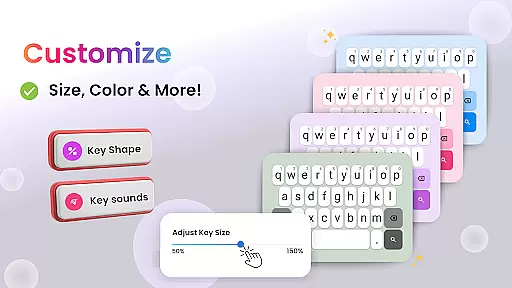
Customization is at the heart of The Big Keyboard: Easy Homescreen, offering users a versatile experience tailored to their individual preferences. With an intuitive home screen layout and quick-swipe shortcuts, this app transforms your smartphone into a personalized device that meets your daily needs.
The app provides a range of customization features including a magnifier for reading small text, easy access to display settings, and built-in free wallpaper options. These tools allow users to adjust their phone's aesthetics and functionality according to their personal comfort and style.
Moreover, The Big Keyboard introduces an up to 70% larger keyboard option, ensuring typing is not only easier but also faster and error-free. Users can choose how big they want their keyboard during setup or adjust it anytime, making sure it fits their exact typing requirements perfectly.
By integrating helpful utilities like voice assistant, calculator, and Yahoo-powered search, alongside fun personalization elements such as wallpapers, The Big Keyboard: Easy Homescreen ensures that you don't have to compromise between utility and enjoyment on your device.
Theme compatibility is a crucial aspect of any personalization app, and The Big Keyboard: Easy Homescreen excels in providing seamless integration with various themes. This ensures that users can maintain visual consistency across their devices while enjoying enhanced usability features.
With its clean and intuitive design, the app allows for effortless switching between different themes without losing functionality or aesthetic appeal. Whether you prefer a minimalist look or vibrant colors, The Big Keyboard supports your choice by adapting its interface elements accordingly.
In addition to theme flexibility, the app offers practical tools such as a flashlight and magnifier which blend well with any chosen theme. These utilities are designed not only to be visually cohesive but also to enhance user convenience when interacting with their device.
Ultimately, The Big Keyboard: Easy Homescreen empowers users to love their phones even more by allowing them full control over both form and function. By prioritizing theme compatibility alongside robust customization options, it delivers an unparalleled personalized mobile experience.
User-friendly interface
Customizable keyboard size
Voice command support
Integrated magnifier tool
Free wallpaper options
Limited advanced features
Potential performance issues
Occasional ads display
Basic customization options
Requires frequent updates

Customizable Glass widgets. Over 360+ stunning widgets and more!
 4.70
4.70
Fingerprint Lock Screen & Live Animations with 4K Wallpapers as Live Wallpaper
4.40
Adult video chat, dating, making friends, random matching
4.20
Want to make your phone more special than ever?
4.60
100+ Stylish Fonts, Emojis, Symbols keyboard for Instagram & TikTok!
4.80 4.50
4.50
300+ widgets inspired by Material You and Material 3 expressive design.
4.60
Amazing letter fonts in your messages and social statuses
4.70
Your home screen, just the way you like it.
3.80
300+ Stunning and well-designed widgets inspired by NOTHING.
4.70
Personalize your phone with stunning HD and 4K wallpapers!
4.70
300+ Beautifully crafted widgets inspired by OneUI.
4.60
3D, live, and moving wallpapers & themes in 4K and HD for your device.
4.50
Realistic animated snow on your wrist, with 10 images landscapes to choose from
4.00
Transfer your live wallpapers from Windows to Android using Wallpaper Engine!
4.00
Adorable pets roam and play right on your phone screen!
3.30
Capture moments that pass like a storm, second by second.
4.3
⭐ OneUI inspired Fluffy Icon Pack – Soft. Stylish. Standout. ⭐
4.2
Custom edge gestures for volume control, brightness, apps, and shortcuts.
4.4


User Reviews