
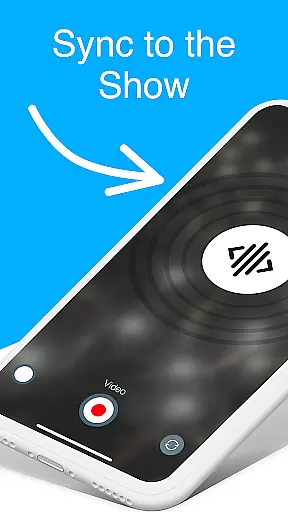
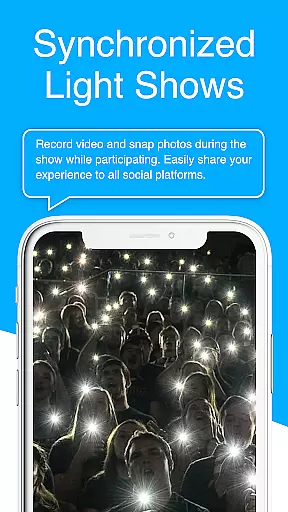
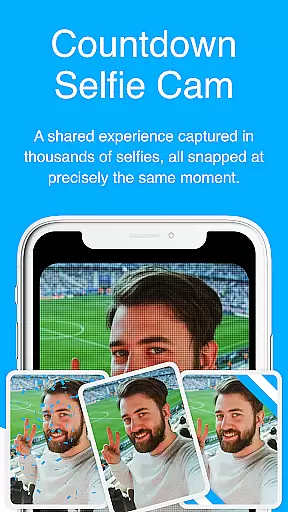
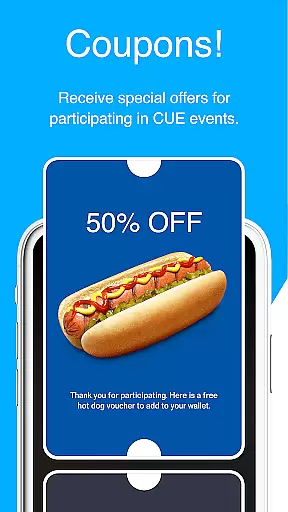
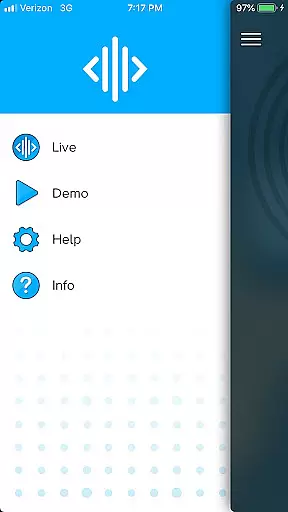
CUE Live is an innovative mobile application designed specifically for enhancing event experiences through ultrasonic technology. The app leverages inaudible sound waves to transmit data and synchronize multiple devices simultaneously at CUE-enabled events. This unique approach allows users, whether attending in person or participating remotely, to actively engage with the event by activating their smartphones to contribute to the overall experience.
One of the standout features of CUE Live is its ability to transform passive audience members into active participants. By simply using their phones, attendees can influence visual elements such as colors and effects displayed on screens during live demos. Additionally, the app offers specialized modes like UPN and DJ Mode, which provide advanced interactive capabilities for event organizers and performers, taking audience participation to unprecedented levels.
The practical applications of CUE Live extend beyond simple entertainment. Event organizers can utilize the app to create more immersive and memorable experiences for their attendees while maintaining complete control over the synchronization process. This makes it particularly valuable for concerts, conferences, and other large-scale gatherings where coordinated audience interaction can significantly enhance the overall impact of the event.
CUE Live distinguishes itself through several key features that revolutionize event participation. First and foremost is its utilization of ultrasonic sound wave technology, which enables seamless data transmission between the event's main systems and individual attendee devices without requiring complex setup procedures or additional hardware.
The app's real-time synchronization capabilities are particularly noteworthy. During live demonstrations, users can instantly trigger various visual effects and color changes on command, creating a unified and dynamic atmosphere throughout the venue. This feature is complemented by two specialized operation modes: UPN mode, which facilitates unique network identification and device grouping, and DJ Mode, allowing for sophisticated control over audio-visual elements.
Additional features include robust security protocols that ensure only authorized participants can access specific event functions, plus comprehensive analytics tools for organizers to track engagement metrics. These capabilities collectively enable event producers to craft highly customized and interactive experiences while maintaining operational efficiency and participant safety.
Task creation and detail customization are essential for creating engaging event experiences. CUE Live excels in this area by allowing users to set up specific tasks that enhance audience participation. The app uses ultrasonic sound waves to synchronize devices, enabling real-time interaction.
Event organizers can customize task details to fit the theme and flow of their events. This includes setting triggers for visual effects, color changes, and other interactive elements that make live shows more dynamic. By offering UPN and DJ modes, the app provides advanced tools for taking events to the next level.
Users benefit from the ability to create detailed tasks that engage audiences both at the venue and at home. This feature ensures that every participant can become an active part of the show, enhancing overall satisfaction and enjoyment. Customization options allow for a tailored experience that meets the unique needs of each event.
Reminder settings play a crucial role in ensuring participants do not miss out on key moments during events. With CUE Live, reminders can be configured to alert users about upcoming segments or interactions within the event schedule. These notifications keep attendees engaged and informed throughout the experience.
The app's reminder system is designed to work seamlessly with its ultrasonic synchronization technology. Users receive timely alerts that prompt them to activate their phones for various interactions, such as triggering visual effects or participating in live demos. This integration enhances user involvement and creates a cohesive event atmosphere.
By leveraging reminder settings, event organizers can maintain high levels of audience engagement and ensure smooth transitions between different segments. Participants enjoy a richer, more immersive experience as they are consistently reminded to interact with the show elements around them.
Unique ultrasonic technology
Real-time synchronization
Enhanced audience engagement
Specialized operation modes
Comprehensive security features
Limited to CUE-enabled events
Requires compatible devices
Potential connectivity issues
Event-specific functionality
Dependent on venue infrastructure

The Ultimate Tournament Hub
 4.70
4.70
Buy event tickets easily with our user-friendly App. Stay updated on hot events
4.5
Some connections are better kept private
4.4
TV Garden is a video player to play your own TV streams from around the world!
4.5
Get live football here
4.30
Everything you need for the Best Thursday Ever.
4.40
Digital Income Wallet of the Final Libertadores 2025
4.1
The Official Football Ticketing App for Fans in Qatar
4.4
Soft Proxy for Your Online World
4.4
Create invitation cards for birthdays, weddings, Christmas and more.
4.80
The KRUU app - plan, celebrate, remember
4.80
Find Live Event Ticket Deals to Sports, Concerts, Festivals, & Comedy For Less!
4.80
Freebie Games for Epic Games, Steam, Amazon, Rockstar etc.
4.40
The world's largest selection of tickets is now at your fingertips
3.90
Manages display and transfer of tickets from the Mundo Tickets platform
3.80
Purchase line-skip passes, drinks, cover, and more at bars and clubs
3.50
ETH Mining provides secure way to mine Ethereum & earn ETH in Cloud mining app
3.50
The Official App
4.0
It is an Event Planning Application.
4.4


User Reviews