
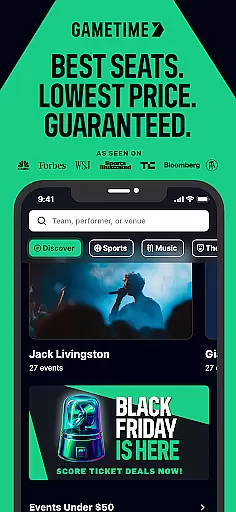
Gametime is a leading mobile application designed to help users secure tickets for live events at optimal prices. The app specializes in offering deals for sports games, concerts, theater shows, and comedy performances. With its unique feature of falling ticket prices as the event time approaches, Gametime allows users to purchase tickets up to 90 minutes after an event has started. This ensures that users can access last-minute deals while enjoying comprehensive service protection through Gametime Ticket Coverage.
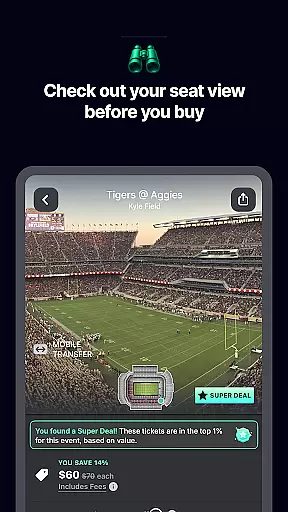
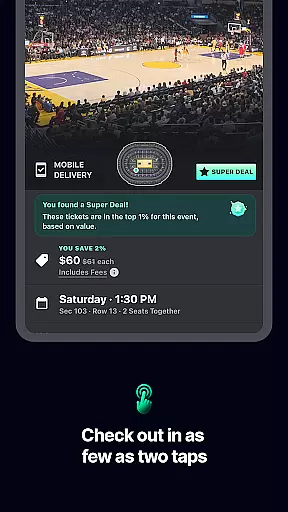
The app's intuitive interface provides panoramic seat views, enabling users to make informed decisions about their purchases. Its seamless checkout process and mobile ticket delivery system eliminate the need for physical tickets, making it an environmentally friendly choice. Additionally, Gametime supports easy ticket sharing with friends via mobile devices, enhancing the collective experience of attending live events together.
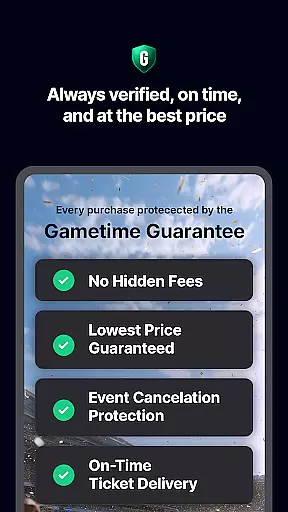
Gametime stands out with several innovative features tailored for live event enthusiasts. One of its key functionalities is the dynamic pricing model, where ticket prices decrease closer to the event time. This is complemented by Gametime Ticket Coverage, which offers benefits like the Lowest Price Guarantee, Lightning Refunds, and Job Loss Protection, ensuring peace of mind for buyers.
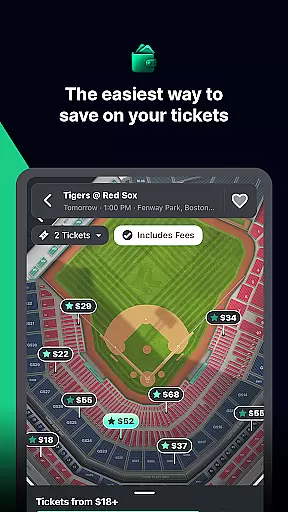
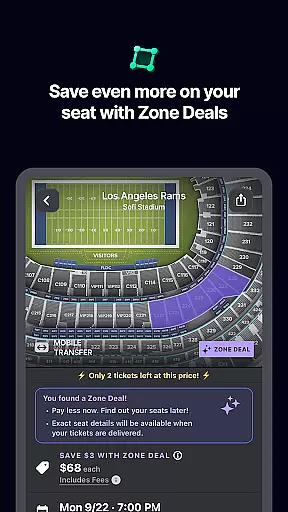
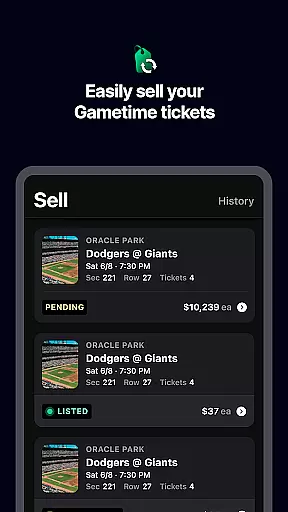
The app also boasts detailed venue maps and panoramic seat views, allowing users to compare prices and select the best seats available. Its 2-click checkout process simplifies transactions, while mobile ticket delivery ensures convenience and environmental sustainability. Furthermore, users can easily list and sell their own tickets through the app, receiving instant payment via PayPal and text notifications upon sale.
Gametime covers major sporting events, top concerts, and popular theater shows, providing a wide range of options for users. Whether you're looking to attend a baseball game, a Taylor Swift concert, or a Broadway show like Hamilton, Gametime offers a comprehensive platform to shop, compare, and save on live entertainment experiences.
Task creation and detail customization are essential features for any event management app like Gametime. This functionality allows users to create, modify, and personalize event tasks with precision, ensuring that every aspect of the event planning process is covered.
Gametime provides an intuitive interface where users can effortlessly set up event tasks. Whether it's tracking ticket availability, setting reminders for upcoming games, or organizing group outings, the app offers a variety of customization options. Users can input specific details such as date, time, seat preferences, and even special requests, making each task tailored to individual needs.
The benefits of this feature are manifold. Event organizers and attendees can manage their schedules more effectively, never missing a crucial moment. The ability to customize task details ensures that users receive relevant notifications and updates, enhancing their overall event experience.
Ultimately, Gametime's robust task creation and customization capabilities empower users to take control of their event planning. By providing tools that cater to both simple and complex organizational needs, the app stands out in the Events category, offering a seamless blend of functionality and user-centric design.
Reminder settings play a pivotal role in ensuring users stay informed and punctual for their scheduled events. For an app like Gametime, which specializes in providing last-minute deals and event tickets, having reliable reminder functionalities is indispensable.
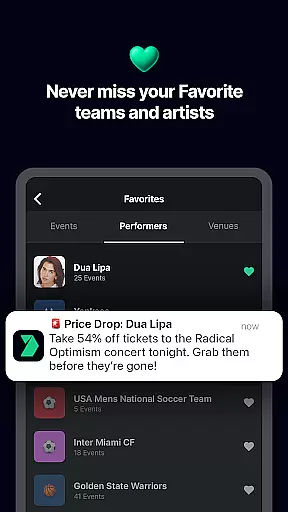
Gametime incorporates advanced reminder settings that allow users to configure alerts according to their preferences. Whether it's a notification hours before a game starts or a reminder to check out new ticket listings, the app delivers timely updates. These reminders can be customized based on various triggers such as time, location, or specific actions within the app, ensuring users never miss an opportunity.
This feature significantly enhances user engagement by keeping them actively involved in the event planning process. With timely reminders, users can make informed decisions, whether it's purchasing tickets or coordinating with friends. The flexibility and reliability of Gametime's reminder system contribute to a stress-free event experience.
In summary, Gametime's sophisticated reminder settings not only keep users on track but also enrich their interaction with the app. By prioritizing user convenience and timely communication, Gametime solidifies its position as a leading platform in the Events category, committed to delivering exceptional value and service.
User-friendly interface
Comprehensive service policy
Wide selection of events
Mobile ticketing convenience
Price comparison tools
Resale market limitations
Variable ticket prices
No direct ticket sales
Limited international support
Potential service fees

Manages display and transfer of tickets from the Mundo Tickets platform
 3.80
3.80
Greeting card maker with photos best app| Birthday cards| All wishes eCards FREE
4.50
Find tickets to upcoming concerts, sports events, festivals, shows, attractions
4.70
Purchase line-skip passes, drinks, cover, and more at bars and clubs
3.50
Create Wedding Invitation and Wedding Anniversary Cards using our app
4.60
The Official Football Ticketing App for Fans in Qatar
4.4
Text message invitations for birthday party, wedding, graduation, baby shower +
4.60
Design Invitations & Cards for Any Occasion
4.80
Introducing the official Magic: The Gathering app for mobile.
4.20
The Ultimate Tournament Hub
4.70
Discover events & experiences in NYC, LA, Chicago, DC, Miami and more!
4.70
Here you can choose tickets for films, performances, concerts and other events
4.60
Events, Meetings, Photo Shoots
4.50
Everything you need for the Best Thursday Ever.
4.40
Buy and sell tickets to sports, concerts, theater, festivals, and comedy events
4.10
The Official App
3.70
TV Garden - World Live TV : Play & cast your videos seamlessly!
3.20
Buy event tickets easily with our user-friendly App. Stay updated on hot events
4.5
Some connections are better kept private
4.3


User Reviews