
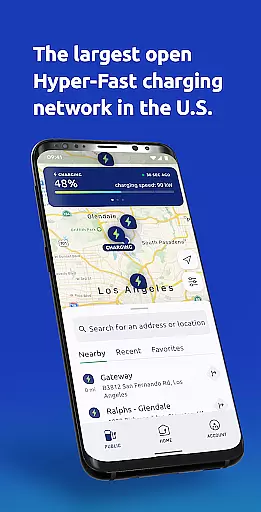
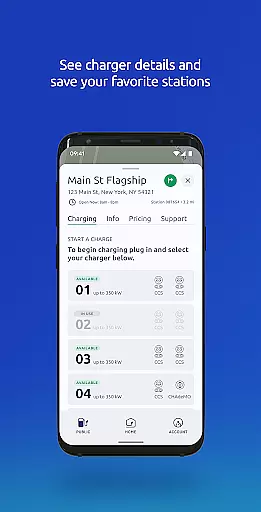
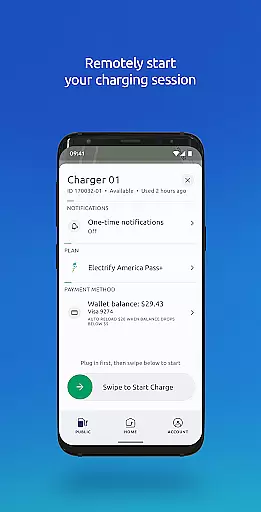
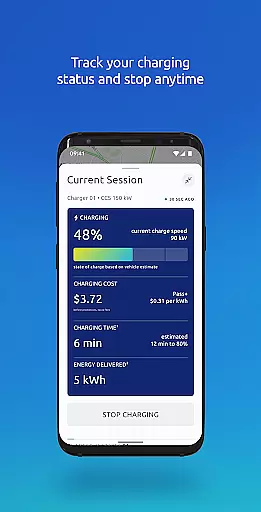
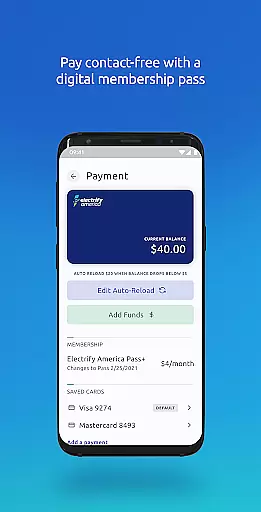
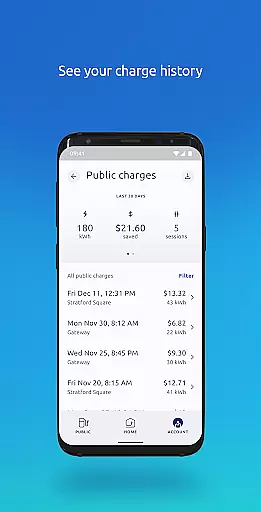
Electrify America is a leading electric vehicle charging solution, providing access to the nation's largest public DC fast charging network. The app enables users to locate nearby charging stations, manage charging sessions, and handle payments seamlessly. With support for both DC fast chargers and Level 2 chargers, it ensures compatibility with most EV models on the market.
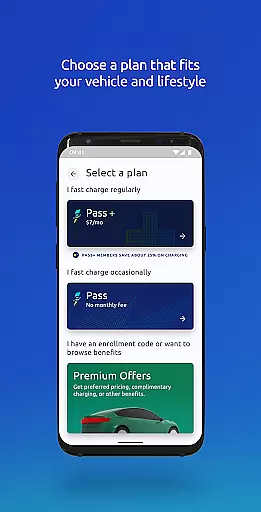
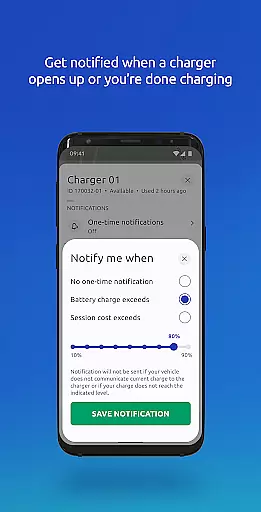
Key features include real-time charger availability, remote session control, and notifications for charge status. Whether you're a casual EV user or a frequent traveler, this app streamlines the charging process while offering flexible membership plans like Pass and Pass+ for added convenience and savings.
Electrify America stands out with its comprehensive suite of features tailored for EV drivers. Users can easily find nearby charging stations using interactive maps and get turn-by-turn directions. The app provides detailed charger information, including real-time availability and specifications, ensuring a smooth experience.
Advanced functionalities allow users to start, stop, and monitor charging sessions remotely. Notifications keep users informed about their vehicle's charging progress and when their desired charge level is reached. Additionally, the app supports contact-free payments and offers tools like charge history tracking and receipt generation, making it an all-in-one solution for EV charging needs.
Map accuracy is essential for any navigation app, and Electrify America excels in this area. The app provides precise locations of the nation's largest public DC fast charging network, ensuring that users can easily find charging stations nearby.
The Electrify America app uses advanced mapping technology to offer real-time data updates, which means the locations of charging stations are consistently accurate and reliable. Whether you're at home or on the road, you can trust the app to guide you to the nearest available charger.
For electric vehicle owners, this level of map accuracy eliminates the anxiety associated with finding charging stations. You can get directions from your current location to a selected charging station, making your journey as seamless as possible.
Effective route planning is a critical feature of the Electrify America app, designed to enhance the travel experience for electric vehicle users. By integrating comprehensive route planning tools, the app ensures that drivers can efficiently navigate to their chosen charging stations without hassle.
Users have access to multiple route options, live traffic updates, and estimated travel times. This functionality allows for dynamic trip adjustments based on current road conditions, ensuring minimal delays and optimal travel efficiency.
Moreover, the ability to save favorite charging stations adds another layer of convenience. Drivers can plan their routes around preferred locations, optimizing their charging stops and overall travel schedule. With these robust route planning features, Electrify America supports a stress-free and well-organized journey.
User-friendly interface
Wide charger network
Real-time updates
Flexible membership plans
Remote session management
Monthly fees for Pass+
Limited Tesla support
Occasional connectivity issues
Higher costs for non-members
Requires account setup

Compass is an accurate compass and a great tool for any outdoor activities
 4.5
4.5
Route schedules, maps, and real-time tracking of MTA buses in New York City.
4.20
All of NHSA's trail information at your fingertips for the 2025-2026 season
4.2
Turn your tablet or Android powered unit into a full blow Android Auto headunit.
2.30
Plan routes, share locations, and set custom alert zones
4.40
Get route map navigation with 3D satellite view, and live earth camera streaming
3.70
Gas Station & Fuel Rewards Points
3.70
Lets explore the world's famous places by using Live Cams, GPS & Satellite View.
4.20
Avoid delays. Get real-time GPS navigation, safety alerts and live traffic.
4.10
Order a cab online. An affordable taxi ride and driver in no time. What a bolt!
4.80
Find AI powered cameras, ALPRs, and other surveillance infrastructure near you
4.70
GPX Viewer PRO shows tracks, routes and waypoints from gpx and kml files.
4.60
Complete offline 1:50k South Island topo map including DOC Hunting Permit Areas
4.60
Explore with GPS Navigation with GPS offline, voice GPS, speed camera radar
4.60
Turn your Android device into a real off-road GPS using off-line topo maps!
4.40
GPS navigation offers route finder, compass, translator, currency converter, etc
4.30
Get directions, Maps, GPS navigation & GPS Maps using GPS App
4.10
Use GPS Maps and GPS Voice Navigation to find your way and get directions
4.10
Easy, Moderate and difficult offroad adventures.
4.00


User Reviews