
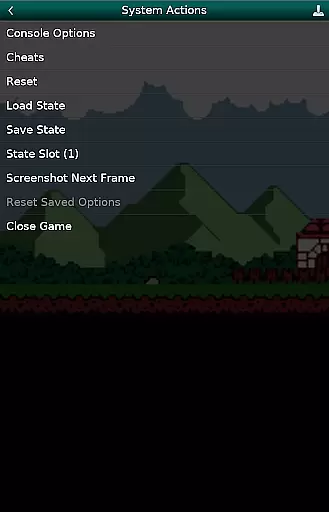
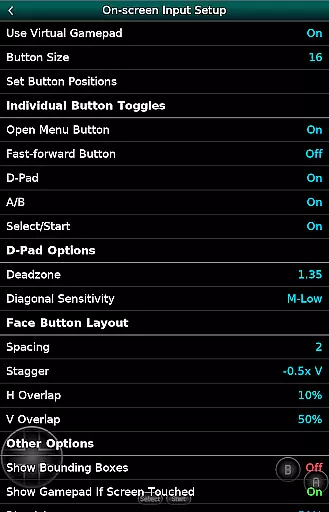
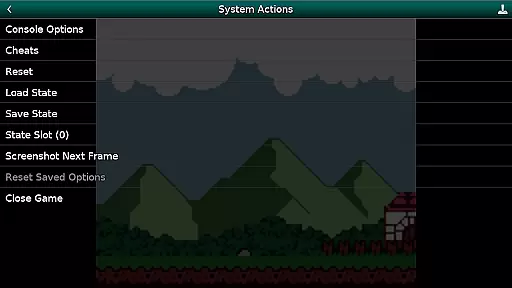
GBC.emu is an advanced open-source Gameboy emulator that offers a minimalist UI with a focus on low audio and video latency. It supports a wide range of devices, from the original Xperia Play to modern devices like the Nvidia Shield and Pixel phones. The app provides multiple color palettes for original GB games, cheat code support in Game Genie and Gameshark formats, and compatibility with .gb and .gbc file formats.
Users can enjoy configurable on-screen controls and Bluetooth/USB gamepad support compatible with HID devices such as Xbox and PS controllers. GBC.emu does not include ROMs and requires users to supply their own. It utilizes Android's storage access framework for opening files on both internal and external storage. This makes it versatile for gaming enthusiasts who value performance and customization.
GBC.emu stands out with its advanced feature set tailored for Gameboy enthusiasts. The emulator supports multiple color palettes for original GB games, enhancing visual experiences. Cheat codes in Game Genie and Gameshark formats allow players to customize gameplay, while support for .gb and .gbc file formats ensures broad compatibility.
The app also includes configurable on-screen controls and extensive peripheral support, including Bluetooth and USB gamepads compatible with HID devices like Xbox and PS controllers. Its focus on low audio/video latency makes it ideal for competitive play. Additionally, GBC.emu leverages Android's storage access framework, enabling seamless access to files on both internal and external storage solutions.
Arcade authenticity and nostalgia are essential elements for any gaming emulator, and GBC.emu delivers this in spades. The app is designed to emulate the experience of playing on original Game Boy and Game Boy Color consoles, bringing back memories for those who grew up with these systems.
The emulator supports a wide variety of devices, from older models like the Xperia Play to modern devices such as the Nvidia Shield and Pixel phones. This ensures that no matter what device you're using, you can relive the classic arcade experience with precision and accuracy.
Features like multiple color palettes for original GB games enhance the nostalgic value by allowing users to customize their visual experience while maintaining the retro feel. Additionally, support for cheats codes in Game Genie and Gameshark formats adds an extra layer of engagement and fun, reminiscent of the good old days of gaming.
Control responsiveness is crucial for an optimal gaming experience, especially when emulating classic arcade games. GBC.emu excels in this area by providing configurable on-screen controls that can be tailored to suit individual preferences.
The app also supports Bluetooth and USB gamepads, including popular controllers like Xbox and PS controllers. This compatibility ensures that users can enjoy a seamless and responsive control scheme, whether they prefer tactile feedback from physical buttons or the convenience of touch controls.
Furthermore, the emulator's focus on low audio/video latency enhances the overall responsiveness, making gameplay smooth and enjoyable. This attention to detail ensures that every action is registered instantly, providing a true-to-life arcade experience that players will appreciate.
Low audio/video latency
Wide device compatibility
Multiple color palettes
Cheat code support
Configurable controls
No ROMs included
Requires technical knowledge
Limited customer support
Interface not beginner-friendly
Advanced settings can be overwhelming

Genesis, Mega Drive, Mega CD, Master System, Game Gear Emulator!
 4.20
4.20
Get into your tractor to cut grass and harvest the crops in our mowing simulator
4.10
Try this unique restaurant sim and enjoy the fun of cooking in busy kitchens!
4.70
A fluid, action-packed arcade space shootout!
4.5
Mine & Craft Block Mini World! Survival Crafting and Building & Creative Online.
4.30
Play fun multiplayer games with friends on one device! Two, Three, Four players!
4.60
Running game: dance in a twerk battle and become the twerk hero in our fun race!
4.30
Play all your favorite Playstation games in your android device!!
4.50
Challenge your friends in this game! Two players on one device!
4.70
Join the breathtaking chase!
4.80
Ready… Set… DASH! Play now!
4.70
Master the hills in this extreme downhill racing game!
4.60
Nostalgia.GBA Pro is a high quality GBA emulator.
4.40
Collect layers in running game & build the biggest slinky toy to beat the giant!
4.30
Join the art challenge: Guess the word and draw fast before the timer runs out!
4.20
Sega Saturn Emulator
4.20
This app is a very fast emulator
3.40
Reach high, and shine in the neon world in 3D!
4.3
Divine powers at your fingertips! An innovative and frantic shoot-'em-up!
4.2


User Reviews