
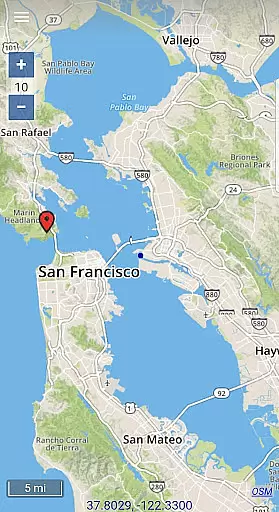
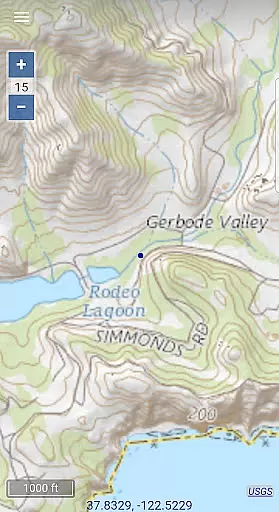
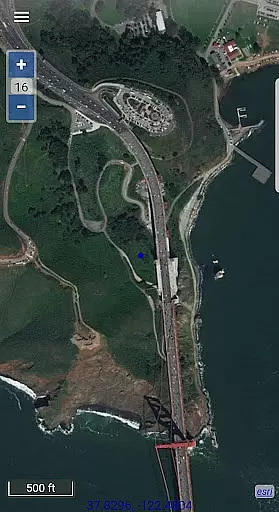
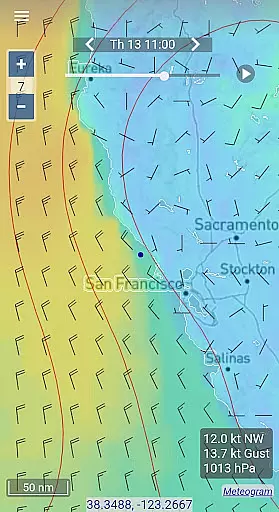
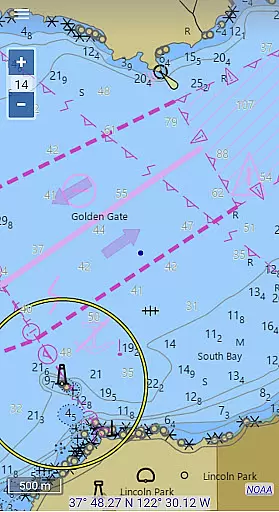
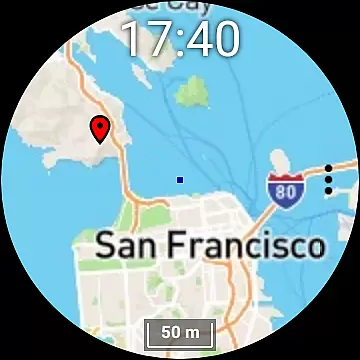
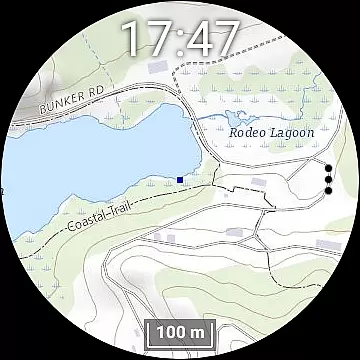
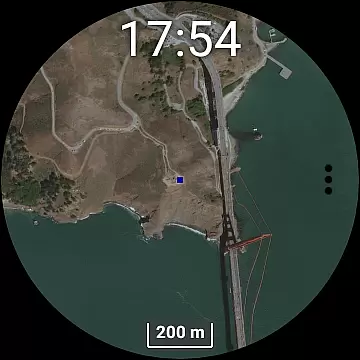
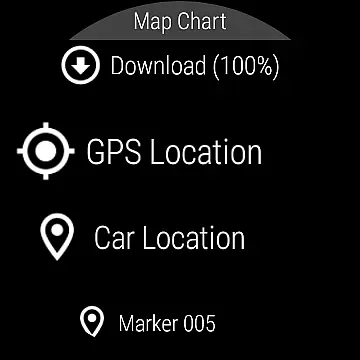
Map Chart Mosaic is a comprehensive offline mapping application designed for both smartphones and smartwatches. It offers users access to topographic maps, satellite images, GRIB weather forecasts, and road maps complete with cycling and hiking trails. The app supports nautical charts specifically for USA and Canada. Users can switch between different map sources to gather detailed information about any location. All map views are automatically saved in an offline cache, allowing users to view them without an internet connection.
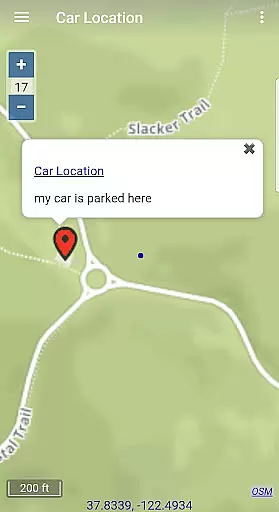
In addition to offline map viewing, the app provides advanced features such as adding map markers and notes (e.g., parking locations), creating travel routes, recording GPS tracks, and sharing data as GPX files. Users can also obtain GPS travel information including speed, course, odometer readings, and estimated time of arrival (ETA). For weather updates, GRIB forecast maps can be downloaded via the internet, email, or Iridium Go satellite connections. The Wear OS version allows independent use on smartwatches, though new maps and data must be downloaded through the phone app.
One of the standout features of Map Chart Mosaic is its seamless integration across multiple devices, including smartphones and Wear OS smartwatches. This ensures that users have constant access to their maps regardless of whether they have their phone with them. The app's ability to store map views in an offline cache means users can rely on it even in areas with no internet connectivity. Additionally, the app supports various map types, from topographic and satellite imagery to specialized nautical charts.
Map Chart Mosaic also includes robust tools for personalization and navigation. Users can add markers and notes directly onto their offline maps, create detailed travel routes, and record GPS tracks during their journeys. Sharing capabilities extend to exporting this data as GPX files, making it easy to share with others or use in different applications. The inclusion of real-time GPS information like speed, course, and ETA adds another layer of utility for travelers and outdoor enthusiasts. Weather forecasting through GRIB maps further enhances the app’s versatility, catering to those needing reliable meteorological data on the go.
Map Chart Mosaic offers a diverse range of offline maps, including topographic maps, satellite images, and road maps with cycle and hiking trails. These maps are meticulously sourced to ensure the highest level of accuracy for users who require detailed geographical information.
The app seamlessly integrates maps from various sources, providing comprehensive details about any location. Whether you're exploring nautical charts for USA and Canada or accessing GRIB weather forecast maps, the data is stored in an offline cache on your device, ensuring accessibility without an internet connection.
Users benefit from the ability to download and view maps on both their phones and Wear OS smartwatches. This feature allows for uninterrupted navigation even when separated from their primary devices, making it ideal for outdoor enthusiasts and travelers alike.
One of Map Chart Mosaic's standout features is its robust route planning capability. Users can create travel routes, record GPS tracks, and share this data as GPX files. This functionality supports efficient trip preparation and execution, whether for leisure or professional purposes.
In addition to creating routes, the app provides essential GPS travel information such as speed, course, odometer readings, and estimated time of arrival (ETA). These metrics help users make informed decisions during their journeys, enhancing both safety and convenience.
For those requiring weather forecasts, Map Chart Mosaic delivers GRIB weather maps via internet downloads, email, or Iridium Go satellite connections. This ensures that users have up-to-date meteorological data at their fingertips, further aiding in effective route planning and decision-making.
User-friendly interface
Offline map functionality
Advanced GPS tracking
Comprehensive map options
Cross-device compatibility
Limited nautical charts
No turn-by-turn navigation
Additional hardware required
Premium feature costs
Complex setup process

Easy, Moderate and difficult offroad adventures.
 4.00
4.00
CamSam PLUS - The speed and red light camera warning system!
4.40
Parcel map, property lines, owner, acres, land use, zoning and more from Regrid.
4.60
Phone Tracker and GPS Location Sharing
4.20
Gas Station & Fuel Rewards Points
3.70
Live Satellite view app for find GPS navigation Direction and live location map
3.70
Get route, find shortest path, near by places and weather update
3.90
Find radar, speed camera, flight tracker. Use hud, location tracker, speedometer
4.20
Get there with the Waymo Driver — The World’s Most Experienced Driver™
4.90
Truck Safe GPS Navigation & Maps: Parking, Fuel, Diesel, Weight Station
4.80
Airport parking, with airport shuttle (TPS shuttle), reservations, and Spot Club
4.80
Navigate with your watch and keep the phone in your pocket!
4.60
Plan routes, share locations, and set custom alert zones
4.40
ParkWhiz, an Arrive Mobility brand, part of the Arrive Network
4.30
Drive safe with real-time speed camera radar, police, and traffic alerts
3.80
Start your next adventure confidently using our Accurate Compass App
3.70
Play in the outdoors with Android as your Handheld GPS and offline topo maps!
3.50
Explore the world with Live Satellite View, 3D Maps, GPS Navigation & Earth Map.
2.90
Turn your tablet or Android powered unit into a full blow Android Auto headunit.
2.30


User Reviews