
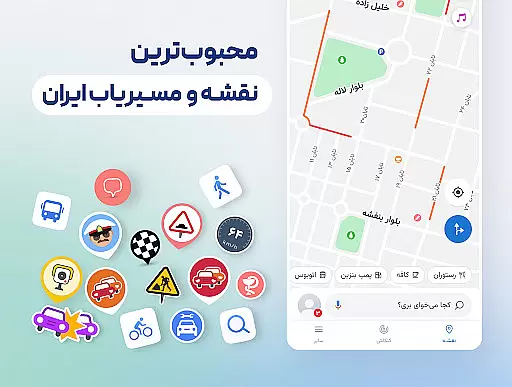

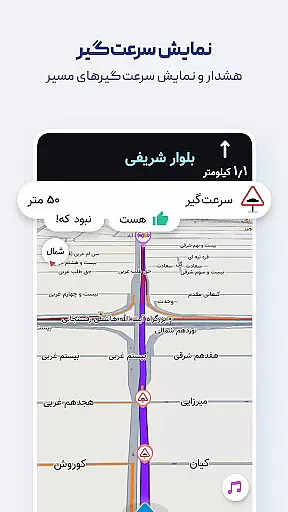
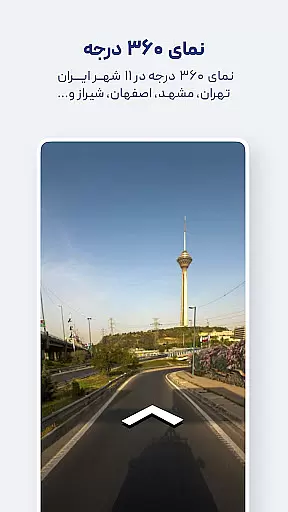
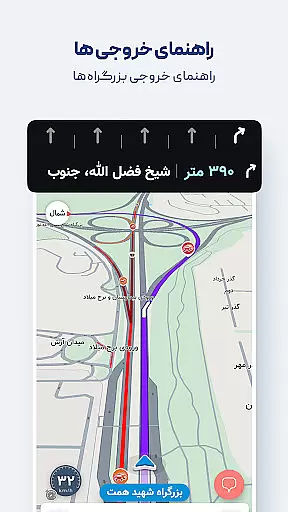
Neshan is a comprehensive Maps & Navigation app that leverages GPS and real-time traffic data to provide users with the fastest routes while avoiding congestion. The app stands out by offering unique features tailored to Iranian users, including speed camera alerts, police checkpoint notifications, and detailed maps of all cities worldwide powered by OpenStreetMap data.
One of Neshan's key strengths lies in its ability to display air pollution levels in cities with monitoring stations, making it an essential tool for health-conscious travelers. Additionally, its combined bus-and-metro navigation, motorcycle routing, and consideration of traffic restriction zones ensure users can plan their journeys effectively. With accurate location detection and offline map support, Neshan proves invaluable for both everyday commutes and global travel.
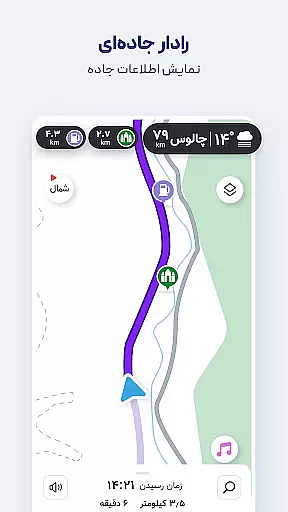
Neshan offers a rich set of features designed to enhance navigation experiences. Its Persian voice guidance system speaks street names aloud, allowing drivers to focus on the road without needing to look at the map. This feature, combined with live traffic updates and offline map functionality, ensures seamless navigation even in areas with poor connectivity.
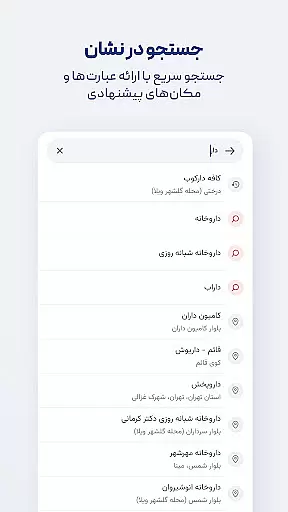
The app also includes advanced tools such as routing that considers low-emission zones and traffic restrictions, helping users avoid unintentional violations. Furthermore, Neshan provides access to nearby public amenities like restaurants, gas stations, and ATMs through its intuitive search interface. For added convenience, speech recognition allows users to search destinations without typing, while direct route options give more control over navigation preferences.
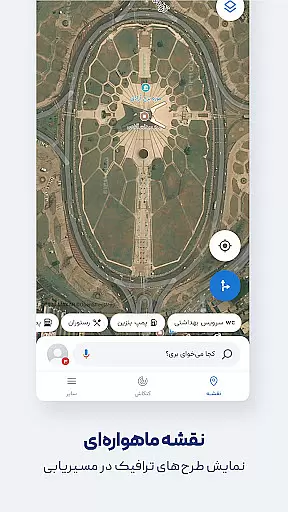
Map accuracy is essential for any navigation app, and Neshan excels in this area by providing detailed maps of all cities and countries worldwide. Powered by OpenStreetMap data, the app ensures that users have access to comprehensive and up-to-date geographical information.
Neshan's commitment to precision is further demonstrated through its offline map functionality, which offers live traffic information even without an internet connection. This feature is particularly beneficial in areas with limited connectivity, ensuring that users can rely on accurate mapping data at all times.
The app also displays air pollution levels in cities equipped with monitoring stations, adding another layer of environmental awareness to its mapping capabilities. By integrating these details, Neshan not only guides users to their destinations but also keeps them informed about their surroundings.
Effective route planning is a cornerstone of Neshan's navigation service, offering users multiple options to reach their destinations efficiently. The app suggests the fastest and least congested routes by utilizing real-time traffic data, similar to leading international navigation tools.
In addition to standard vehicle routing, Neshan provides specialized paths for motorcycles and combined bus-and-metro journeys. This flexibility allows users to choose the most suitable mode of transportation based on their preferences and current traffic conditions.
Furthermore, Neshan considers traffic restriction zones and low-emission areas when planning routes, helping drivers avoid unintentional violations and fines. With features like speed bump warnings and police checkpoint alerts, the app ensures a smooth and informed journey from start to finish.
User-friendly interface
Real-time traffic updates
Offline map support
Air pollution monitoring
Persian voice guidance
Limited international focus
Occasional GPS inaccuracies
Heavy on battery usage
Requires constant updates
Some features region-specific

This app is military GPS coordinate systems helper. (MGRS, UTM & DMS Maps)
 4.80
4.80
Discover over 800 points of interest along the canal.
3.70
Find 93 Octane Gas: Locate Gasoline Stations Selling Premium 93 Octane or Higher
4.0
OpenCPN is a full featured ChartPlotter and Navigator for Android.
3.60
Affordable rides and food delivery with incredible discounts in just one app.
4.50
GPS Navigation: Get map directions and find the shortest routes to avoid delays!
4.00
ParkWhiz, an Arrive Mobility brand, part of the Arrive Network
4.30
Explore offline maps with radar, satellite view, and real-time alerts.
3.60
Use GPS Maps and GPS Voice Navigation to find your way and get directions
4.10
Airport parking, with airport shuttle (TPS shuttle), reservations, and Spot Club
4.80
Navigate confidently with our precise Digital Compass app & Direction Compass!
4.70
Parcel map, property lines, owner, acres, land use, zoning and more from Regrid.
4.60
Explore with GPS Navigation with GPS offline, voice GPS, speed camera radar
4.60
Turn your Android device into a real off-road GPS using off-line topo maps!
4.40
Find routes fast with GPS Maps, GPS Navigation & driving directions.
4.10
TACNAV-X: Precision MGRS navigation, built specifically for the military.
4.00
Get route map navigation with 3D satellite view, and live earth camera streaming
3.70
Explore Earth with live GPS, satellite view & street navigation
3.60
Your guide to the recreational opportunities of the Bureau of Land Management!
3.40


User Reviews