
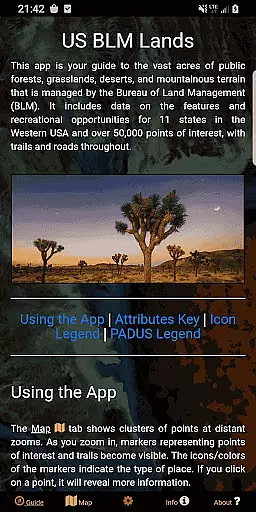
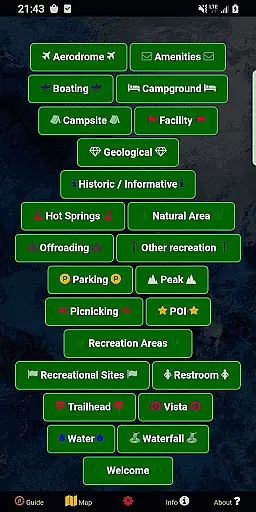
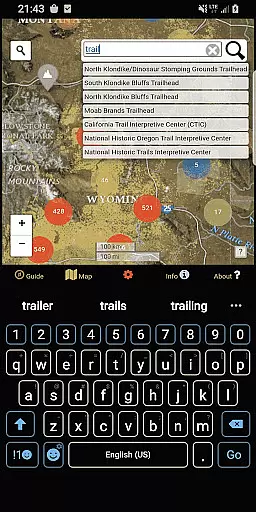
BLM Public Lands Map Guide USA is a comprehensive navigation tool designed specifically for exploring public Bureau of Land Management (BLM) properties across the Western United States. This app provides access to over 52,000 recreational points and features, categorized into various types such as campgrounds, hiking trails, boating areas, and more. Each point is marked with intuitive color-coded icons that make it easy to identify specific amenities or activities available in each location.
One of the standout features of this app is its ability to function offline, allowing users to download map imagery for use without an internet connection. Whether you're planning your next outdoor adventure or simply looking to learn about nearby BLM lands, this app offers detailed spatial data and interactive maps that cater to both casual explorers and seasoned adventurers alike. With regular updates and new features like the custom My Points tool, which lets users create personalized markers, BLM Public Lands Map Guide USA ensures that navigating America's breathtaking landscapes has never been easier.
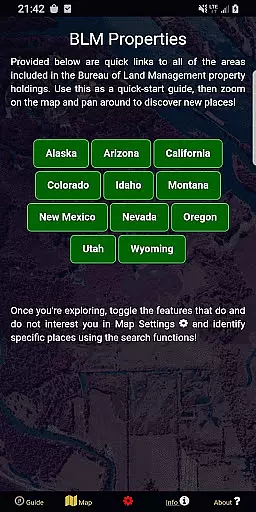
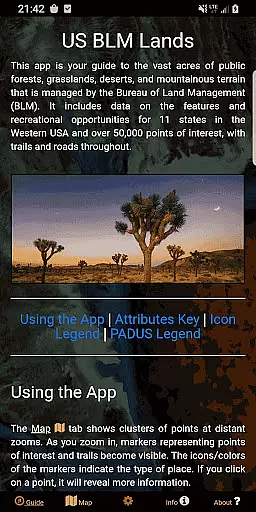
The BLM Public Lands Map Guide USA app boasts several key features that enhance the user experience when exploring public lands. First and foremost, the app includes five distinct screens, each serving a unique purpose. The Guide screen provides essential legends and tips for optimizing navigation, while the Info screen offers quick links to different BLM properties, making it simple to locate specific areas of interest. Additionally, the About screen gives insight into the open-source resources utilized in the app and introduces users to the developer, GeoPOI.
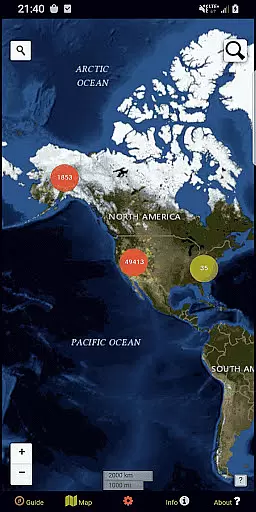
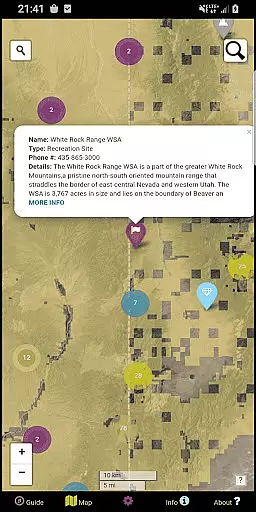
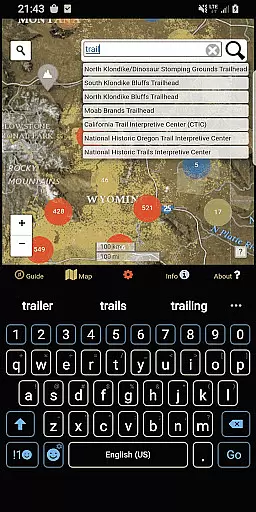
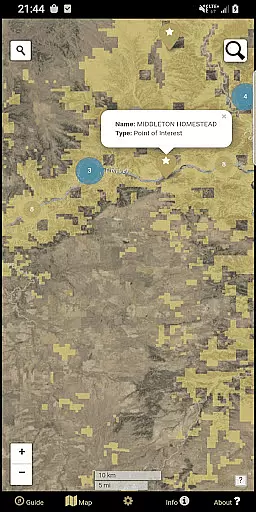
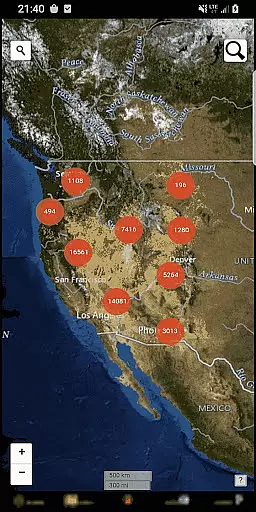
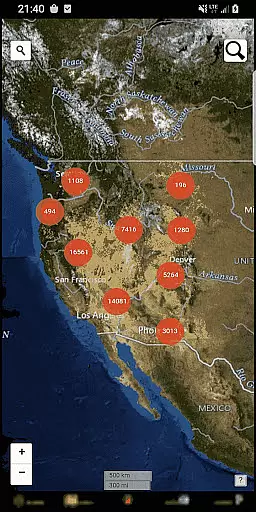
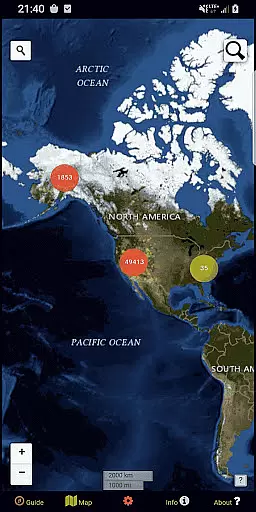
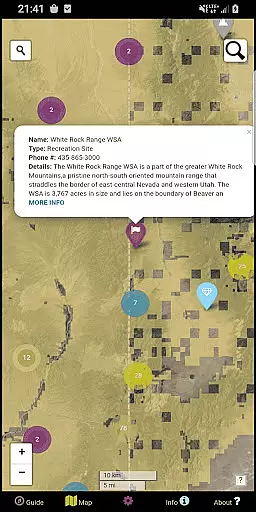
Another notable feature is the Map Settings screen, where users can switch between four different basemaps, toggle specific point categories, enable geolocation services, and even download offline imagery. On the Map screen itself, users will find clustered circles at distant zoom levels, indicating groups of points. As users zoom in, individual points become visible, complete with names, locations, and other relevant details. Two search tools are also available on the Map screen—one for looking up addresses and towns, and another for querying feature names within the database. These robust functionalities ensure seamless exploration of America's diverse terrains.
Map accuracy is essential for any navigation app, and BLM Public Lands Map Guide USA excels in this area. The app provides up-to-date data as of Summer 2024, featuring over 52,000 recreational points on Bureau of Land Management property.
These points are meticulously categorized with color-coded icons, representing various features such as Access Points, Campgrounds, and Vistas. This categorization extends to include property boundaries, hiking trails, and roads, ensuring users can navigate public lands with confidence.
Users benefit from the precision of the map's point representation, which clusters at distant zooms and reveals individual points as they zoom in. Each feature is clickable, providing valuable information like name and location, thus enhancing the overall navigational experience.
The accuracy of BLM Public Lands Map Guide USA empowers outdoor enthusiasts to explore vast landscapes and locate specific places easily, making it an indispensable tool for discovering the recreational potential of US public lands.
Route planning is a critical component of the BLM Public Lands Map Guide USA, offering users tools to optimize their travel through public lands. With several screens dedicated to navigation, the app ensures that route planning is both intuitive and informative.
The Map Settings screen allows users to switch between four different basemaps and download offline imagery, which is crucial for areas with limited connectivity. Users can also enable geolocation and toggle specific point categories to tailor their route-planning experience.
On the Map screen, users encounter circle clusters that indicate point density. As these clusters are tapped, the map zooms in to reveal individual points alongside trails and roads, streamlining the process of detailed route planning.
With two search tools available, users can look up addresses or query feature names within the database, facilitating efficient route creation. This comprehensive approach to route planning enables adventurers to traverse the diverse terrains of the US with assurance and ease.
User-friendly interface
Extensive offline capabilities
Regularly updated data
Customizable map settings
Detailed point information
Limited to BLM lands
No live GPS tracking
Occasional data delays
Some features require technical know-how
Independent entity from BLM

Route schedules, maps, and real-time tracking of MTA buses in New York City.
 4.20
4.20
Discover over 800 points of interest along the canal.
3.70
Play in the outdoors with Android as your Handheld GPS and offline topo maps!
3.50
OpenCPN is a full featured ChartPlotter and Navigator for Android.
3.60
Find EV & Tesla charging stations with PlugShare
4.70
Explore Live Earth Map with 3D World Map & locate cites, mountains real time.
3.80
GPS Navigation: Get map directions and find the shortest routes to avoid delays!
4.00
Neshan: map & navigation app with 20M+ monthly active users
4.50
Navigation, weather, offline maps & tools for smarter, safer travel planning.
4.00
Get there with the Waymo Driver — The World’s Most Experienced Driver™
4.90
Ride or drive at YOUR price
4.70
Explore with GPS Navigation with GPS offline, voice GPS, speed camera radar
4.60
Route tracker, Speedometer, Odometer, Fuel, HUD mode, save route as .GPX
4.40
Simple & easy to use a compass app. Get accurate directions.
4.20
Off-Roading Navigation App With Trails, Public Lands, & Private Property Info
3.30
Turn your tablet or Android powered unit into a full blow Android Auto headunit.
2.30
Find 93 Octane Gas: Locate Gasoline Stations Selling Premium 93 Octane or Higher
4.4
Fully offline 1:50k New Zealand topographical map North Island
4.2
All of NHSA's trail information at your fingertips for the 2025-2026 season
4.5


User Reviews