
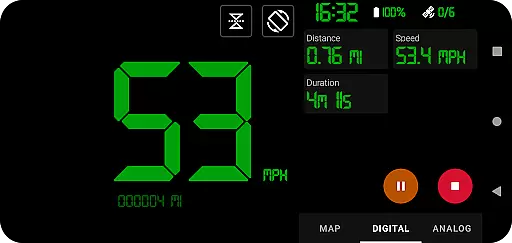
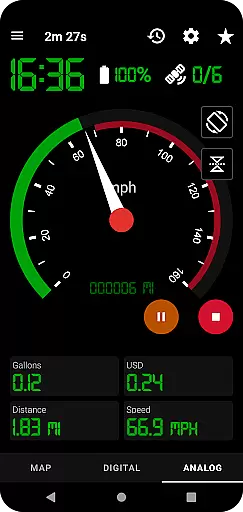
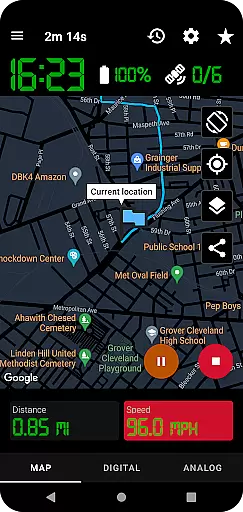
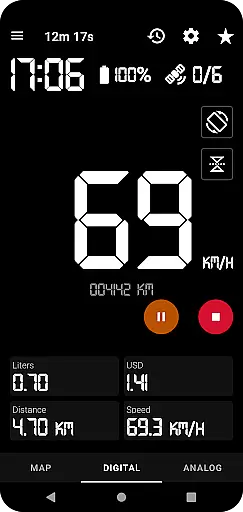
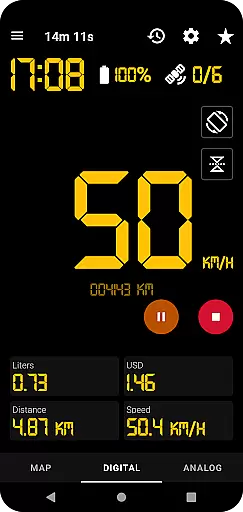
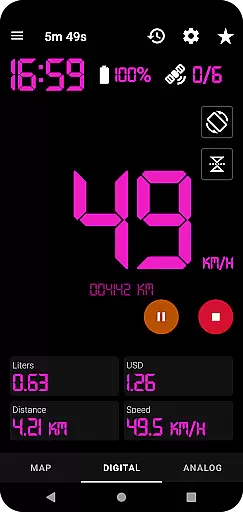
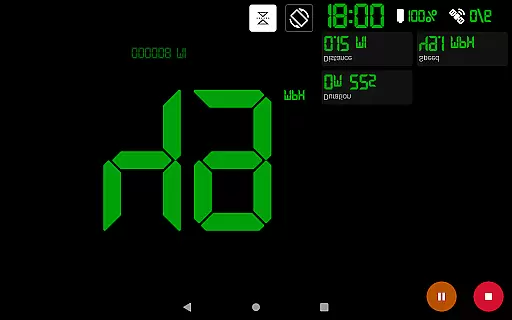
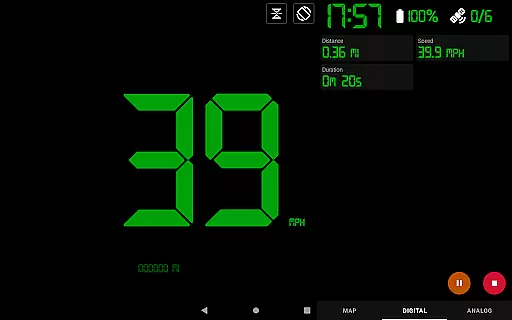
GPS Speedometer Pro is a comprehensive navigation and tracking application designed to help users monitor their speed, distance, and routes using the phone's built-in GPS. The app offers multiple display modes including analog, digital, and head-up display (HUD) options, making it versatile for various activities such as driving, running, or cycling.
One of its standout features is the ability to operate seamlessly in the background, allowing users to multitask on their phones without interrupting the tracking process. Additionally, the app provides advanced functionalities like fuel cost estimation, over-speed alerts, and odometer readings, ensuring both convenience and safety during travel.
Whether you're commuting, exercising, or exploring new terrains, GPS Speedometer Pro serves as an essential tool for real-time navigation and post-trip analysis. Its compatibility with third-party software through GPX file downloads further enhances its utility for enthusiasts who require detailed route data.
GPS Speedometer Pro boasts an array of sophisticated features tailored to enhance user experience. The app supports multiple speedometer styles, including analog, digital, and HUD modes, catering to different preferences and lighting conditions. Users can also switch between map types and choose from light, dark, or terrain views, ensuring optimal visibility in any environment.
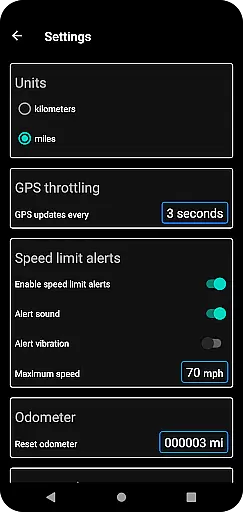
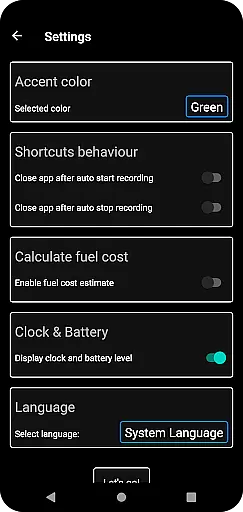
Another notable feature is the app’s robust tracking system, which allows users to pause, stop, and resume recordings effortlessly. This flexibility ensures accurate data collection while conserving battery life. Moreover, the inclusion of practical tools like fuel cost estimation, maximum speed alerts, and odometer readings adds significant value for those monitoring their travel expenses or adhering to speed limits.
The ability to download routes in GPX format and replay them within the app sets GPS Speedometer Pro apart from its competitors. This functionality not only aids in analyzing past trips but also facilitates sharing recorded routes as map images or text, promoting collaboration and community engagement among users.
Map accuracy is crucial for any navigation or tracking application, and GPS Speedometer Pro excels in this area. The app leverages your phone's built-in GPS to provide precise location data, ensuring that your routes are recorded with high fidelity.
The app offers various map types including light, dark, and terrain views, allowing users to choose the most suitable option for their environment. This versatility ensures optimal readability and usability regardless of the time of day or terrain conditions.
Users benefit from real-time tracking that continues even when the app runs in the background. This feature allows for uninterrupted route recording, providing accurate and detailed maps of your journeys without draining your battery excessively.
Furthermore, the ability to download routes in .gpx file format enables users to view their tracks in third-party software, offering an additional layer of accuracy verification and route analysis outside the app environment.
Effective route planning can significantly enhance travel efficiency, and GPS Speedometer Pro provides several features to assist with this task. The app includes an odometer and fuel cost estimation tools, which help users plan their trips economically and efficiently.
With the head-up display (HUD) mode, users can easily monitor their speed and other essential metrics without distraction, making it easier to stick to planned routes and maintain focus on the road ahead.
The app also supports setting a maximum speed limit, providing over-speed alerts even when running in the background. This feature not only aids in adhering to traffic regulations but also helps in maintaining a steady pace as per the planned itinerary.
Additionally, the pause, stop, and resume functionality allows users to manage their tracking sessions effectively, saving power and ensuring that only relevant segments of the journey are recorded, thus contributing to more accurate and meaningful route data.
User-friendly interface
Accurate GPS tracking
Customizable display options
Background operation
Privacy-focused design
Limited offline maps
No voice guidance
Premium version required
Occasional GPS lag
High battery usage

Offline maps for phone and smart watch: topographic maps, satellite images...
 3.30
3.30
Discover over 800 points of interest along the canal.
3.70
Find trails, organize your locations and navigate with offline maps.
4.60
Your guide to the recreational opportunities of the Bureau of Land Management!
3.40
Airport parking, with airport shuttle (TPS shuttle), reservations, and Spot Club
4.80
Get directions, Maps, GPS navigation & GPS Maps using GPS App
4.10
Explore with GPS Navigation with GPS offline, voice GPS, speed camera radar
4.60
Explore Earth with live GPS, satellite view & street navigation
3.60
Navigate seamlessly with Real-Time Traffic, Offline Maps, and Voice Navigation.
4.10
Bolt is a ride-hailing app for requesting fast, safe, and affordable transport
4.80
Offline maps & GPS for hiking, travel, fieldwork & outdoor adventures
4.70
Navigate confidently with our precise Digital Compass app & Direction Compass!
4.70
Ride or drive at YOUR price
4.70
Plan routes, share locations, and set custom alert zones
4.40
Route schedules, maps, and real-time tracking of MTA buses in New York City.
4.20
Easy, Moderate and difficult offroad adventures.
4.00
Drive safe with real-time speed camera radar, police, and traffic alerts
3.80
Explore offline maps with radar, satellite view, and real-time alerts.
3.60
Off-Roading Navigation App With Trails, Public Lands, & Private Property Info
3.30


User Reviews