
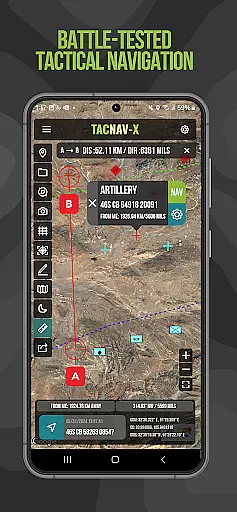
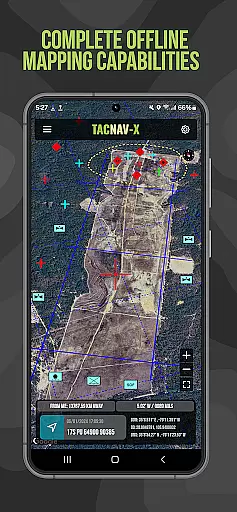
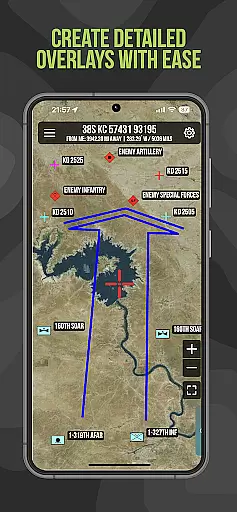
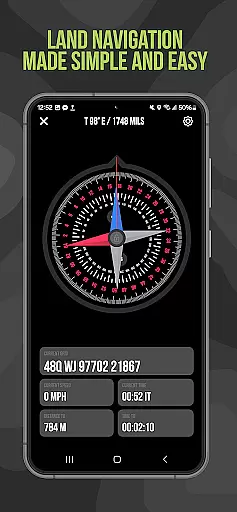
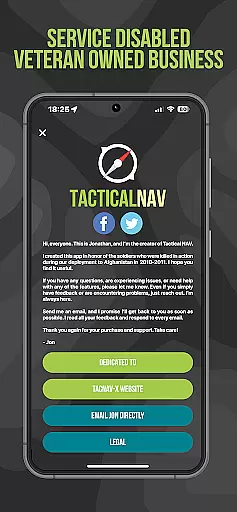
Tactical NAV is a specialized navigation application designed for military use, particularly by soldiers in the field. Developed during a combat deployment in Afghanistan, this app provides highly accurate mapping and navigation capabilities tailored to military operations. Its core feature set includes offline mapping, precise waypoint plotting, and tactical drawing tools that adhere to military standards.
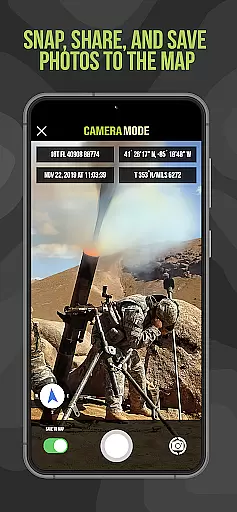
The app supports various coordinate systems such as MGRS, UTM, BNG, and USNG, making it versatile for different mission requirements. With functionalities like 'FastLock' compass for quick azimuth capture and photo integration into maps, Tactical NAV enhances situational awareness and operational planning. It serves as an essential tool for both training exercises and real-world combat scenarios.
Tactical NAV stands out with its robust feature set specifically crafted for military personnel. The app offers offline mapping capabilities, allowing users to operate without emitting cellular signals—a crucial advantage in contested environments. Its precision targeting platform ensures accuracy within 1mm of officially approved DoD systems like Nett Warrior and ATAK.
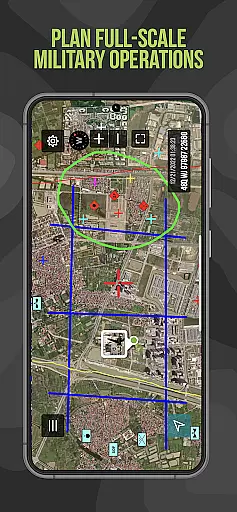
Additional features include tactical drawing mode for mission planning, waypoint plotting with standardized military graphics, and a 'Go to Grid' function for precise location marking. Users can also share locations, waypoints, and photos via email or text, facilitating better communication among team members. These capabilities collectively empower service members to execute their missions effectively while maintaining high levels of security and reliability.
Map accuracy is crucial for any navigation application, especially one designed for military use like Tactical NAV. This app provides precise mapping capabilities that align with WGS-84 standards, supporting MGRS, UTM, BNG, and USNG coordinates.
The app's offline mapping mode ensures that users can operate without emitting a cellular signal, which is vital in contested environments where maintaining stealth is necessary. The accuracy of Tactical NAV has been rigorously tested and matches the performance of the AN/PSN-13 Defense Advanced GPS Receiver (DAGR).
For military personnel, this level of precision means enhanced situational awareness and mission success. Users can plot waypoints with military graphics as per FM 1-02.2, capture quick azimuths with the Compass 'FastLock' function, and snap photos directly onto maps to increase situational understanding.
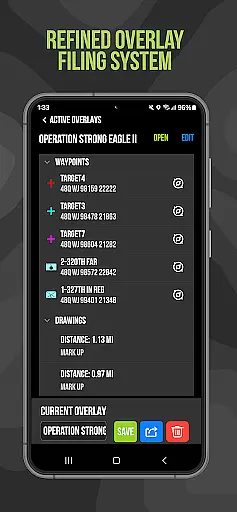
Effective route planning is essential for successful military operations, and Tactical NAV excels in providing tools tailored for this purpose. With features such as tactical drawing mode, users can plan missions, create overlays, and target locations accurately.
The 'Go to Grid' feature allows for precision planning by enabling users to draw overlays and drop waypoints with ease. Sharing capabilities extend to location, waypoint, and photo sharing via email and text, ensuring all team members are informed and coordinated.
While the Department of Defense does not officially endorse Tactical NAV, its functionality closely mirrors systems like Nett Warrior, ATAK, and BFT, with an accuracy within 1mm of these DoD-approved platforms. This makes Tactical NAV an invaluable asset for training and combat scenarios alike.
Highly accurate navigation
Offline mapping available
Military-grade features
Supports multiple coordinate systems
Enhances situational awareness
No official DoD endorsement
Limited to military use cases
In-app purchases required
Subscription model for some features
Not suitable for life-threatening situations

Start your next adventure confidently using our Accurate Compass App
 3.70
3.70
Offline maps for phone and smart watch: topographic maps, satellite images...
3.30
America’s largest public fast charging network, with over 500 charging stations.
4.50
Navigate confidently with our precise Digital Compass app & Direction Compass!
4.70
Find radar maps, GPS coordinates, altitude, offline maps, location, travel route
4.40
Navigate via GPS Maps of GPS Voice Navigation, driving directions to find routes
3.60
Ride or drive at YOUR price
4.70
Lets explore the world's famous places by using Live Cams, GPS & Satellite View.
4.20
Avoid delays. Get real-time GPS navigation, safety alerts and live traffic.
4.10
LIRR and Metro-North tickets and trips
4.80
Find trails, organize your locations and navigate with offline maps.
4.60
Neshan: map & navigation app with 20M+ monthly active users
4.50
Rideshare, taxi cabs, and more for your airport travels and everyday trips.
4.50
The fastest and most convenient way to pay for parking on our lots.
4.40
ParkWhiz, an Arrive Mobility brand, part of the Arrive Network
4.30
Find radar, speed camera, flight tracker. Use hud, location tracker, speedometer
4.20
Get directions, Maps, GPS navigation & GPS Maps using GPS App
4.10
Route Planner is travel map to get turn by turn navigation & driving directions
3.90
All of NHSA's trail information at your fingertips for the 2025-2026 season
4.1


User Reviews