





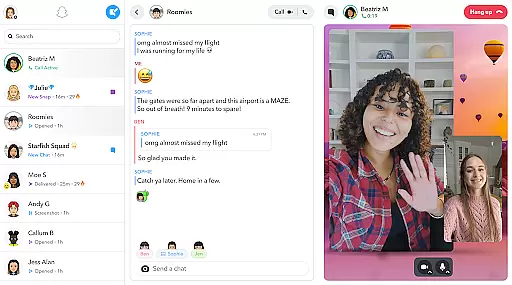

Snapchat is a dynamic communication app that allows users to share moments instantly with friends and family through photos, videos, and live messaging. The app opens directly to the camera, making it easy to capture and share content on the go.
With features like Lenses, Filters, and Bitmoji, users can express themselves creatively. Snapchat also offers Stories and Spotlight for broader sharing and discovery, while the Map feature lets users explore shared locations and stories from around the world.
Whether you're chatting with friends, watching Stories, or exploring community content, Snapchat provides a fast, fun, and engaging way to stay connected and share your day.
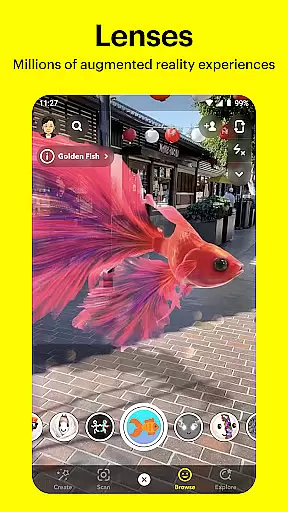
Snapchat stands out with its innovative camera-first design, offering users instant access to photo and video capture. The app includes daily updated Lenses created by the Snapchat community, allowing for unique and creative expression.
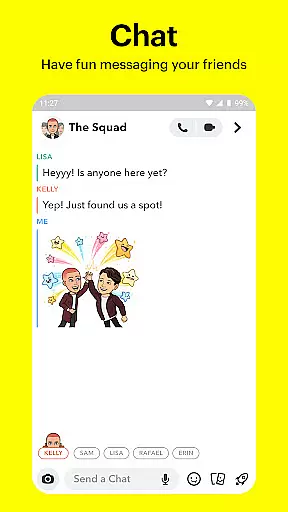
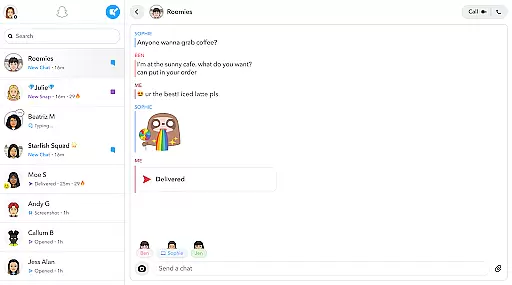
The Chat feature supports live messaging and video calls with up to 16 people simultaneously, enhanced by Lenses and Filters. Stories enable users to view a chronological compilation of Snaps throughout the day, while Spotlight showcases top community content.
Additional features include the Map for location sharing, Memories for saving and editing past Snaps, and Friendship Profiles that highlight shared moments and common interests between friends, enhancing personal connections.
Real-time messaging speed and reliability are crucial for maintaining seamless communication in any messaging app. Snapchat excels in this area by providing instantaneous message delivery, ensuring that users can engage in fluid conversations without noticeable delays.
The app employs optimized data transmission protocols to maintain fast and stable connections. This ensures that messages are delivered promptly even under varying network conditions, enhancing the overall user experience.
For users, this means they can rely on Snapchat for time-sensitive communications, such as coordinating meetups or sharing urgent updates. The confidence in message delivery encourages more active and frequent use of the platform.
Moreover, Snapchat's infrastructure is designed to handle high volumes of messages efficiently, which prevents server overload and maintains performance consistency. This reliability fosters trust among users, making Snapchat a preferred choice for real-time interactions.
Media sharing support is an essential feature for modern communication apps, allowing users to exchange various types of content seamlessly. Snapchat offers robust media sharing capabilities, enabling users to send photos, videos, and other multimedia effortlessly.
The app provides intuitive tools for capturing and editing media directly within the interface. Users can apply Lenses, Filters, and Bitmoji to their snaps before sending them, adding a layer of creativity and personalization to their shared content.
This extensive media support enhances user engagement by making interactions more dynamic and expressive. Friends can share moments from their day with rich visual context, strengthening their connections through immersive storytelling.
Additionally, Snapchat supports different file formats and sizes, accommodating diverse user needs. Whether it's a quick snap or a longer video chat, the app ensures that all media is transmitted smoothly, preserving quality and detail. This versatility makes Snapchat a comprehensive tool for vibrant digital communication.
Instant camera access
Creative lenses and filters
Engaging stories and spotlight
Live group video chat
Personalized friendship profiles
Privacy concerns with screenshots
Limited message history
High data usage
Complex navigation
Feature overload for new users

فیلتر شکن قوی پرسرعت کلید جدید برای اندرویدسریع ترین وی پی ان برای همه اپراتورها
 4.70
4.70
A Browser with powerful ad blocker to help focus on what really matters.
3.00
WazzapMigrator: transfer your WhatsApp history from iPhone to Android
4.00
Use this SMS app standalone or as a TREK: Total Interface companion.
4.30
A softphone app with seamless SIP calling and an intuitive VoIP dialer
3.50
FolderSync enables easy sync of files between cloud storage and Android devices.
4.60
BE PRIVATE
Anonymous. No Trace. Fast.
4.20
Fast internet with AI, Adblock & VPN. Browse on a safe, incognito web browser.
4.70
Say “hello” to privacy.
4.60
Messenger, an MMS & SMS messages app with Blockers, Driving mode & Private box
4.60
Connect and browse the internet with a fast VPN proxy server and IP blocker.
4.50
Talk & text free with a second phone number plus unlimited 5G data, no fees.
4.50
The ultimate productivity solution for all your email communication needs.
4.40
Group Chat That’s Fun & Games
4.30
A softphone with crystal clear SIP Calling & Reliable VoIP dialer
4.00
Telegram is a messaging app with a focus on speed and security.
4.00
TeamSpeak - Secure Chat for Gaming & Business
3.10
Comprehensive and powerful scan tool app with enhanced functions
3.00
Watchgram for Telegram: Experience seamless Telegram messaging on your watch
1.80


User Reviews