
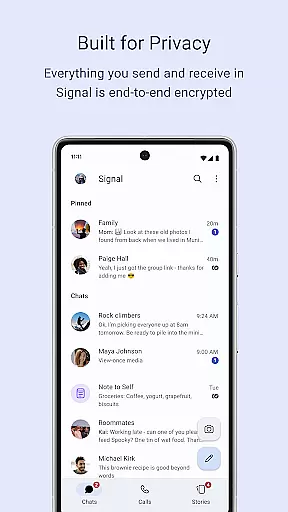
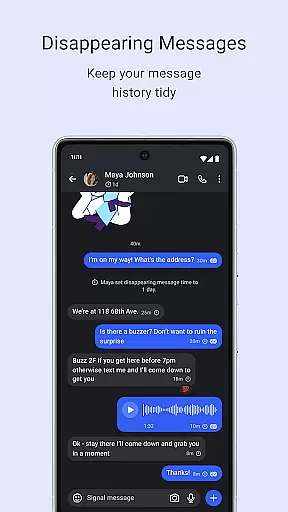
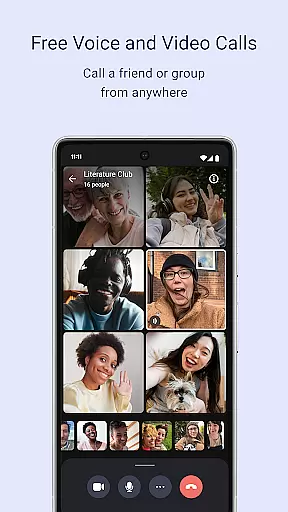
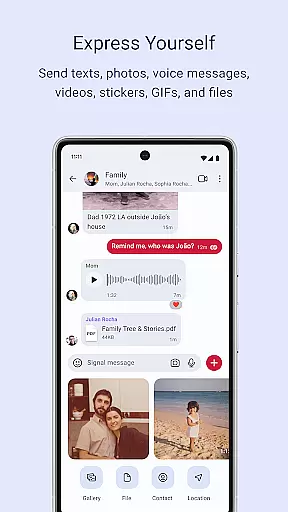
Signal Private Messenger is a communication app that prioritizes user privacy through robust end-to-end encryption. It allows users to send texts, voice messages, photos, videos, GIFs, and files without incurring SMS or MMS fees by utilizing the phone's data connection. The app supports crystal-clear encrypted voice and video calls, including group calls for up to 50 participants.
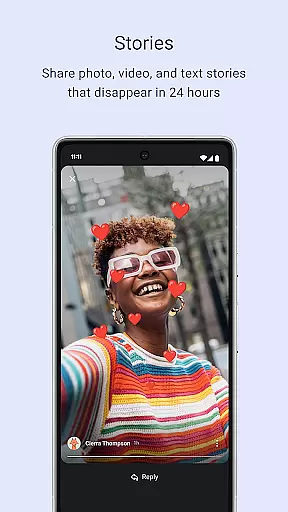
In addition to individual and group messaging, Signal offers Stories that disappear after 24 hours, with customizable privacy settings. Built on an open-source protocol, Signal ensures that no one, not even the developers, can access your messages or calls. As a nonprofit organization, Signal does not rely on advertisers or investors but is supported by user donations, reinforcing its commitment to user privacy and independence.
Signal Private Messenger stands out with its comprehensive privacy features. The app employs end-to-end encryption across all forms of communication, ensuring that only the sender and recipient can access the content. This includes text messages, voice and video calls, and file sharing, making it an ideal choice for those who prioritize confidentiality.
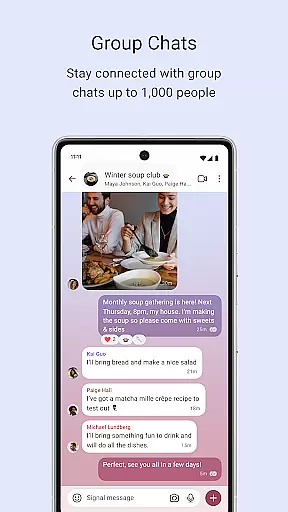
Beyond encryption, Signal provides advanced functionalities such as group chats for up to 1,000 members, complete with admin controls to manage posting permissions. The Stories feature allows users to share temporary content that automatically disappears after 24 hours, with granular privacy settings to control viewership. Furthermore, Signal's commitment to transparency is evident through its open-source nature, allowing anyone to inspect the code for security and privacy assurance.
As a nonprofit, Signal operates without the influence of advertisers or investors, focusing solely on user experience and privacy. This independence enables the app to offer a service free from data collection and backdoors, setting a new standard in secure digital communication.
Real-time messaging speed and reliability are crucial for seamless communication. Signal Private Messenger excels in this area by providing instantaneous message delivery with robust end-to-end encryption.
The app leverages your phone's data connection to ensure messages are sent swiftly without incurring SMS or MMS fees. This not only reduces costs but also enhances the speed of communication, making it as fast as your internet connection allows.
Users benefit from knowing their communications are delivered promptly and securely. The strong encryption ensures that messages remain private and cannot be intercepted, providing peace of mind for personal and professional conversations.
Media sharing support is an essential feature for modern messaging apps, allowing users to send various types of content effortlessly. Signal Private Messenger offers comprehensive media sharing capabilities, including texts, voice messages, photos, videos, GIFs, and files.
With Signal, you can share multimedia content without worrying about privacy breaches. Every piece of shared media is encrypted, ensuring that only the intended recipients can view or listen to the content. This makes it ideal for both casual and sensitive communications.
The ability to send diverse media formats enriches user interactions, making conversations more engaging and expressive. Users can enjoy crystal-clear voice and video calls, group chats, and disappearing stories, all while maintaining control over their privacy settings.
Strong end-to-end encryption
No SMS or MMS fees
Supports large group calls
Private Stories feature
Nonprofit and independent
Limited to data connections
No built-in games
Stories limited to 24 hours
Requires internet access
Interface may feel basic

Call Forwarding is easy and simple application to use.
 3.80
3.80
Pure modern IRC experience for Android
3.70
Radio communication simulator for gaming communities
4.1
SMS Messenger ensures that communication become effortless and accessible.
3.80
Google's fast and secure browser
4.10
This app enables the phone to receive and send FT8 traffic!
3.80
Simplify texting with Messages SMS, offline messaging, themes & smart tools!
4.30
TeamSpeak - Secure Chat for Gaming & Business
3.10
Caller ID, Spam Call & SMS Blocker
3.80
Enhance browsing with AI-powered features and Copilot.
4.70
FolderSync enables easy sync of files between cloud storage and Android devices.
4.60
Manage BoostMobile Account
4.60
Experience real private browsing without tracking, surveillance, or censorship.
4.50
A web browser that respects your privacy.
4.30
Phone Dialer with Caller ID, Address Book & Contacts Manager.
4.30
Call Blocker app: Identify unknown callers, block spam calls, fraud & robocalls
4.30
Fun, free app that lets kids video call and message family and close friends.
3.80
Quickly and easily identify and block unknown callers
3.70
Comprehensive and powerful scan tool app with enhanced functions
3.00


User Reviews