
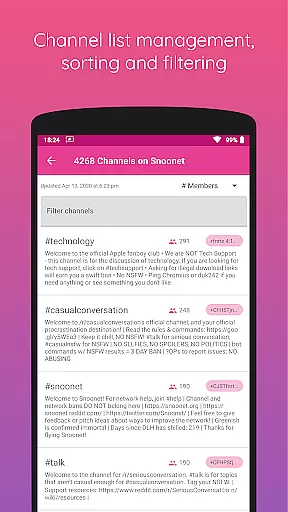
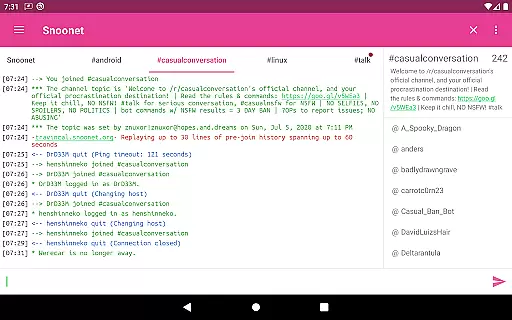
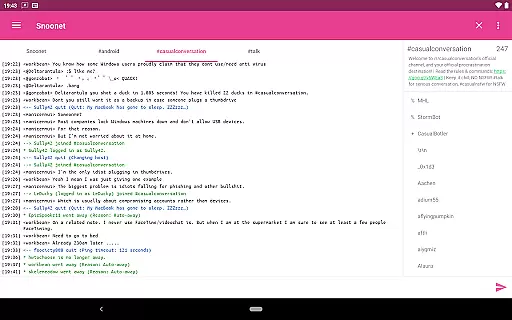
CoreIRC is a feature-rich IRC client designed for secure and customizable communication. The app supports multiple secure connections through SSL encryption, ensuring your chats remain private and protected. With support for modern authentication protocols like SASL and NickServ, users can connect to various IRC networks with confidence.
The application provides advanced notification management, allowing users to create specific rules for different channels or senders. This ensures you never miss important messages while filtering out unnecessary noise. Additionally, CoreIRC offers practical extras such as inline URL previews and now playing scripts, which enhance the overall chat experience by integrating multimedia and music sharing capabilities.
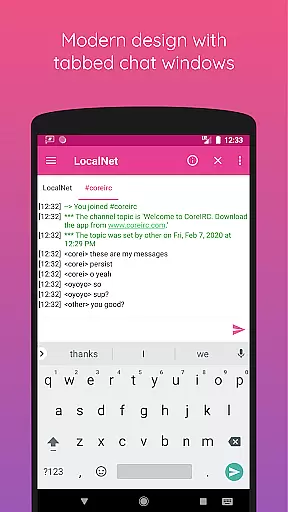
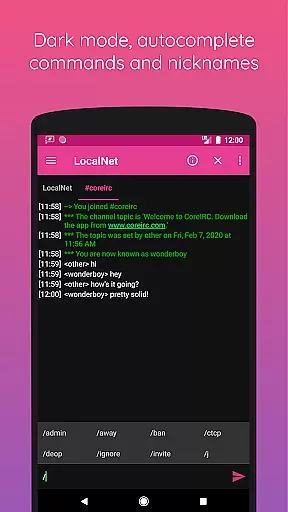
Built with a modern Android design following Material principles, CoreIRC delivers an intuitive user interface that's both functional and visually appealing. Whether you're managing multiple networks or engaging in detailed technical discussions, this app provides all the tools necessary for efficient IRC communication.
CoreIRC stands out with its robust set of features tailored for power users. One of its key strengths is the support for multiple secure IRC connections using SSL, alongside advanced authentication methods including SASL PLAIN, SASL EXTERNAL, and SASL SCRAM-SHA-256. This makes it an ideal choice for users who prioritize security in their communications.
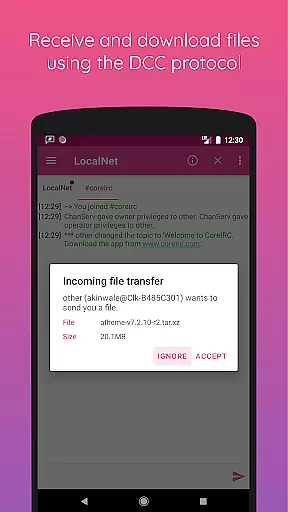
The app also includes a comprehensive notification system that allows granular control over alerts. Users can configure notifications based on channels, senders, or message content, creating personalized rule sets that match their workflow. Furthermore, CoreIRC supports file transfers via DCC with resume functionality, ensuring seamless sharing of large files without interruptions.
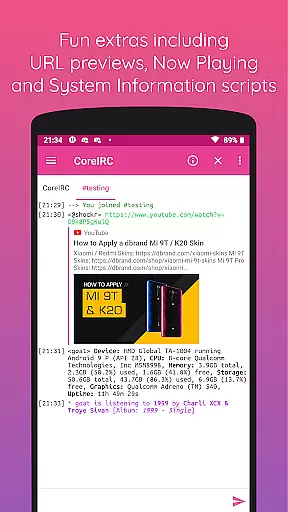
Additional highlights include fun extras like inline URL previews and now playing scripts, which allow users to share what they're listening to across supported music platforms. The inclusion of system information scripts and CTCP support further enhances its utility for technical users who need quick access to device details during chats.
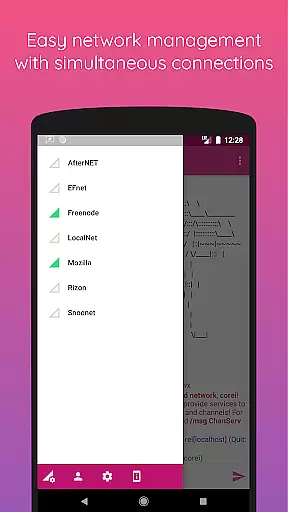
Real-time messaging speed and reliability are crucial for any communication app, especially in the realm of Internet Relay Chat (IRC). CoreIRC excels in this area by providing multiple secure IRC connections over SSL, ensuring not only encryption but also a stable and fast messaging experience. This means users can connect to several IRC networks simultaneously without experiencing lag or disconnections.
The app supports modern IRCv3 features such as SASL authentication, which includes SASL PLAIN, SASL EXTERNAL, and SASL SCRAM-SHA-256, enhancing both security and connection reliability. By allowing users to authenticate through these advanced methods, CoreIRC ensures that messages are transmitted securely and efficiently, reducing the chances of unauthorized access or data breaches.
Furthermore, CoreIRC's robust notification system enables users to configure specific alerts based on channels, senders, or message content. This personalized approach ensures that important communications are never missed, thereby increasing the overall reliability of the messaging experience. Users can create multiple notification rule sets, tailoring their alert preferences to match their unique needs and workflows.
Media sharing is an essential feature for modern communication apps, allowing users to exchange files and enrich conversations with multimedia content. CoreIRC addresses this need by supporting the DCC protocol for file transfers, complete with resume capabilities. This functionality ensures that users can reliably send and receive files, even if the transfer is interrupted, without losing progress.
In addition to traditional file sharing, CoreIRC offers inline URL previews, enabling users to preview links shared within chats before opening them in a browser. This feature enhances the user experience by providing immediate context and visual cues, making it easier to determine the relevance and safety of shared content. Images within previews can be toggled off, catering to user preferences and bandwidth considerations.
CoreIRC further enriches media sharing with its Now Playing script, which allows users to share what they are currently listening to on various music platforms like Spotify, Google Play Music, and Amazon Music. This fun extra adds a social dimension to interactions, letting users express themselves and engage with others over shared interests in music. Overall, CoreIRC's comprehensive media sharing support significantly boosts the app's value as a versatile communication tool.
Secure connections
Advanced notifications
Customizable settings
Modern UI design
Comprehensive feature set
Complex for beginners
Limited iOS support
No voice calls
Heavy on resources
Occasional bugs

Manage your data, talk & text - affordable phone plans & data usage made simple
 4.30
4.30
Tether to Windows, OS X, Linux PCs or Android tablets. No root. No tether fees.
3.90
Secure Messaging App to Enhance Messenger Texting Experience and Organize SMS.
3.50
SMS Messenger ensures that communication become effortless and accessible.
3.80
Welcome to the future of phone service.
4.60
Fun, free app that lets kids video call and message family and close friends.
3.80
Comprehensive and powerful scan tool app with enhanced functions
3.00
TeamSpeak - Secure Chat for Gaming & Business
3.10
Get through your inbox faster with the mail app designed to simplify your life.
4.40
Build your web browser around you with private search, and more.
4.60
Talk & text free with a second phone number plus unlimited 5G data, no fees.
4.50
Smart and simple anti-wiring application - IMSI-catchers catcher
4.40
Use this SMS app standalone or as a TREK: Total Interface companion.
4.30
Group Chat That’s Fun & Games
4.30
Fast and simple walkie talkie app
4.20
A softphone with crystal clear SIP Calling & Reliable VoIP dialer
4.00
Telegram is a messaging app with a focus on speed and security.
4.00
Call Forwarding is easy and simple application to use.
3.80
Manage Phone Calls, call history, and contacts easily with Phone Pro.
4.3


User Reviews