


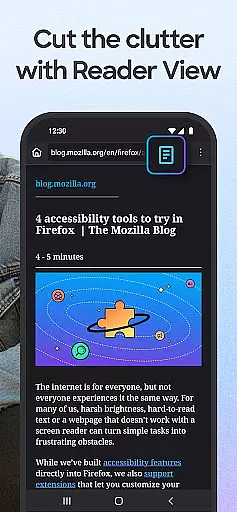
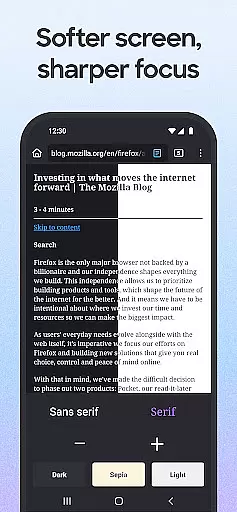
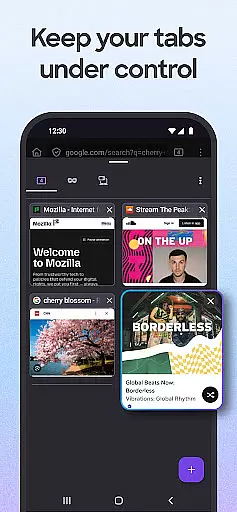
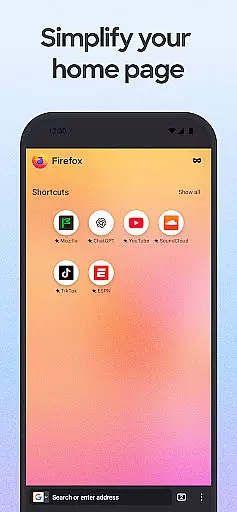
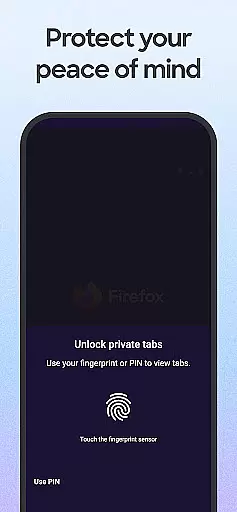
Firefox Fast & Private Browser is a top-tier communication tool designed to provide users with a secure and customizable internet browsing experience. As a privacy-focused browser, Firefox blocks trackers by default, including social media trackers and cross-site cookies, ensuring your online activities remain private. The browser also offers enhanced tracking protection in its 'strict' mode, functioning as an effective ad blocker while allowing users to customize their preferred search engine for convenience.
In addition to its robust privacy features, Firefox provides an intuitive tab management system that lets you organize multiple tabs efficiently through thumbnail or list views. Its seamless sync functionality allows you to access open tabs across devices when linked to your Mozilla account. With added capabilities such as password management, dark mode for battery saving, and video pop-out options, Firefox ensures both productivity and ease of use while maintaining high security standards.
Whether you're managing passwords, blocking ads, or customizing your browsing experience with helpful extensions, Firefox caters to diverse user needs. It's particularly beneficial for those who prioritize speed, privacy, and customization in their daily browsing routines. By integrating advanced privacy controls with user-friendly features, Firefox stands out as a reliable choice for anyone seeking a fast yet secure web browser.
Firefox Fast & Private Browser distinguishes itself through a variety of innovative features tailored to enhance user control over their browsing experience. One standout feature is its automatic tracker blocking capability, which prevents various types of online trackers from monitoring your activity. This includes blocking social media trackers, cross-site cookie trackers, crypto-miners, and fingerprinters, thus safeguarding your personal information effectively.
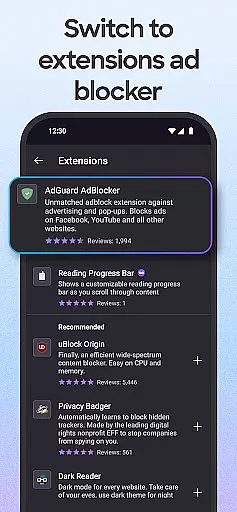
Another key aspect is the browser's enhanced tracking protection, which can be set to 'strict' mode for additional privacy. In this mode, Firefox acts as a powerful ad blocker, removing unwanted advertisements and scripts that may compromise your privacy. Users can further personalize their experience by setting their preferred private search engines and installing ad blocker extensions to eliminate intrusive pop-ups.
Firefox also excels in usability with its easy-to-navigate tab interface, offering both thumbnail and list views for managing open tabs. The inclusion of a password manager simplifies login processes by securely storing credentials across synced devices. Moreover, unique functionalities like video pop-out and background play allow uninterrupted multitasking, while dark mode reduces eye strain and conserves battery life. These comprehensive features make Firefox an ideal choice for users prioritizing privacy without sacrificing performance or convenience.
Real-time messaging speed is crucial for a seamless communication experience, and Firefox Fast & Private Browser excels in this area. The browser ensures that your messages and interactions across various platforms are transmitted instantly without delays.
Firefox achieves this through optimized data handling and enhanced network protocols. By prioritizing speed alongside security, the browser minimizes latency while maintaining robust privacy protections. This means you can browse, chat, and interact in real time without compromising your personal information.
Users benefit from consistently fast load times and reliable performance, even when engaging with content-rich websites or using web-based messaging services. Whether you're working, socializing, or shopping online, Firefox's efficient processing ensures that every action feels immediate and responsive.
Media sharing support is an essential feature for modern browsers, enabling users to share images, videos, and other files effortlessly. Firefox Fast & Private Browser offers comprehensive media sharing capabilities that enhance user interaction and connectivity.
The browser supports a wide range of file formats, ensuring compatibility across different devices and platforms. With integrated tools like the Firefox search widget and easy access to recently used apps, sharing media becomes a streamlined process. Users can quickly send links to web pages or specific items on a page directly from their browser.
Moreover, Firefox maintains top-notch security during media sharing. Even when using private browsing modes, users can securely share content knowing that their privacy remains protected. This combination of convenience and safety makes Firefox an excellent choice for anyone looking to share media efficiently and responsibly.
Strong privacy protections
Effective ad blocking
Customizable search options
Intuitive tab management
Cross-device syncing
Occasional slow load times
Limited mobile features
Complex settings for beginners
Fewer extensions than Chrome
Higher memory usage

Fast and simple walkie talkie app
 4.20
4.20
Identify unknown numbers, block spam calls, customize calls with cool themes.
4.60
SMS Messenger ensures that communication become effortless and accessible.
3.80
Manage BoostMobile Account
4.60
Connect and browse the internet with a fast VPN proxy server and IP blocker.
4.50
Chat on the Jabber network (XMPP protocol); support for SMS and other gateways
2.10
Manage and Fund Calling Accounts and Schedule and Join Video Sessions
3.60
An app dedicated solely to marriage, not dating, and supported by a rigorous verification mechanism to ensure seriousness.
4.1
A customizable phone number in the cloud
4.20
Caller ID App! Add names & photos to unknown calls & Call Recording
4.40
Create a secure hotspot on-the-go with Portable WiFi - Mobile hotspot.
4.40
Manage your data, talk & text - affordable phone plans & data usage made simple
4.30
Our Black Friday sale is here. Unlock special discounts on Proton Mail now.
4.30
Chill zone on your phone: relax with fun reels & hype shorts!
4.20
Messenger app for faster and simpler SMS text messaging, and personalized themes
4.10
This app enables the phone to receive and send FT8 traffic!
3.80
Fun, free app that lets kids video call and message family and close friends.
3.80
Quickly and easily identify and block unknown callers
3.70
Watchgram for Telegram: Experience seamless Telegram messaging on your watch
1.80


User Reviews